38
3. In The Event That The User Calls Any Extension
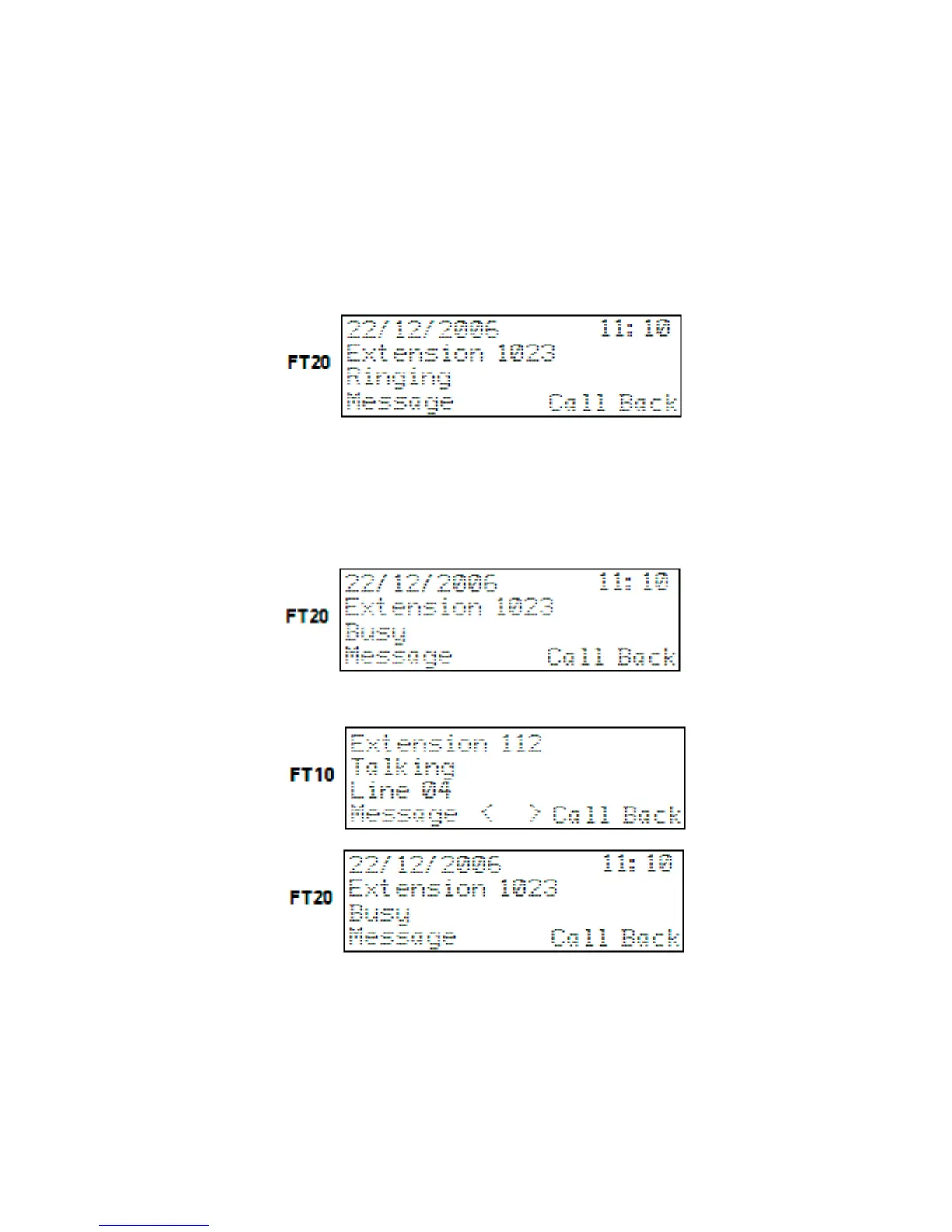
One of the messages called number is ringing, forwarded number is ringing or
telephone in the group is ringing is displayed together with the number of the extension
that is ringing. In this state, actions that could be taken by the user, as well as the
corresponding queries such as “Call Back” and “Message” will be located at the bottom
line of the display and upon pressing the right selection key, the operation will be
accomplished.
NOTE:
• If the extension number has already been saved in the phone book, then the
stored name, instead of the number, is displayed.
4. In The Event That The User Calls A Busy Extension Or
Attempts To Access A Busy Line
4.1. Busy extension: The busy status is brought to view, together with the extension
number and the user is inquired for the “Call Back” and “Message” options.
4.2. Busy line: The busy status is brought to view, together with the line number and
the user is inquired for the “Call Back” option.
4.3. Extension-Extension, Extension-Line: If the called extension is conversing with
another line or extension, then number of the extension is displayed, as well as the
notification of that conversation and number of the extension or the line with which that
extension is conversing and then the user is inquired for the “Call Back” and “Message”
options. Moreover, the message “Conversing” is displayed in the second line from the
top on FT10 screen, if the called extension is conversing with a line.



 To Next Page