Instructions for use ELECTROmatic M/C and PM/PC
3 Description of the product | 3.5 Control panel (PM/PC only)
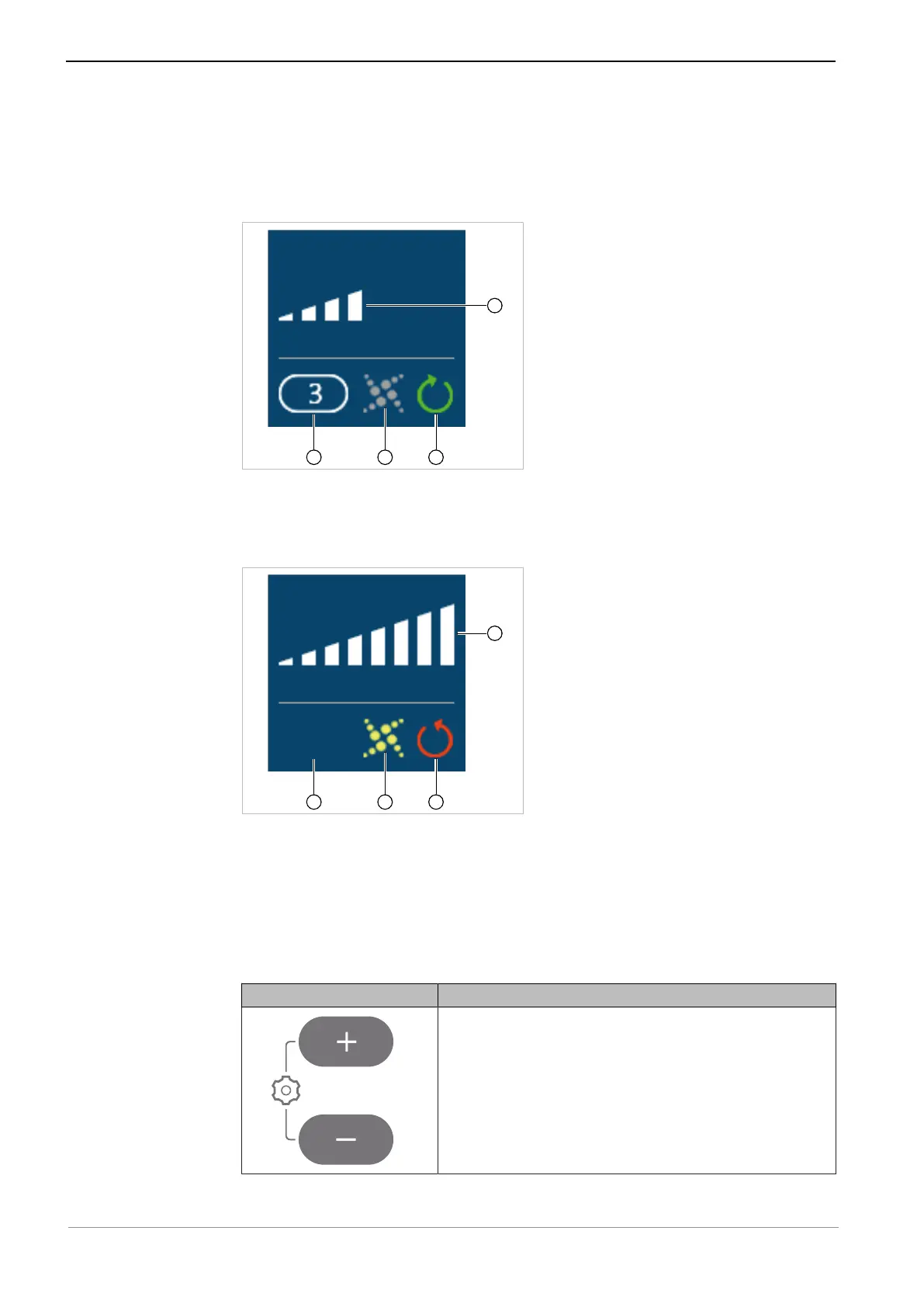
If the speed display is set to "analog", the speed is displayed in analog manner
when the motor is running. When the motor is at rest, the maximum set speed
is shown digitally and the display switches to analog only when the foot control
is pressed, i.e. when the motor is started up.
Display information example 3
① Speed memory 3 ③ Clockwise rotation = green
② SAFEdrive inactive = grey ④ Analogue speed display (approxim-
ately 50% of set maximum speed)
Display information example 4
① No speed memory selected ③ Anticlockwise rotation = red
② SAFEdrive active = yellow ④ Analogue speed display (100% of
set maximum speed)
Function of the operating keys of the ELECTROmatic
PM/PC
Key Feature
▶ Press both the plus and minus key for 2 seconds
to start the "Settings" menu.
23 / 78










 To Next Page