Instructions for use ELECTROmatic M/C and PM/PC
5 Startup | 5.4 Making the device settings
▶ Place the airflow measuring tube ① (Mat. no. 0.411.4441) on the motor.
▶ Press the foot control to start the motor.
▶ Adapt the system pressure of the treatment centre appropriately such that
the cooling airflow is 6 to 9 Nl/min (upper edge of sphere ②).
▶ Comply with the limits for the system pressure from the technical specifica-
tions for media.
See also:
2 3.6 Technical specifications of the ELECTROmatic, Page 24
5.4 Making the device settings
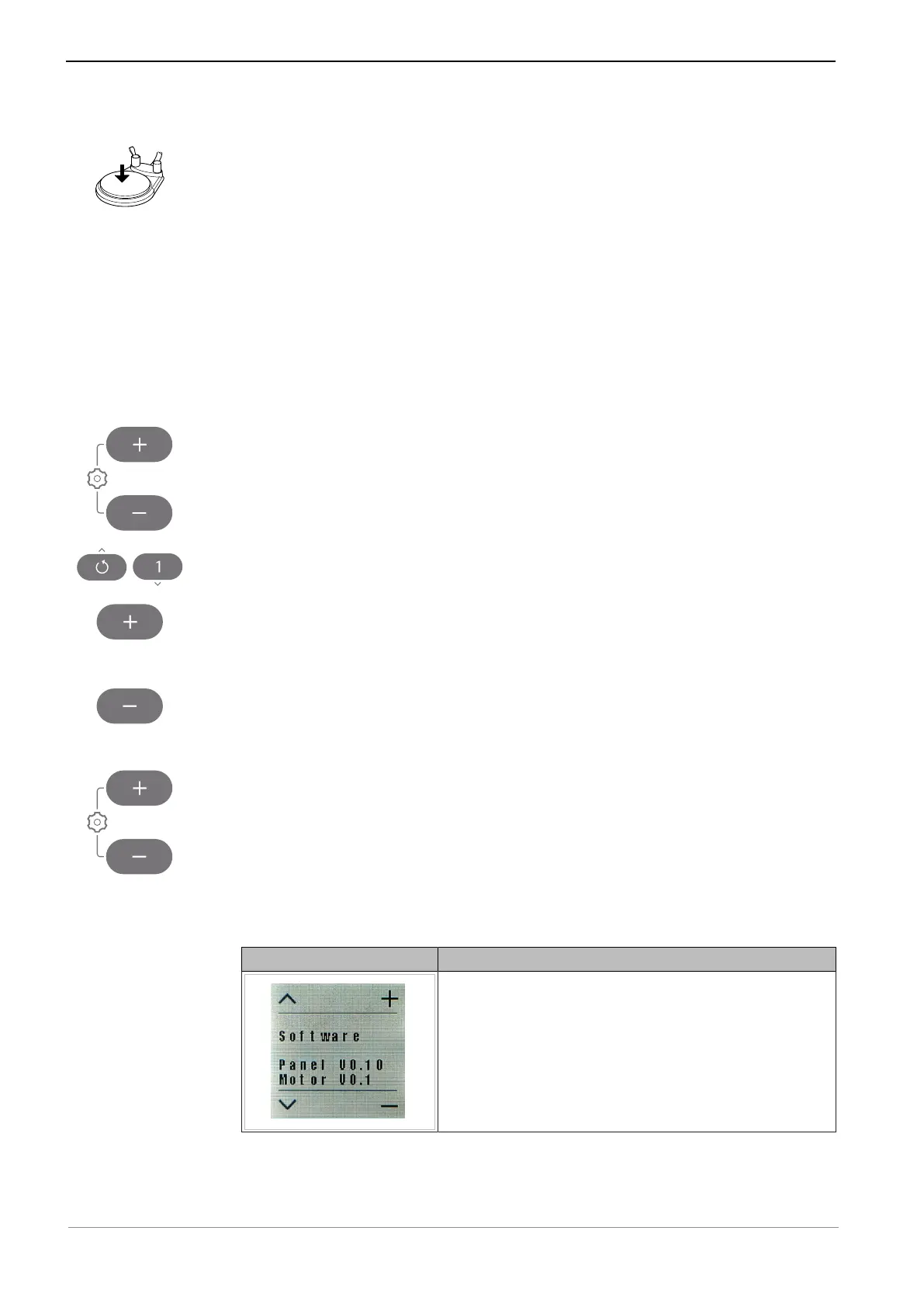
▶ Press both the plus and minus key for 2 seconds to start the "Settings"
menu.
▶ Press the arrow keys to select the various parameters.
▶ Press the Plus key to increase a value.
or
▶ Press the Minus key to decrease in value.
ð The settings are always saved instantaneously.
▶ Press both the plus and minus key for 2 seconds to exit from the "Settings"
menu.
The following device settings can be changed according to need and/or dis-
played when the device is being put into service.
Display information Setting
Displays the software versions.
51 / 78










 To Next Page