Instructions for use ELECTROmatic M/C and PM/PC
4 Installation | 4.7 Installation position 4: Mount control panel as remote control (PM/PC only)
4.7 Installation position 4: Mount control panel as
remote control (PM/PC only)
4.7.1 Disconnect the control panel from the control unit
and install it on the mounting bracket
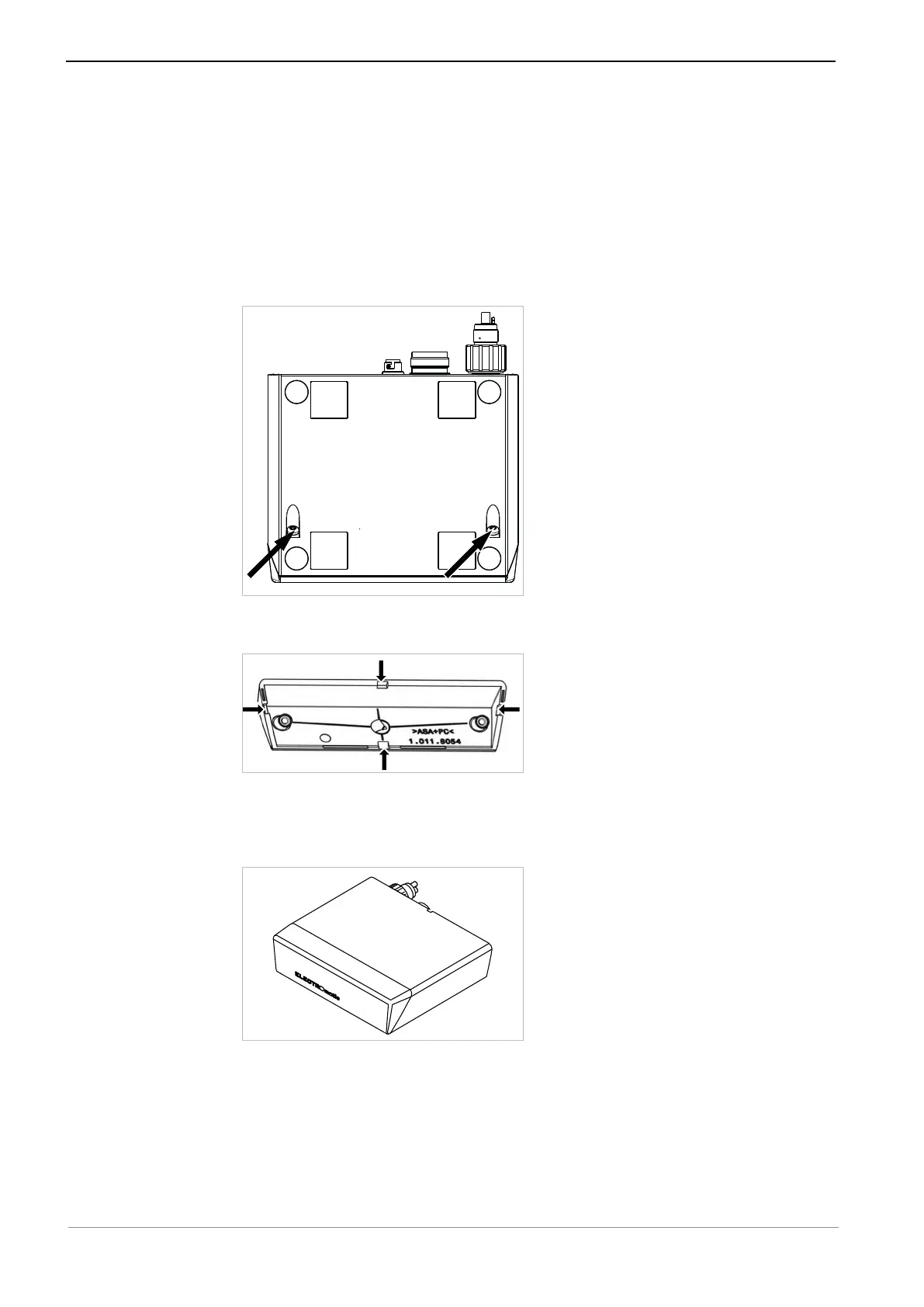
▶ To detach the control panel from the control unit, unscrew 2 screws on the
underside of the device.
▶ Pull the control panel off the control unit.
▶ Break out one of the 4 cable feed-throughs on the inside of the cover panel.
▶ Guide the connecting cable of the control unit through this opening to the
control panel.
▶ Hold the cover panel to the position of the control panel and tighten the 2
screws on the underside of the device again.
39 / 78










 To Next Page