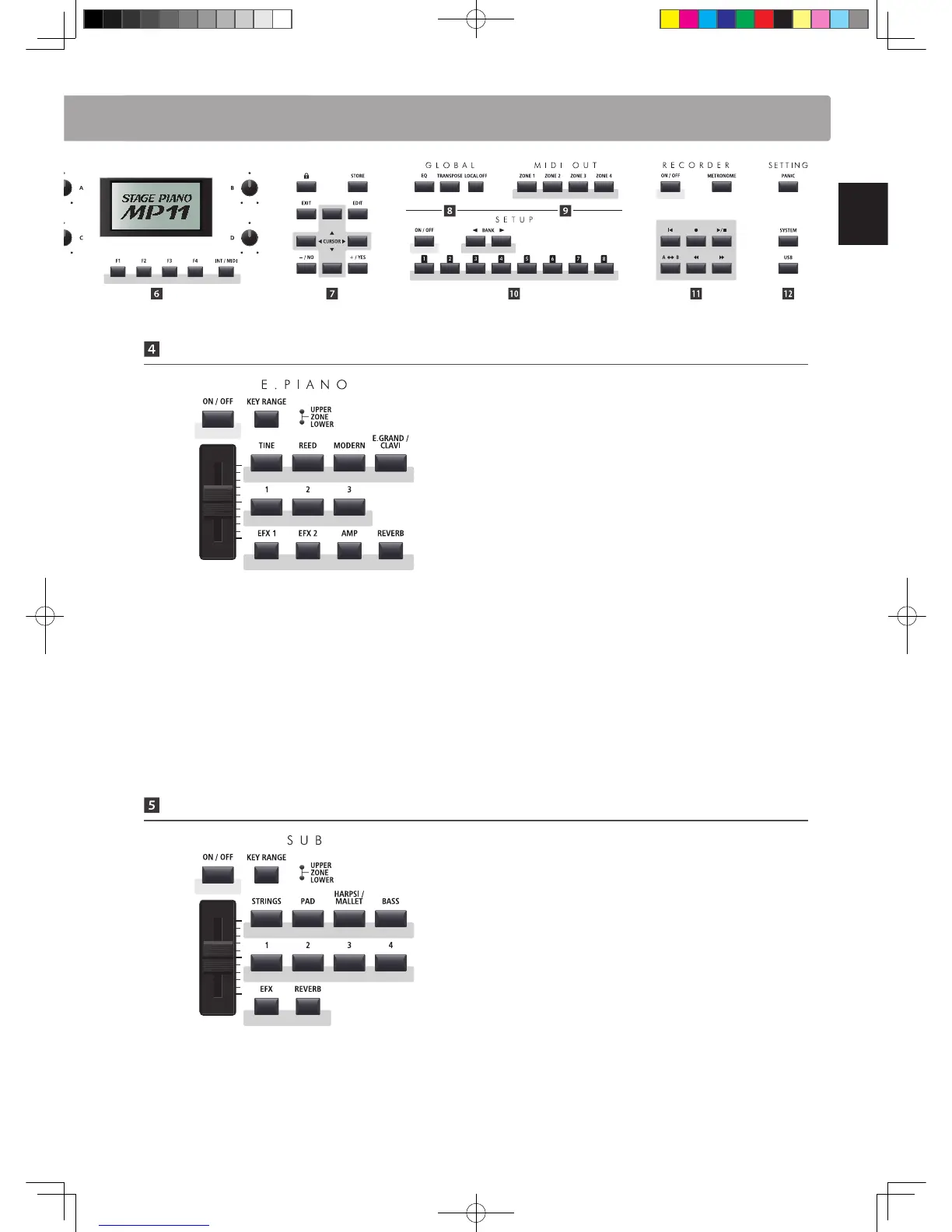
E.PIANO Section
ON/OFF button
This button turns the E.PIANO section ON or OFF.
KEY RANGE button
This button selects the key range of the E.PIANO section.
UPPER/ZONE/LOWER LEDs
These LEDs indicate the key range to which the E.PIANO section
is assigned.
VOLUME fader
This fader controls the volume level of the E.PIANO section.
TINE/REED/MODERN/E.GRAND-CLAVI buttons
These buttons select the category of the e.piano sound.
1/2/3 buttons
These buttons select the e.piano sound from each category.
EFX1/EFX2/AMP/REVERB buttons
These buttons turn the primary/secondary eects, amp
simulator, and reverb ON or OFF.
* Press and hold either button to show the respective settings pages of the
EDIT menu in the LCD display.
SUB Section
ON/OFF button
This button turns the SUB section ON or OFF.
KEY RANGE button
This button selects the key range of the SUB section.
UPPER/ZONE/LOWER LEDs
These LEDs indicate the key range to which the SUB section is
assigned.
VOLUME fader
This fader controls the volume level of the SUB section.
STRINGS/PAD/HARPSI-MALLET/BASS buttons
These buttons select the category of the sub sound.
1/2/3/4 buttons
These buttons select the sub sound from each category.
Part Names & Functions
EFX/REVERB buttons
These buttons turn the eects and reverb ON or OFF.
* Press and hold either button to show the respective settings pages of the
EDIT menu in the LCD display.



 To Next Page