1
Section Basics
As noted previously, the MP11’s PIANO, E.PIANO, and SUB sections all share largely the same operation. This page
will explain the fundamentals of turning sections ON and OFF, selecting sounds, and adjusting the section volume.
Turning a section ON or OFF
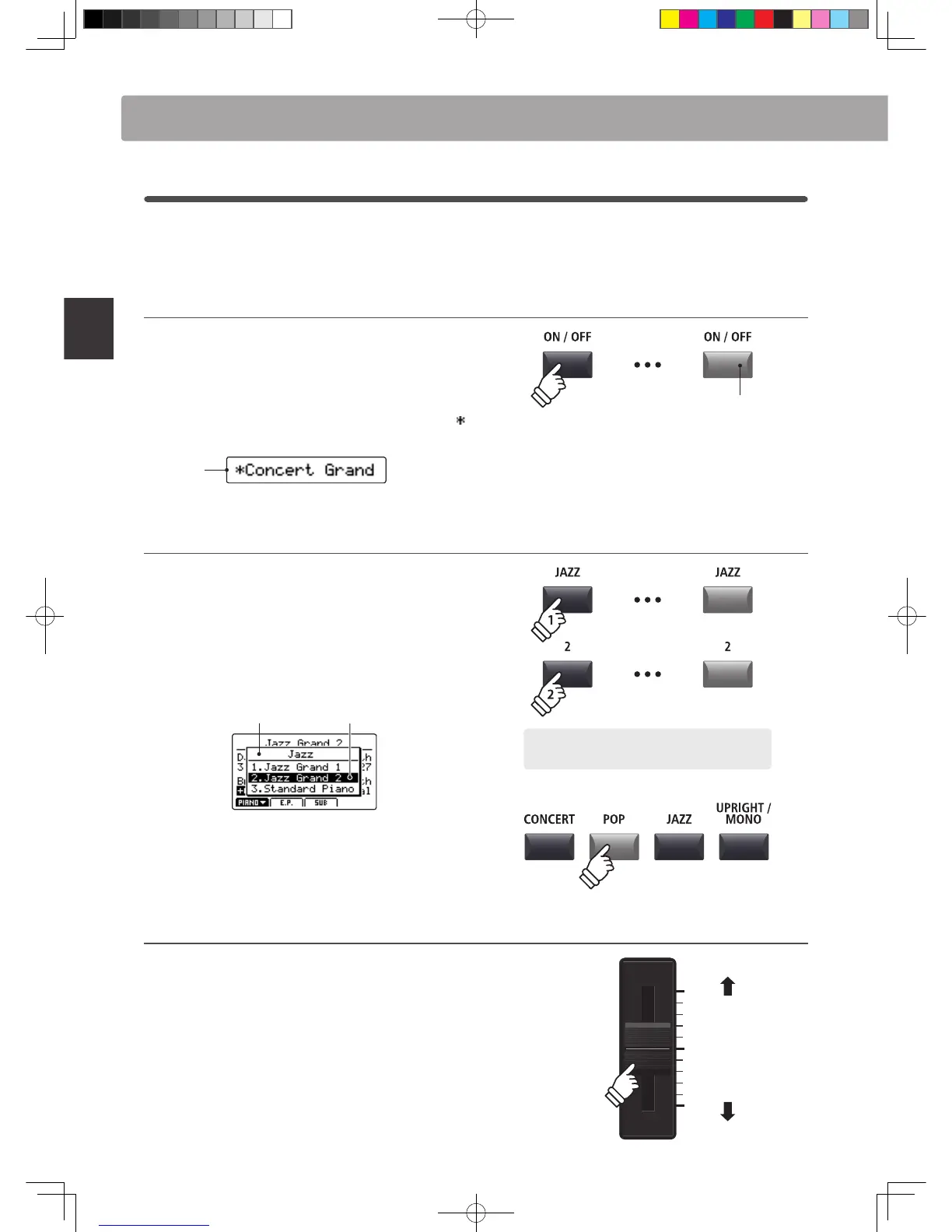
Press the ON/OFF button to turn each section ON or OFF.
The LED indicator for the ON/OFF button will turn ON or OFF to
indicate the current status of the section.
If a section is turned OFF (but still shown in the LCD display), a
symbol will be added to the left of the sound name.
Section is
turned OFF
Selecting sounds
First, turn the PIANO section ON and all other sections OFF.
Press the one of the sound category buttons, then press one of
the sound variation buttons.
The LED indicators for the selected sound category and variation
buttons will turn on, and the variation list will pop-up briey in
the LCD display.
Selected sound
Variation list
Experiment with selecting dierent categories and variations,
playing the keyboard each time to hear the unique tonal
characteristics of every sound.
Adjusting the section volume
Use the VOLUME fader below each section’s ON/OFF button to
adjust the volume of the section.
The volume of the section will increase or decrease
independently of the other sound sections.
* When playing with just a single section (e.g. PIANO), it is recommended to
set the VOLUME fader to the maximum position.
To adjust the volume of all sound sections simultaneously, use
the MASTER VOLUME fader (page 12).
LED indicator ON:
Section is turned ON
Example: To select the Jazz Grand 2 sound, press the
JAZZ category button, then the 2nd variation button.
Increase
volume
Decrease
volume
Overview of Internal Sections



 To Next Page