4
EFX
In addition to reverb, various other eects can be applied to the selected sound, altering the tonal character and feeling
of the instrument. The MP11 features 129 high quality EFX types, with an eect assigned to each sound by default.
The PIANO and SUB sound sections oer one eect module each, while the E.PIANO section features two separate
eects modules that can be connected in series. For ecient selection, EFX types are sorted by category.
EFX categories
EFX category Types EFX category Types EFX category Types EFX category Types
1 Chorus 8 7 Delay/Rev 8 13 Groove 4 19 Enhancer+ 8
2 Flanger 5 8 PitchShift 3 14 Misc. 2 20 P.Shift+ 6
3 Phaser 6 9 Compressor 2 15 Chorus+ 6 21 Comp+ 8
4 Wah 6 10 OverDrive 3 16 Phaser+ 6 22 OverDrive+ 8
5 Tremolo 6 11 EQ/Filter 5 17 Wah+ 6 23 Parallel 6
6 AutoPan 4 12 Rotary 5 18 EQ+ 8 TOTAL 129
* The ‘+’ eects consist of the base eect plus an additional combination eect, while still using only one eect module.
* For more information about available eect categories, types, and parameters, please refer to page 114.
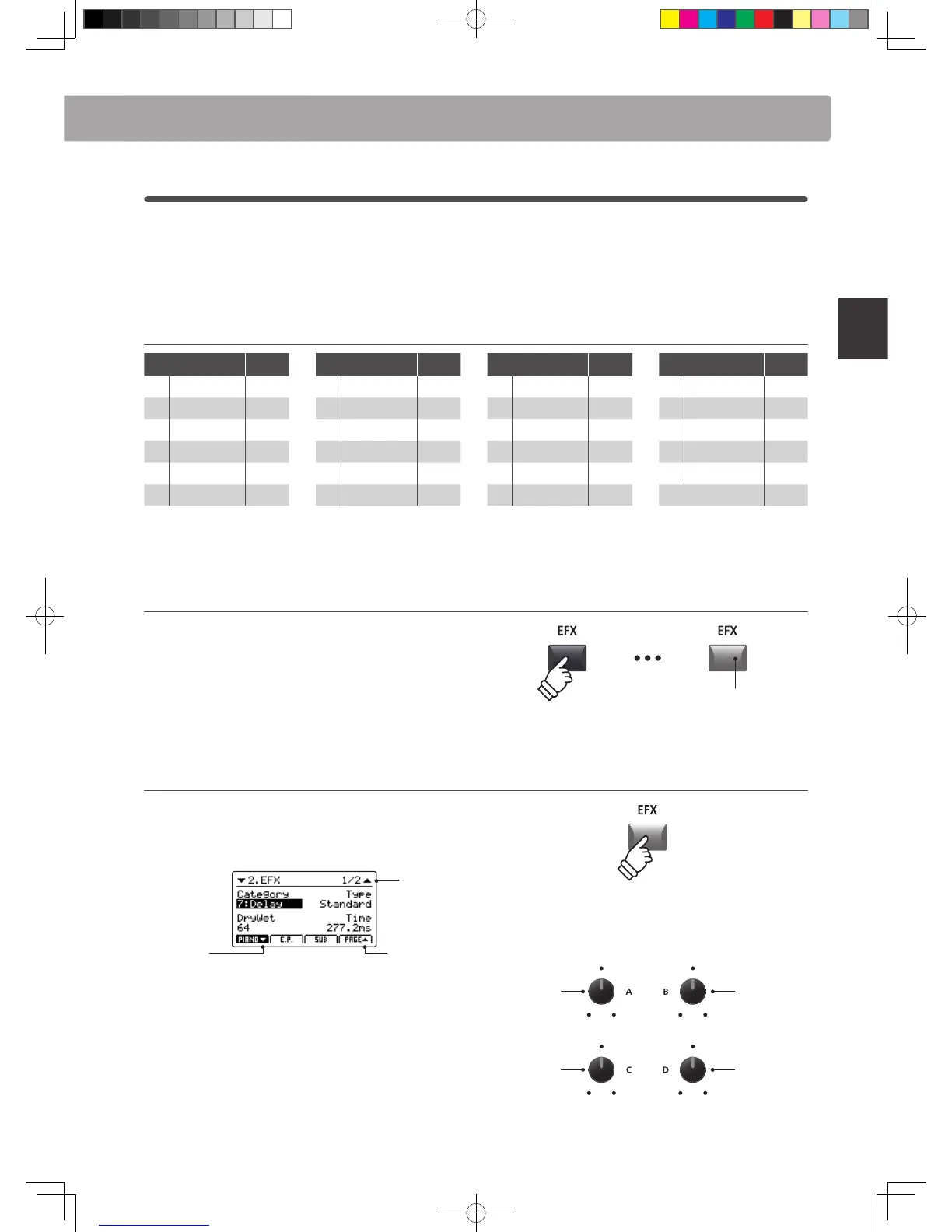
Turning eects ON or OFF
Press the desired sound section’s EFX button to turn the eects
for that section ON or OFF.
The LED indicator for the sound section’s EFX button will turn
ON or OFF to indicate the current status of the eects.
* The E.PIANO section’s EFX1 and EFX2 modules are turned ON and OFF in
exactly the same way.
Changing the eect category, type and additional parameters
Press and hold the section’s EFX button.
The rst EFX page of the EDIT menu will be shown in the LCD
display.
Page 1/2
arrow:
Next page
arrow:
Previous page
Turn the control knobs (A, B, C, D) to change the eect category,
type, and adjust additional eect parameters.
* The number of adjustable EFX parameters will vary depending on type.
* Press the F1, F2, and F3 buttons (corresponding to the selected section)
and F4 button to scroll through the dierent EFX pages.
Press and hold the EFX button again to jump to the rst EFX
page of the EDIT menu, and once again to EXIT.
LED indicator ON:
Eects are turned ON
hold
Parameter 1
Category
Parameter 2
Type
* Above knob assignments will change depending on EFX page displayed.
Overview of Internal Sections



 To Next Page