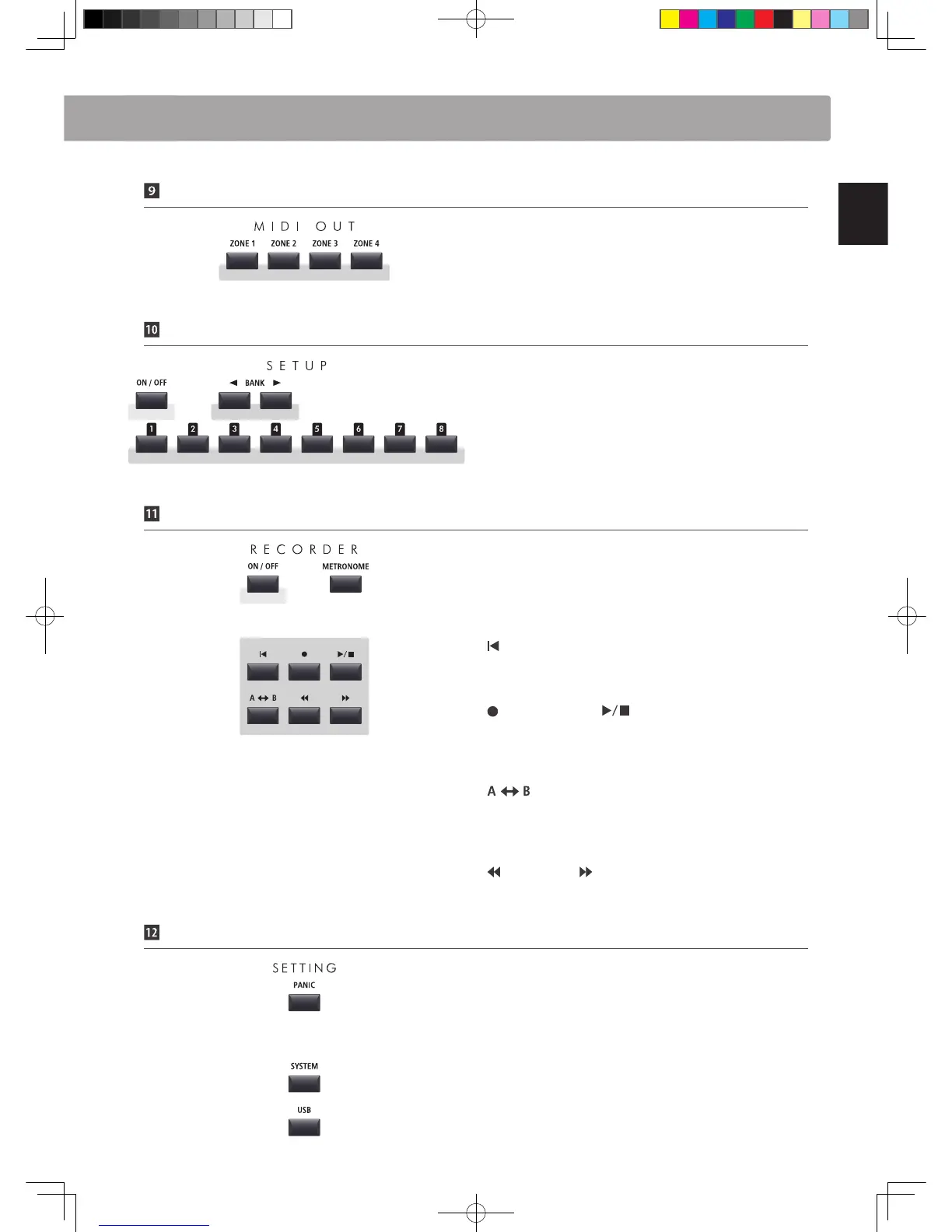
MIDI OUT Section
ZONE 1/ZONE 2/ZONE 3/ZONE 4 buttons
These buttons turn the four MIDI zones ON or OFF.
* Press and hold a button to show the respective MIDI zone’s settings.
SETUP Section
ON/OFF button
This button turns the SETUP section ON or OFF.
BANK buttons
These buttons select the SETUP bank from A to Z.
MEMORY buttons
These buttons select the SETUP memory from 1 to 8.
RECORDER Section
ON/OFF button
This button turns the RECORDER section ON or OFF.
METRONOME button
This button activates the METRONOME or RHYTHM patterns.
(RESET) button
This button resets the MP11’s song recorder, rewinding songs
and MP3/WAV les to the beginning.
(RECORD) and (PLAY/STOP) buttons
These buttons record and playback/stop songs stored in the
MP11’s internal memory, or MP3/WAV les saved to a USB
memory device.
(LOOP) button
This button activates the MP11’s A-B Loop function, allowing
passages of a recorder song or MP3/WAV le to be played back
repeatedly.
(REW) and (FWD) buttons
These buttons are used to move the playing position of the
current recorder song or MP3/WAV backward or forward.
SETTING Section
PANIC button
This button returns the MP11 to the Power On state, and also
sends All Note O and Reset All Controller messages via MIDI.
SYSTEM button
This button enters the SYSTEM menu, allowing many aspects of
the MP11’s functionality to be adjusted.
USB button
This button enters the USB menu, allowing data to be loaded
and saved from/to a connected USB memory device.
Part Names & Functions



 To Next Page