Amp Simulator parameters
Page Knob Parameter Description Value range
1
A Amp Type Changes the type of amplier model. [see table above]
B Drive Adjusts the drive level of the amplier. 0 ~ 127
C Level Adjusts the overall volume level of the amplier. 0 ~ 127
2
A Amp EQ Lo Adjusts the gain of the amplier’s low frequencies. –10 dB ~ +10 dB
B Amp EQ Mid Adjusts the gain of the amplier’s mid frequencies. –10 dB ~ +10 dB
C Amp EQ Hi Adjusts the gain of the amplier’s high frequencies. –10 dB ~ +10 dB
D Mid Frequency Adjusts the frequency of the amplier’s mid-range band. 200 Hz ~ 3150 Hz
3
A Mic Type Changes the type of microphone used for the amplier. Condenser, Dynamic
B Mic Position Change the position of the microphone used for the amplier. OnAxis, OAxis
C Ambience Adjusts the mixing ratio of additional ambient microphones. 0 ~ 127
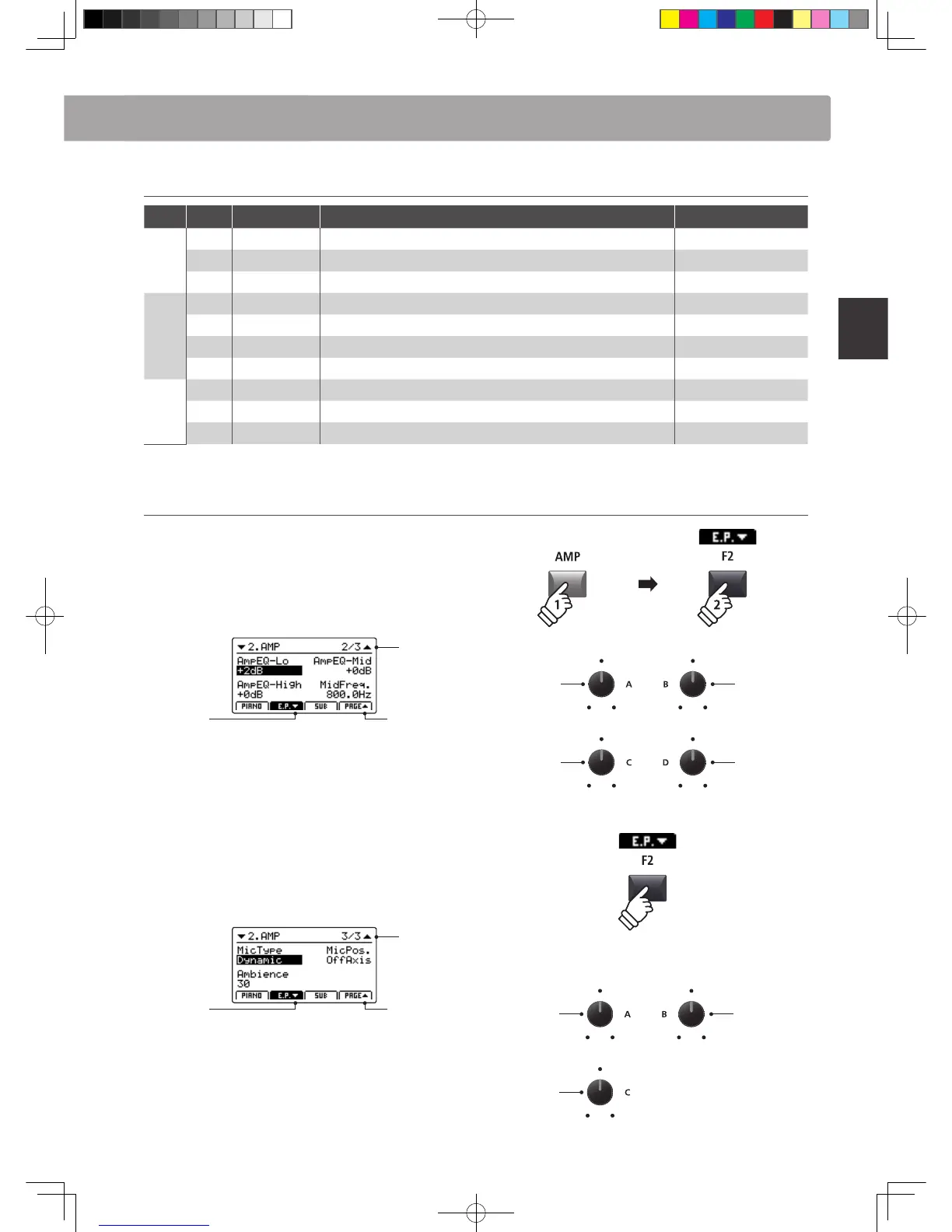
Adjusting additional Amp Simulator parameters
Press and hold the E.PIANO sound section’s AMP button, then
press the F2 button (corresponding to the selected E.PIANO
section).
The second AMP page of the EDIT menu will be shown in the
LCD display.
Page 2/3
arrow:
Next page
arrow:
Previous page
Turn the control knobs (A, B, C, D) to adjust the amp simulator’s
Lo, Mid, Hi, and MidFreq EQ parameters.
Press the F2 button again.
The third AMP page of the EDIT menu will be shown in the LCD
display.
Page 3/3
arrow:
Next page
arrow:
Previous page
Turn the control knobs (A, B, C) to change the type and
positioning of the amp simulator’s microphone, and adjust the
ambience parameter.
Amp EQ Hi
Amp EQ Lo
Mid Freq.
Amp EQ Mid
Ambience
Mic Type
Mic Position
hold
Overview of Internal Sections



 To Next Page