Global Section
Setting the Transpose value: Method 2
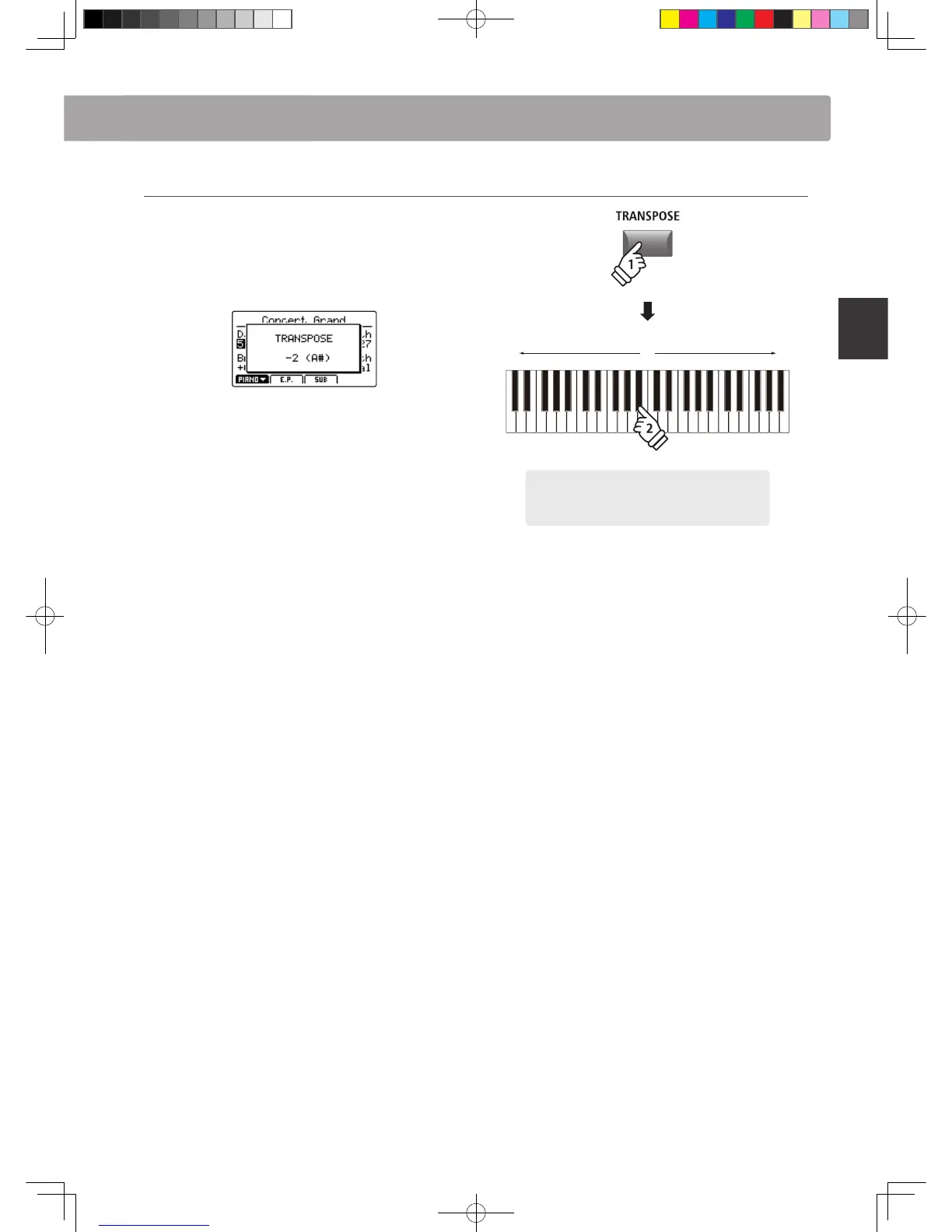
Press and hold the TRANSPOSE button, then press a key on the
keyboard to the left or right of middle C.
The pressed key will become the new transpose key.
* The TRANSPOSE value can be adjusted within the range of -24 ~ +24.
The LED indicator for the TRANSPOSE button will turn ON
automatically to indicate that transpose is activated.
* To reset the transpose value to 0 (no transposition), press both the –/NO
and +/YES buttons simultaneously.
* The transpose value will be stored to SYSTEM memory automatically,
however the transpose ON/OFF state will not be stored.
hold
-24 0 +24
Example: To lower the keyboard pitch by 2 semi-
tones, press and hold the TRANSPOSE button, then
press the B
b
key closest to the middle C key.



 To Next Page