Song Recorder (Internal Memory)
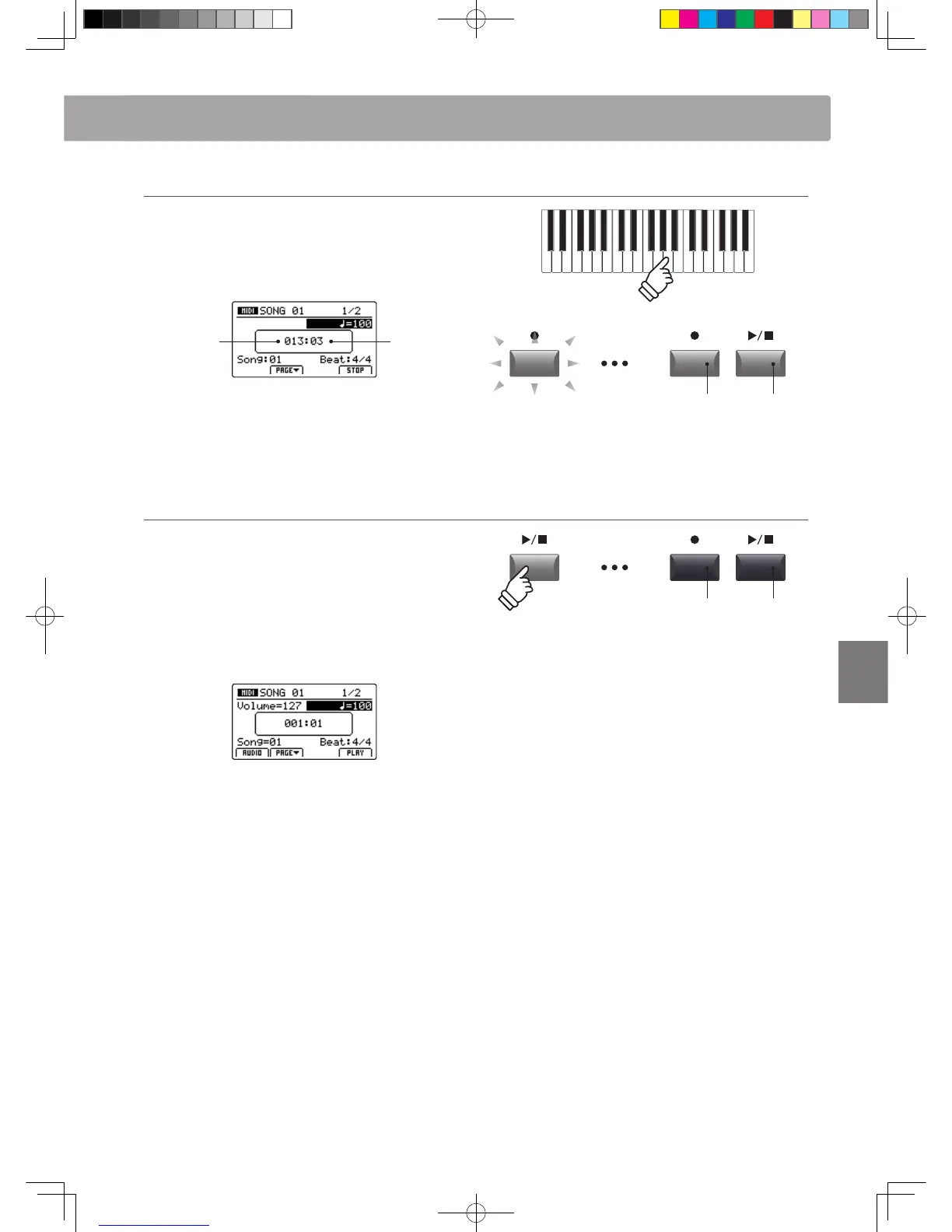
4. Starting the song recorder (recording)
Press a key on the keyboard.
The LED indicators for the and / buttons will turn ON, the
bar/beat counter shown in the centre of the LCD will begin to
increase, and recording will start.
Bar
(of song)
Beat
(of bar)
* Recording can also be started by pressing the / button. This allows a
rest period or empty bar to be inserted at the beginning of the song.
* The metronome can be enabled before recording to assist with timing etc.
When enabled, a one bar count-in will be added before recording begins.
5. Stopping the song recorder
Press the / recorder control button.
The LED indicators for the and / buttons will turn OFF,
and recording will stop.
* The F4 function button (STOP) can also be used to stop recording.
After a brief pause, the MIDI player screen will be shown in the
LCD display.
For information about playing the recorded song, please refer to
page 66.
LED indicators ON:
Recording is in progress
LED indicators OFF:
Recording has stopped
* The maximum recording capacity is approximately 90,000 notes, with
button and pedal presses also counted as one note.
* If the maximum recording capacity is reached during recording, the
recorder will stop automatically.
* To prevent data loss, avoid turning the power OFF while the MP11 is saving
internal recorder songs.
* Recorder songs will remain in memory after the power is turned OFF.



 To Next Page