EasyManua.ls Logo

Kaypro 10 - KEYS ON THE RIGHT OF THE KEYBOARD

Kaypro 10
155 pages
Print Icon
To Next Page IconTo Next Page
To Previous Page IconTo Previous Page
Loading...
KEYS ON
THE
RIGHT OF
THE
KEYBOARD
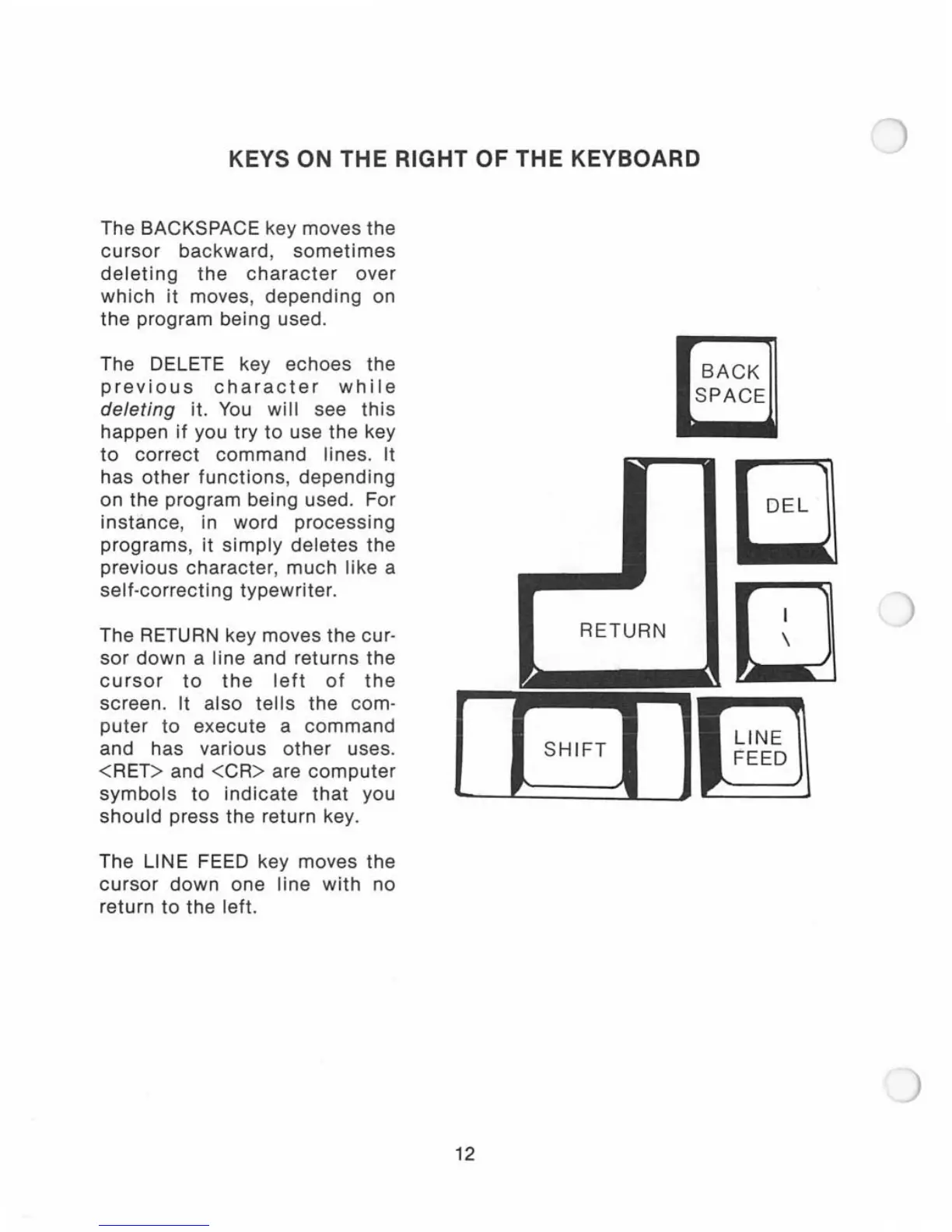
The BACKSPACE key moves
the
cursor
backward,
sometimes
deleting
the
character
over
which
it
moves,
depending
on
the
program being used.
The DELETE key echoes the
previous
character
while
deleting
it.
You
will
see
this
happen
if
you try
to
use the key
to
correct
command
lines. It
has
other
functions,
depending
on the program being used. For
instance
, in word
processing
programs,
it
simply
deletes
the
previous
character
,
much
like a
self-correcting
typewriter.
The RETURN key moves the cur-
sor
down
a line and returns the
cursor
to
the
left
of
the
screen. It
also
tells
the com-
puter
to
execute
a
command
and has various
other
uses.
<RET>
and
<CR>
are
computer
symbols
to
indicate
that
you
should
press the return key.
The LINE FEED key moves the
cursor
down
one
line
with
no
return
to
the left.
RETURN
BACK
SPACE
a
[J
_----I:_S_H_I_F_T_l
___
-Jl
I~~~~
]
12

Related product manuals