EasyManua.ls Logo

Kaypro 10 - Page 36

Kaypro 10
155 pages
Print Icon
To Next Page IconTo Next Page
To Previous Page IconTo Previous Page
Loading...
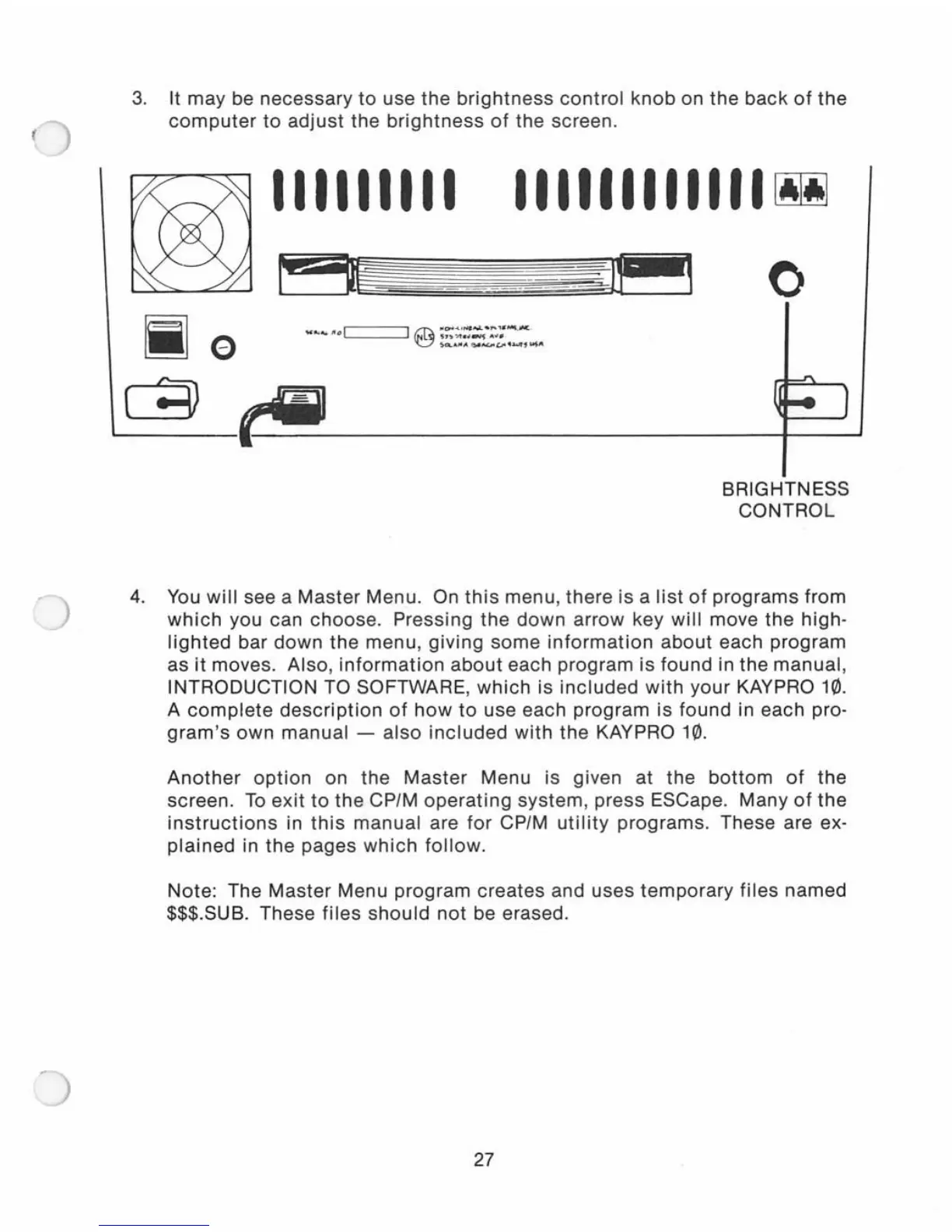
3.
It
may
be
necessary
to
use
the
brightness
control
knob
on
the
back
of
the
computer
to
adjust
the
brightness
of
the screen.
III1IIIII
IIIIIIIIIIII~
o
BRIGHTNESS
CONTROL
4. You
will
see a
Master
Menu. On
this
menu,
there
is a
list
of
programs
from
which
you can choose. Pressing
the
down
arrow
key
will
move
the
high-
lighted
bar
down
the
menu,
giving
some
information
about
each
program
as
it
moves.
Also
,
information
about
each
program
is
found in the
manual,
INTRODUCTION TO SOFTWARE,
which
is
included
with
your
KAYPRO 10.
A
complete
description
of
how
to
use each
program
is
found
in each pro-
gram's
own
manual
-
also
included
with
the
KAYPRO 10.
Another
option
on
the
Master
Menu is given at the
bottom
of
the
screen.
To
exit
to
the
CP/M
operating
system
, press ESCape. Many
of
the
instructions
in
this
manual
are
for
CP/M
utility
programs.
These are ex-
plained
in
the
pages
which
follow
.
Note: The
Master
Menu
program
creates
and
uses
temporary
files
named
$$$.SUB. These
files
should
not
be erased.
27

Related product manuals