Table 12: Traffic light LEDs
LED Description
Green Readiness for operation
Yellow Warning (one or more warnings)
Red Alert (one or more alerts)
LED for pump operating status
This LED indicates the operating status of the pumps:
Table 13: LED for pump operating status
LED Description
Green Pump ready for operation
Flashing green Pump running
Yellow Pump OFF (manual-0-automatic selector switch set to "0")
Flashing yellow Pump running in manual mode
Manual-0-automatic selector switch set to "manual" (non-
locking button)
Red Pump blocked by alert or no enable signal
"High water" LED
If a high water alert is output, the red LED lights up. The pumps are started with high
priority (except if sensor of ATEX-compliant models is defective). Alerts with a higher
priority overwrite the high water alert.
7.1.2 Display
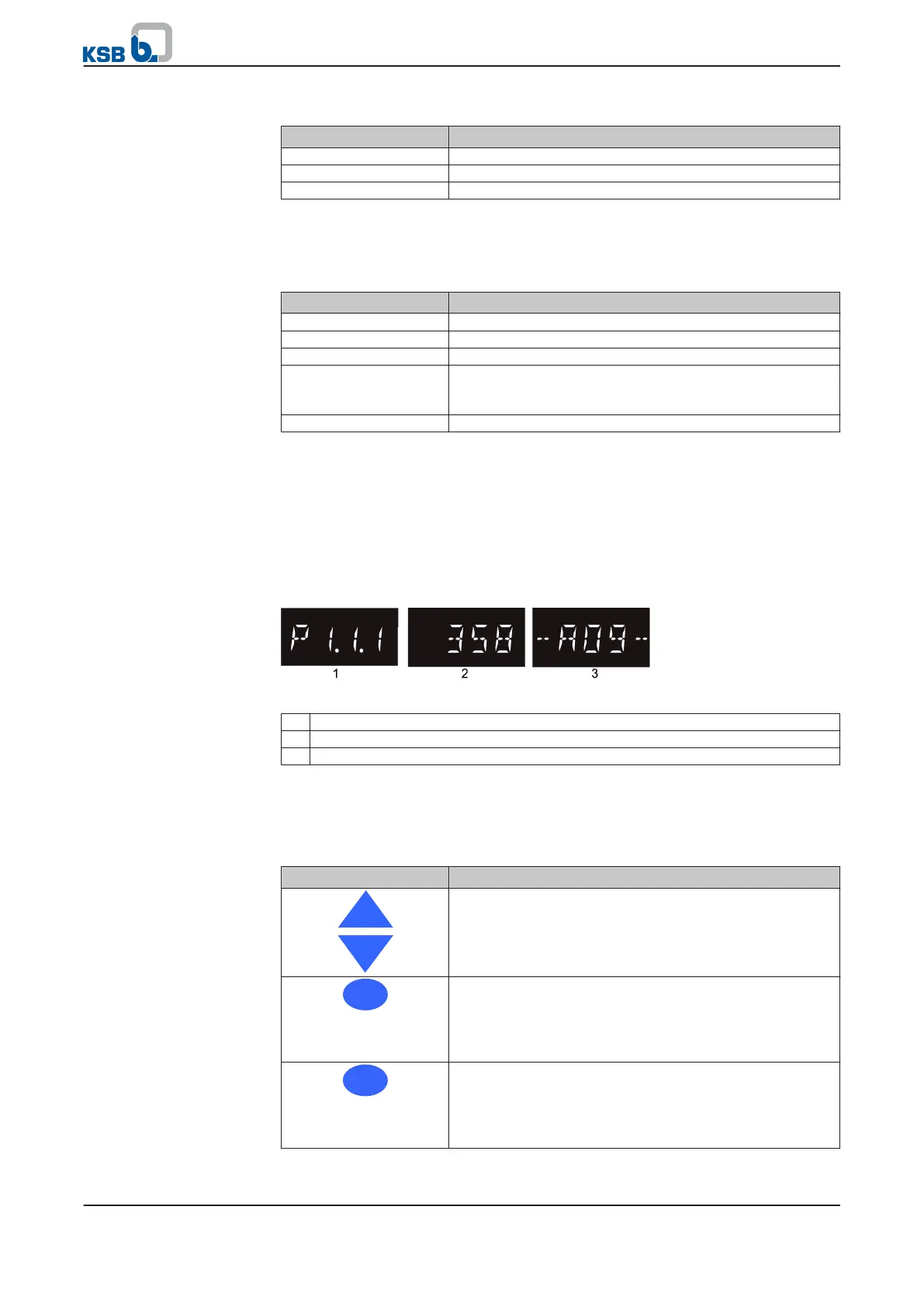
The following information is displayed:
Fig. 22: Display
1 Parameter
2 Parameter/measured value
3 Alert
7.1.3 Navigation keys
For navigating through the menus and confirming settings:
Table 14: Control unit: navigation keys
Key Description
Arrow keys (up/down):
▪ Move up/down in the menu options.
▪ Increase/decrease a numerical value
Escape key:
▪ Cancel entry without saving it.
▪ When entering numbers: Go to the previous digit.
▪ Move up one menu level.
OK key:
▪ Confirm settings.
▪ Confirm a menu selection.
▪ When entering numbers: Go to the next digit.
7 Operation
36 of 86
mini-Compacta


 To Next Page