7.2 Manual-0-automatic selector switch
Each pump can be operated as follows by means of a manual-0-automatic selector
switch:
Table 15: Switch positions of manual-0-automatic selector switch
Switch position Function
Function allowing the pump to be operated manually for a
short period.
Switch locks in place.
The pump is switched off.
Switch locks in place.
The pump is started/stopped by the control unit as
required.
7.3 Control panel
7.3.1 Displaying measured value parameters
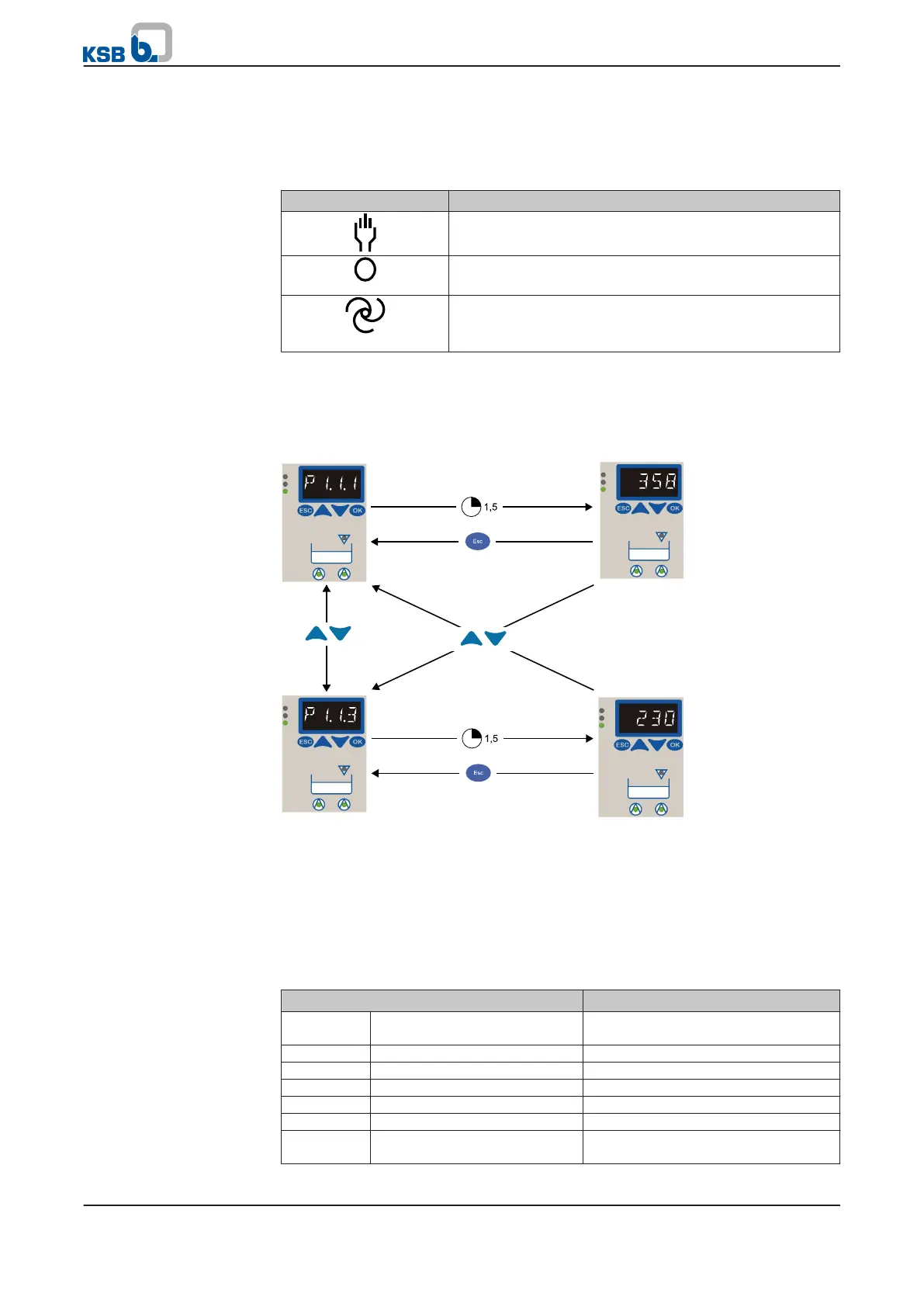
Fig. 23: Displaying measured value parameters
1.
Press ESC (several times, if necessary) to call up the measured value parameters.
2. Use the arrow keys to select the required parameter number.
⇨ The relevant measured value is displayed automatically after 1.5 seconds.
3. Use the arrow keys to select the next parameter number.
The following measured value parameters can be displayed:
Table 16: Menu structure
Parameter Description
1.1.1 Level (Analog) Fill level if analog sensors are used
[mm]
1.1.3 Mains Voltage Mains voltage [V]
1.2.1 Operating Hours Pump 1 Operating hours of pump 1 [h]
1.2.2 Start Count Pump 1 Number of start-ups of pump 1
1.3.1 Operating Hours Pump 2 Operating hours of pump 2 [h]
1.3.2 Start Count Pump 2 Number of start-ups of pump 2
2.1.1 Pending Messages Pending messages (displayed in fault
mode only)
7 Operation
mini-Compacta
37 of 86


 To Next Page