7.3.2 Setting parameters
NOTE
The parameters that you can call up depend on the operating mode and
measurement method. Only parameters that are relevant to the current operating
mode and measurement method are displayed.
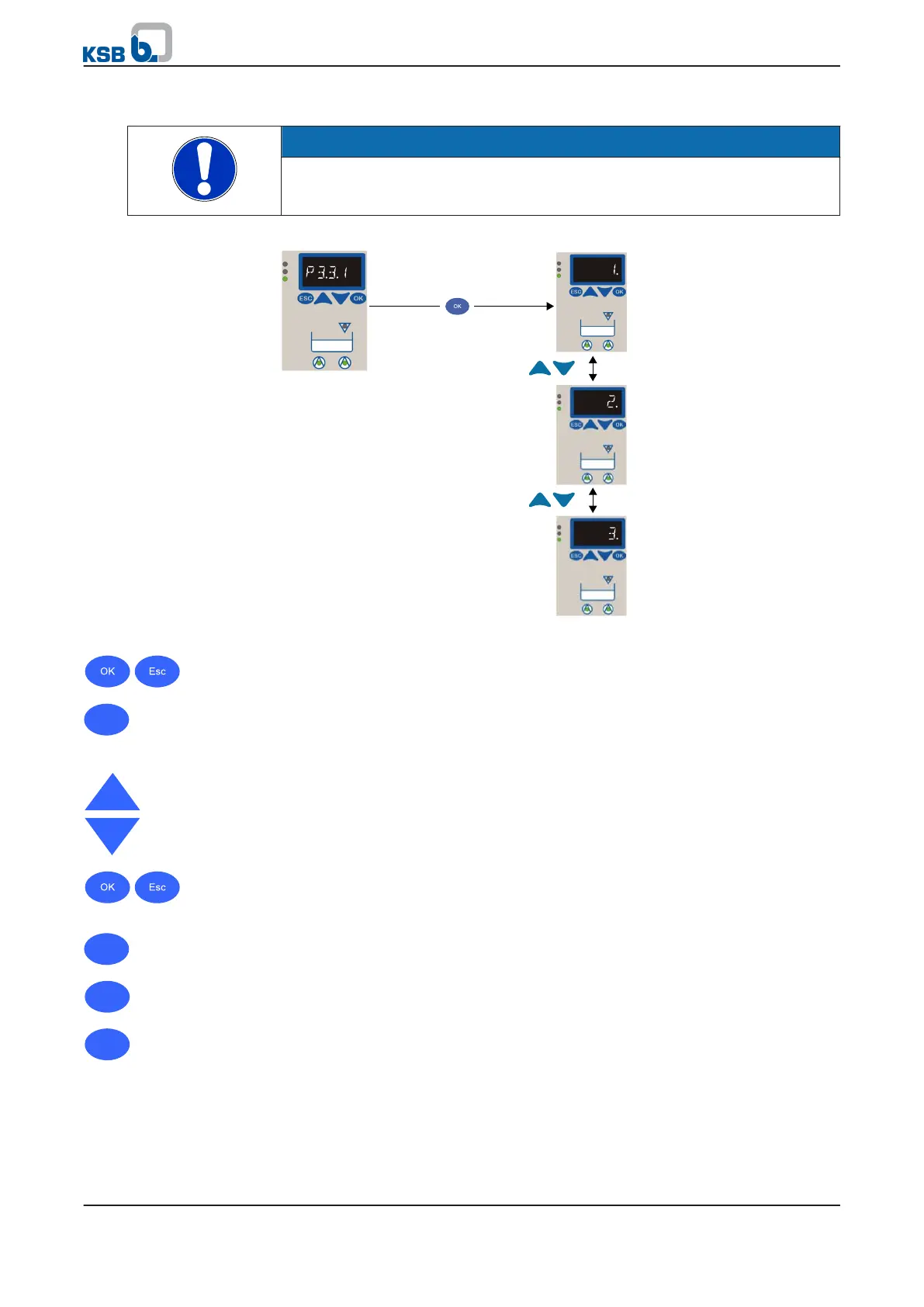
Fig. 24: Setting parameters
1. Press and hold the ESC key and press OK.
⇨ The first parameter number (P 3-3-2) is displayed.
2. Use the arrow keys to select the required parameter number.
3.
Confirm the parameter number with OK.
⇨ The parameter value is displayed immediately.
4. Set the parameter value using the arrow keys:
⇨ In multi-digit entries, the digit to be entered flashes.
⇨ To move one digit to the right or left, press OK or ESC and make the required
entry.
5. To confirm the entry press OK: The parameter value will be saved.
⇨ The parameter number is displayed.
6. To cancel the entry press ESC: The parameter value remains unchanged.
⇨ The parameter number is displayed.
7. Return to the measured values by pressing ESC.
7 Operation
38 of 86
mini-Compacta


 To Next Page