Table 17: Menu structure
Parameter Description
3.1.2.1 Tank Commissioning of lifting units -
Setting the tank type
(may be disabled)
3.1.2.2 Inlet Level Commissioning of lifting units -
Setting the unit to the lowest open
inlet nozzle
3.3.4.1 Pumps OFF Level Pumps OFF [mm]
3.3.4.2 Base Load ON Level Base Load ON [mm]
3.3.4.3 Peak Load ON Level Peak Load ON [mm]
3.3.4.4 High Water Level High Water [mm]
3.3.5.3 Stop Delay Setting the stop delay [
1
/
10
s]
4.1.1 Firmware version Firmware version
7.3.3 Acknowledging alerts and warnings
NOTE
Alerts with a higher priority prevail over alerts with a lower priority. For instance,
alert A1 has a higher priority than alert A2.
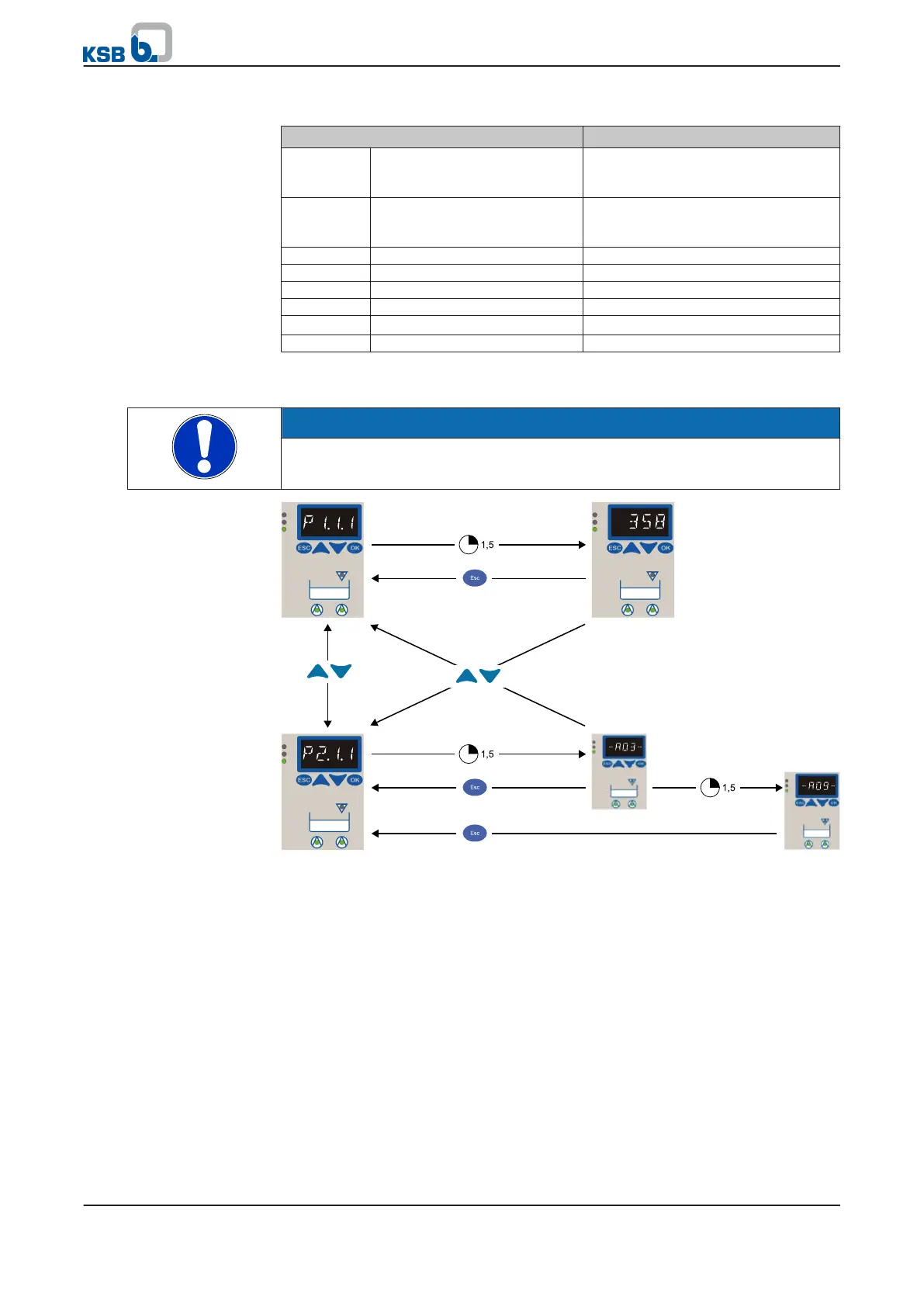
Fig. 25: Acknowledging alerts and warnings
Alert indications:
▪ On the display (e.g. -A09-)
As long as a parameter value is displayed, this will not be overwritten by an alert.
This allows you to complete parameterisation.
▪ The red traffic light LED (alert) or yellow LED (warning) lights up.
▪ Horn/buzzer is activated.
If more than one alert is present, the alert with the highest priority will be displayed.
Alerts with auto-acknowledgement are deactivated and acknowledged automatically
as soon as the cause of the alert has been rectified. Such alerts (incl. horn/buzzer) can
also be acknowledged manually.
Alerts with manual acknowledgement must be acknowledged at the control panel or
via the remote acknowledgement input.
7 Operation
mini-Compacta
39 of 86


 To Next Page