Q.2.60 March 2019
Page 21
© Copyright 2019 KE2 Therm Solutions, Inc., Washington, Missouri 63090
KE2 Compressor Sequencer OEM pn 21768
Quick Start Guide
Selectable Inputs
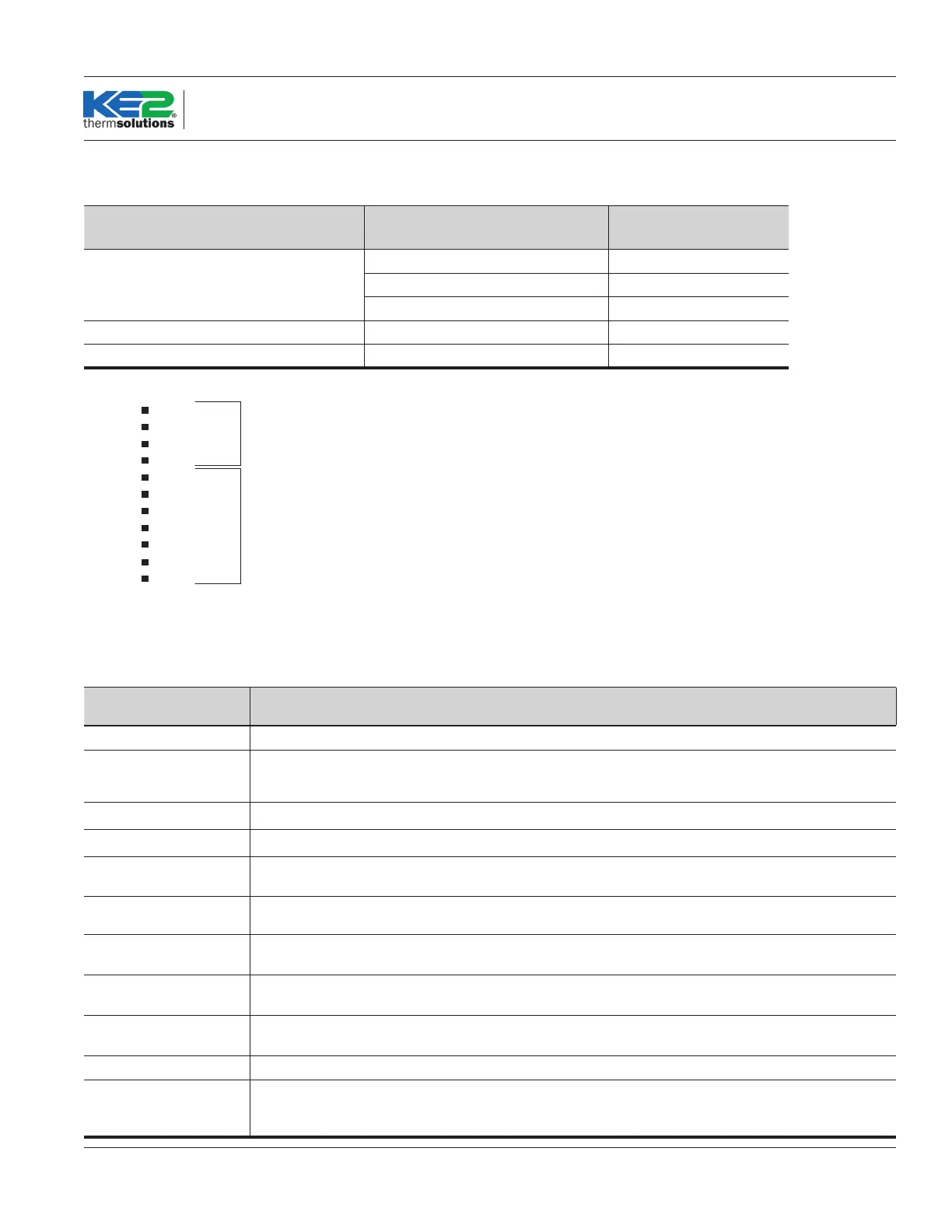
The digital inputs available depends on the application and number of Aux Relay Boards used. Please refer to the table below:
Hardware
Number of Selectable
Inputs Available
Main Board 3
Main +1 Aux Relay Board 5
Main + 2 Aux Relay Boards 7
Main + 2 Aux Relay Boards 6
Main + 2 Aux Relay Boards 5
Selectable Input Mode: Sets the function of the Selectable Input (Complete Mode descriptions on the table below)
Disabled
In Cmp Temp
Room Temp
Monitor
HG Defr Req
2nd Pres
2nd Tmp
Comp Module
Hi Pres Safety
Oil Safety
Sys O
Input Active State: When a selectable input is set to one of the Digital Input Modes listed above, the Digital Input Active State determines
whether the Digital Input performs the selected function (Digital Input Mode) when the input receives an open or shorted signal. Does not
apply when Digital Input is used to receive a temperature sensor.
Descripons of Selectable Input Mode Opons
Input Mode
• Input performs no funcon.
(Internal Compressor
Temperature)
• Monitors internal compressor temperature for Copeland Digital Scroll compressors. Triggers High Inter-
nal Compressor Temperature Alarm, which turns o digital compressor unl temperature lowers.
Room Temp • Used for oang sucon pressure control.
Monitor • Used for monitoring a temperature. Does not aect control or alarming.
(Hot Gas Defrost Request)
• When acve, energizes Hot Gas Defrost Relay. De-energizes relay when inacve.
2nd Pres
(2nd Sucon Pressure Setpoint)
• When acve, controller will operate using 2nd Sucon Pressure setpoint as target sucon pressure.
2nd Temp
(2nd Room Temp Setpoint)
• When acve, the controller will operate using 2nd Room Temp setpoint as target room temperature for
sucon oat.
Comp Module
(
Compressor Module)
• Used for receiving an alarm from a compressor module. When acve, will trigger Comp Mod Alarm.
Hi Pres Safety
(High Pressure Safety Switch)
• Used for receiving an alarm from a high pressure safety switch. When acve, will trigger Hi Pres Safety
Alarm.
Oil Safety • Used for receiving an alarm from an oil pressure switch. When acve, will trigger Oil Safety Alarm.
(System O)
• When acve, begins to safely unload the sucon group for pump down, and puts the group into System
O mode. In System O mode, no relays will be energized, and a user must manually take the group
out of System O mode to resume operaon.
Temperature Input Modes
Digital Input Modes



 To Next Page