After finishing C1 parameter setting, hold button (SW) shortly to save the
current set values and enter C2 parameter setting interface.
○ C2 Motor Phase Classification Coding Mode
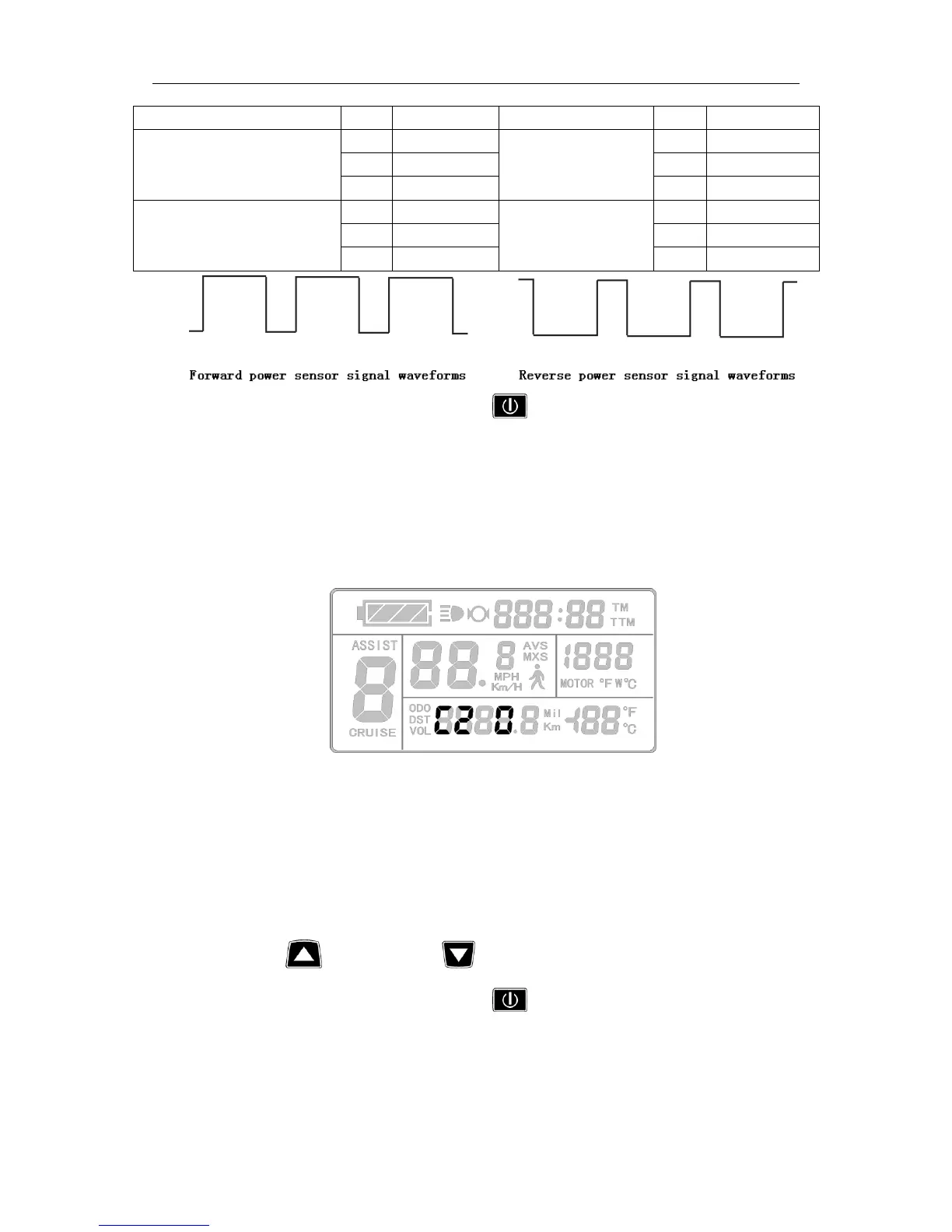
Enter C2 parameter setting interface after C1 parameter setting is finished, C2
parameter column flashes.
C2 parameter setting interface
C2 is motor phase classification coding mode. It is served as identification parameter
of different phases of the motor when using sine wave drive and the default value is 0.
When C2 setting is 0, indicating that the used Quantum motor phase is an ordinary one.
When the setting is a certain value, indicating a particular motor phase is used. C2 setting
range is 0-7, hold button (UP) or button (DOWN) for selection.
After finishing C2 parameter setting, hold button (SW) shortly to save the
current set values and enter C3 parameter setting interface.


 To Next Page