ELECTRIC BICYCLE METER KT—LCD3 Product User Manual
- 30 -
button (UP) or button (DOWN) shortly for selection.
C9 parameter definition table:
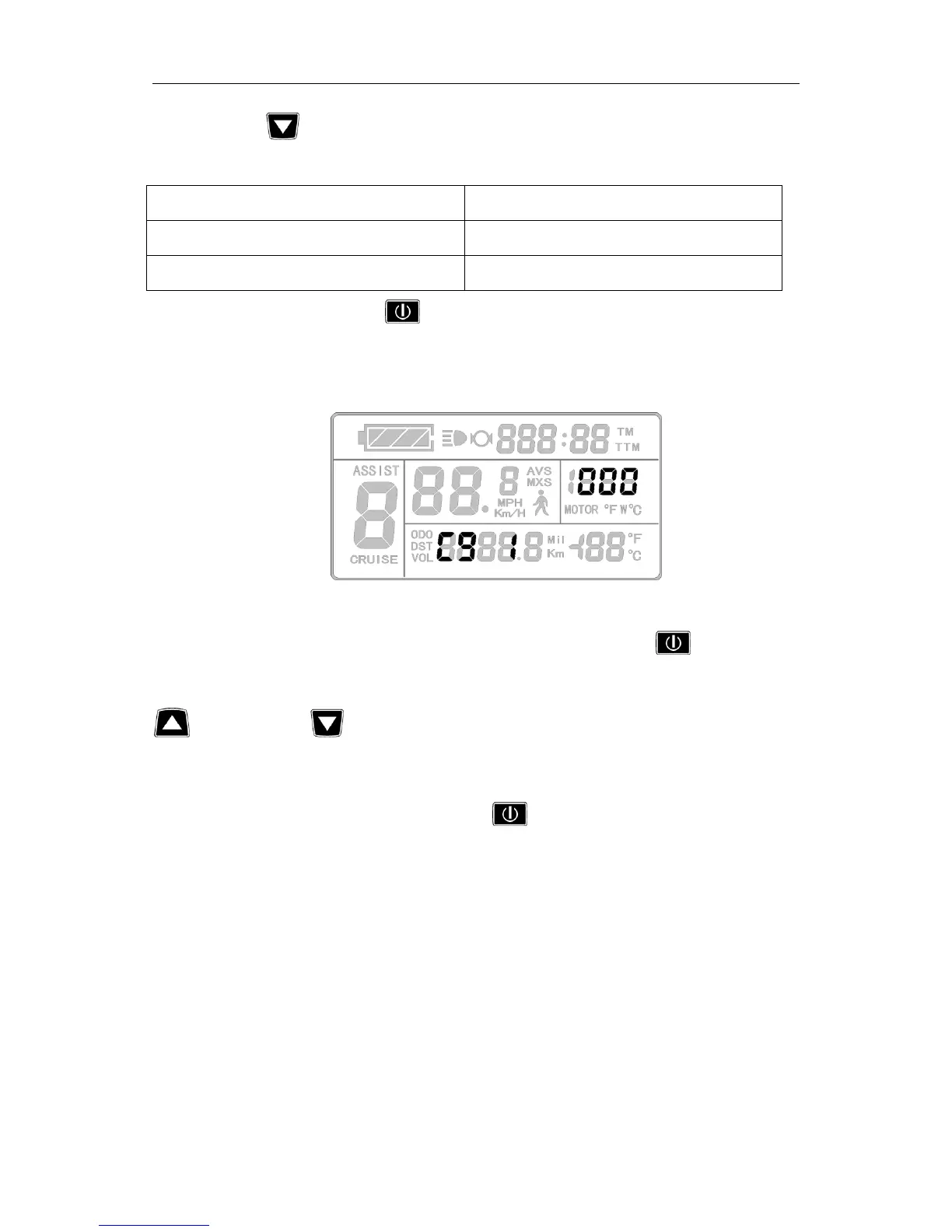
When C9 setting is 1, hold button (SW) shortly, indicating that the password
function is startup, and then enter the password settings interface, three password setting
columns flash.
Password Setting Interface
The password setting is done sequentially from left to right, hold button shortly
to confirm after each setting and enter next setting. Password setting range is 000-999, hold
button (UP) or button (DOWN) shortly for selection.
Please note:If you forget your password, the parameters can only be copied (see
parameter copy) by data source meter prier to be decoded.
After finishing C9 parameter setting, hold button (SW) shortly to save the
current set values and enter C10 parameter setting interface.
○ C10 Automatically Restore Default Setting Mode
Enter C10 parameter setting interface after C9 parameter setting is finished, C10
parameter column flashes.


 To Next Page