KView Software
84
Create Schedule Templates
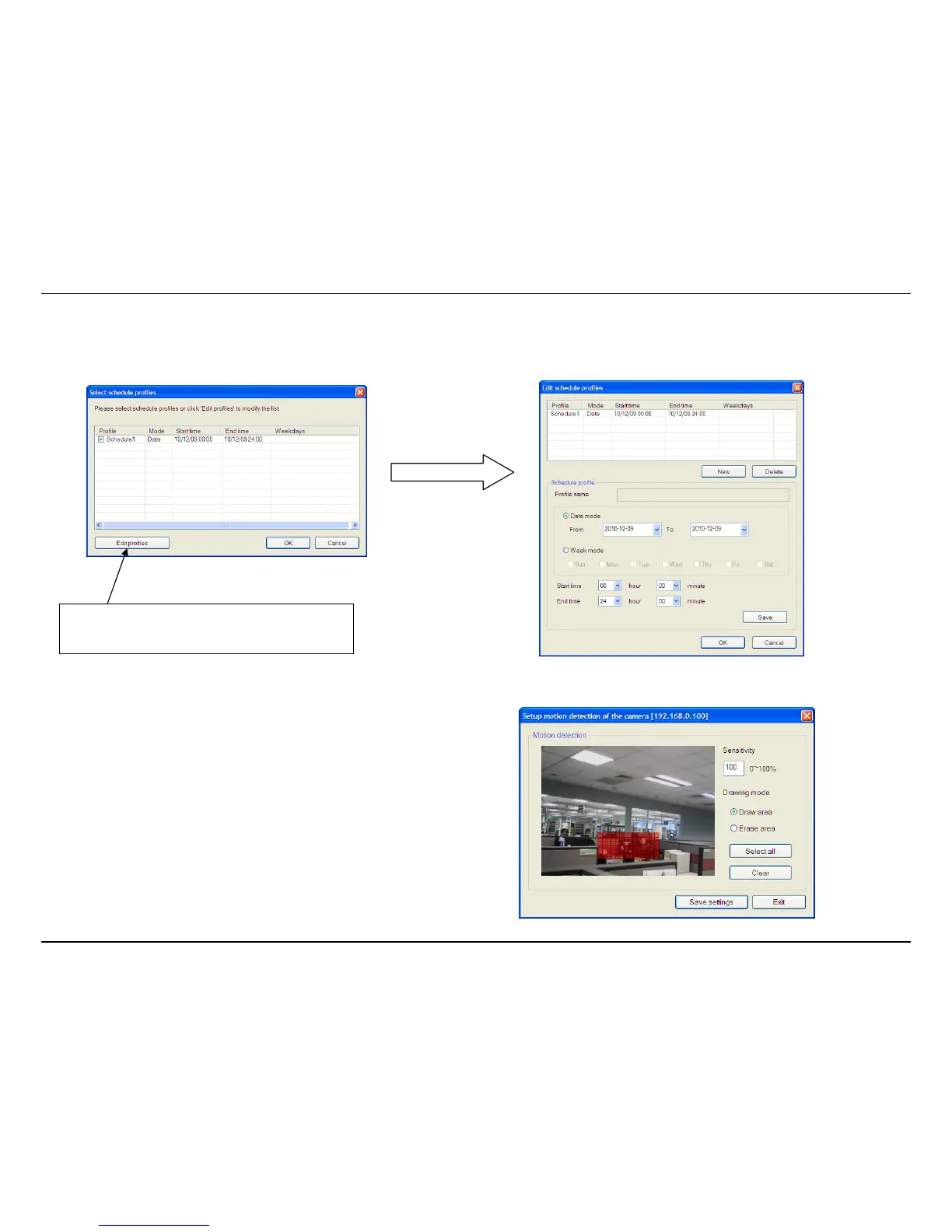
To make a new schedule template, click the Edit Profiles button to view the Edit schedule profiles dialog box. Use this new dialog box to create new
schedules for recording. Try to give the new schedule a unique name that describes when the schedule applies. Click Save when you are done.
Setup Motion Detection with KView
To setup motion detection on the camera, go to the Monitoring Settings
menu and select the Motion Detection tab. Check Enable motion detection.
The Setup motion detection of the camera window appears.
Select an area of the camera’s view that you would like to monitor for
movement by left-clicking to select the parts of the screen you want to monitor
and enter a sensitivity percentage value.
Click Edit Profiles to edit or create a new
schedule.



 To Next Page