EN
1502872-02 - 86 -
• Disconnect the pressure supply, if present, and let the compressed air
present in the product flow out via the condensate drain valve.
7.2.4 Main filter change
Carry out the main filter replacement as follows:
1. Switch off the product at the rotary switch.
2. Disconnect the product from the power supply by unplugging.
3. Depending on the fill level, it is recommended to change the dust
collection container (Pos. 3) beforehand. (see “Maintenance” chapter)
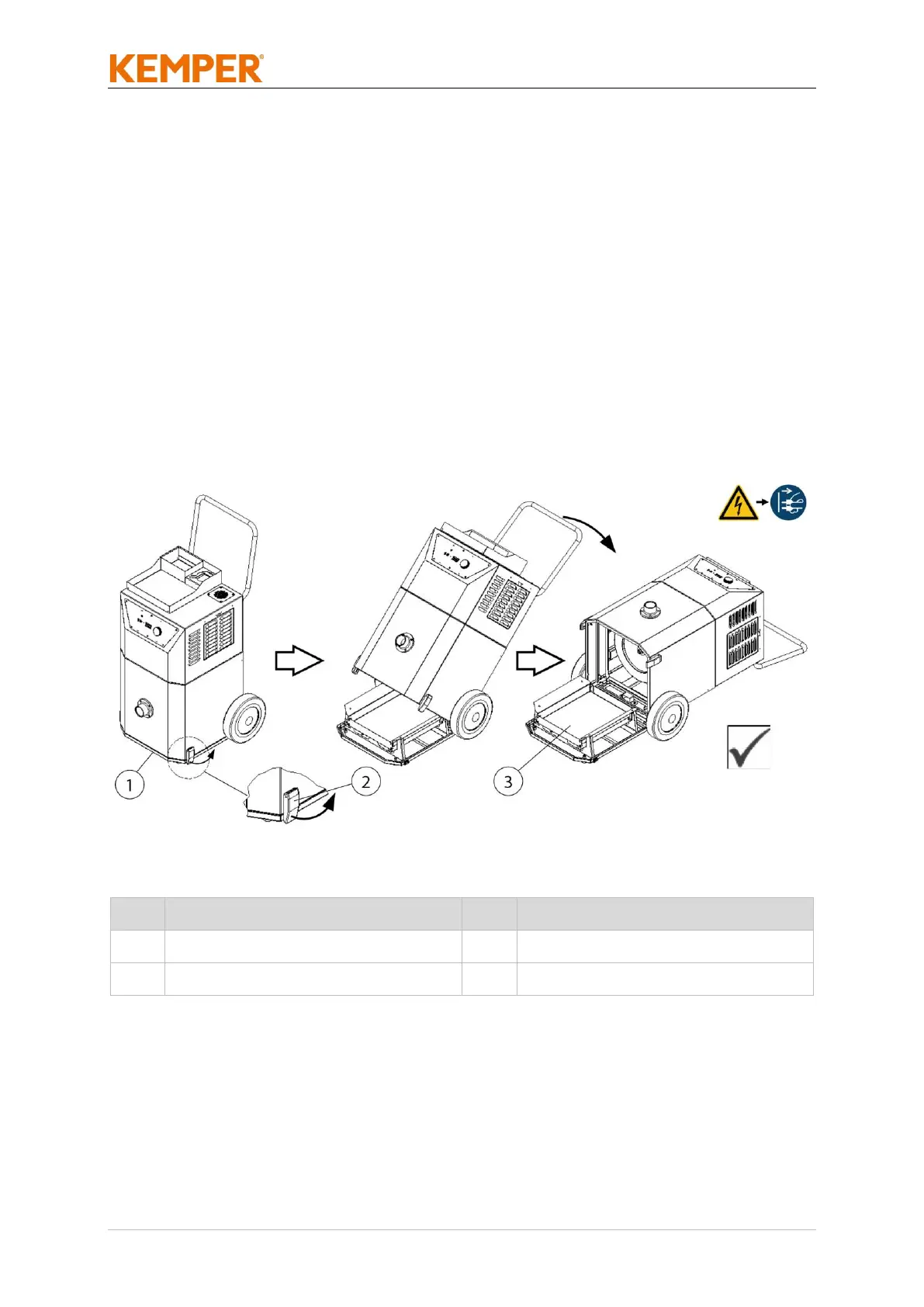
4. Open the maintenance cover (Pos. 1) by folding down the two clamp
fasteners (Pos. 2).
5. Carefully tilt the product according to the figure and place it on the
ground. The maintenance cover (Pos. 1) with the dust collection
container (Pos. 3) remains on the floor.


 To Next Page