19
DNX4230TR
3
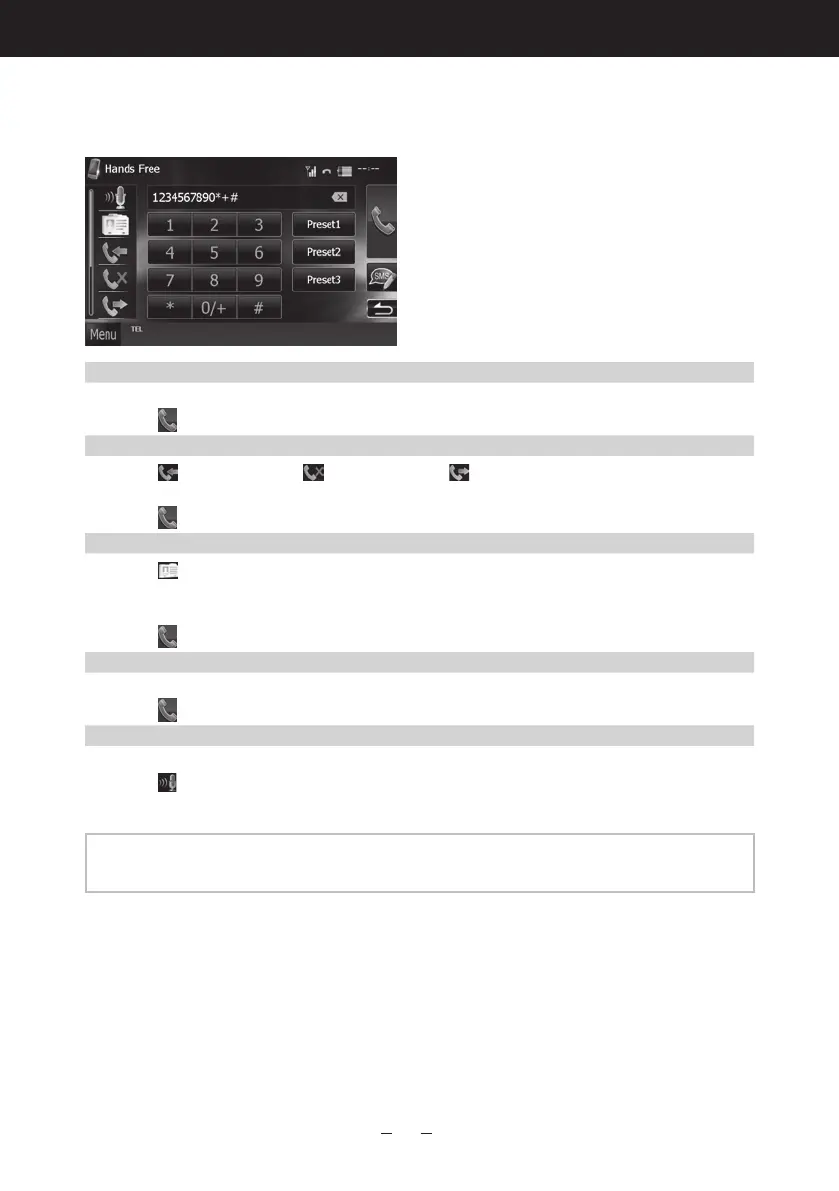
Make or receive a phone call.
See the table below for each operation method.
Call by entering a phone number
1Enteraphonenumberwithnumberkeys.
2Touch[
].
Call using call records
1Touch[
](incomingcalls),[ ](missedcalls),or[ ](outgoingcalls).
2Selectthephonenumberfromthelist.
3Touch[
].
Call using the phonebook
1Touch[
].
2Selectthenamefromthelist.
3Selectthenumberfromthelist.
4Touch[
].
Call using the preset number
1Touch[Preset#]tostartcallingthecorrespondingphonenumber.
2Touch[
].
Call by voice
Youcanmakeavoicecallusingthevoicerecognitionfunctionofthecell-phone.
1Touch[
].
2Pronouncethenameregisteredinthecell-phone.
NOTE
•Fordetailedoperation,seeUsing Hands-Free Unit (P.67)intheInstructionManual.




 To Next Page