23
DNX4230TR
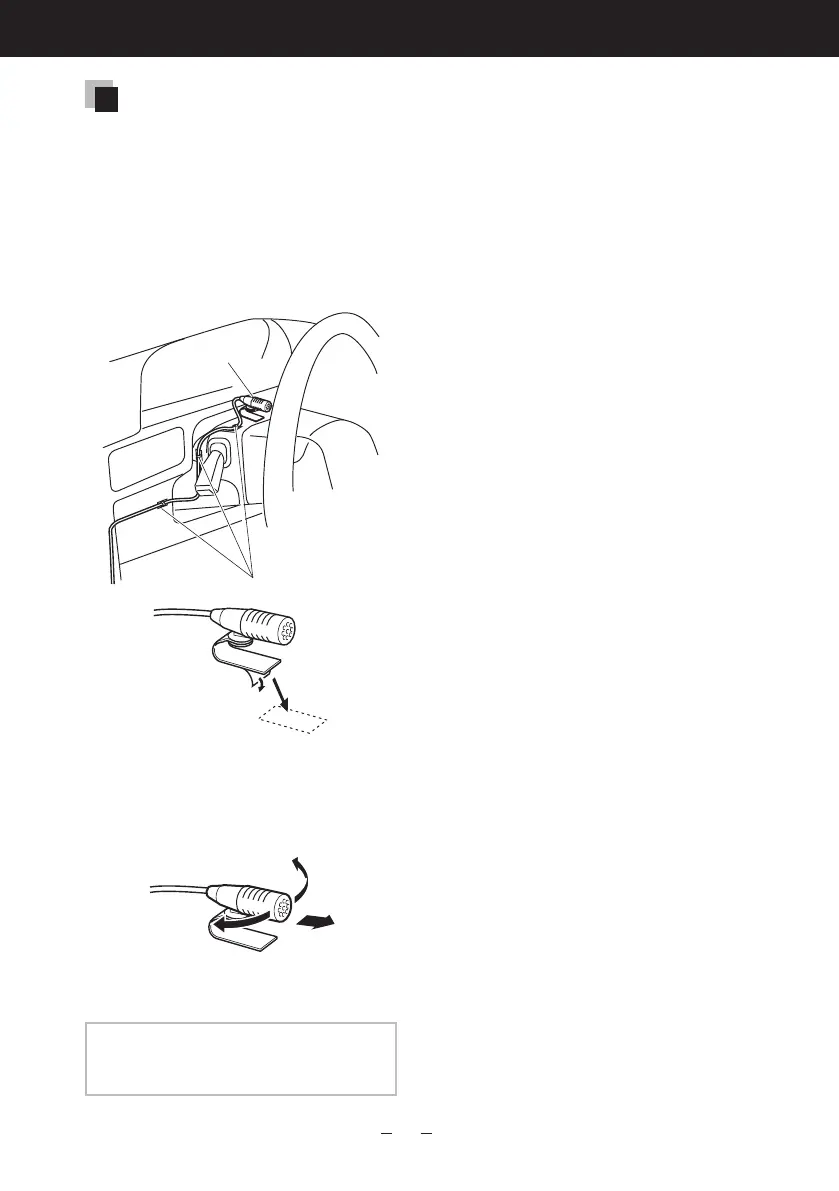
Microphone unit
1) Check the installation position of
the microphone (accessory 7).
2) Clean the installation surface.
3) Install the microphone.
4) Wire the microphone cable up to
the unit with it secured at several
positions using tape or other
desired method.
7
Fixacablewithacommercialitemoftape.
Remove the separator of the
microphone, and stick the
microphone to the place shown
above.
Adjust the direction of the
microphone to the driver.
NOTE
•Installthemicrophoneasfaraspossible
fromthecell-phone.






 To Next Page