User’s Manual
Published on February 2017 UMn°154 – rev.05 23
This document and any information disclosed herein are the property of Keopsys and constitutes and contains proprietary information.
Receipt or possession of this document does not confer or transfer any right to duplicate, use disclose any information
6.2.2. Home Page
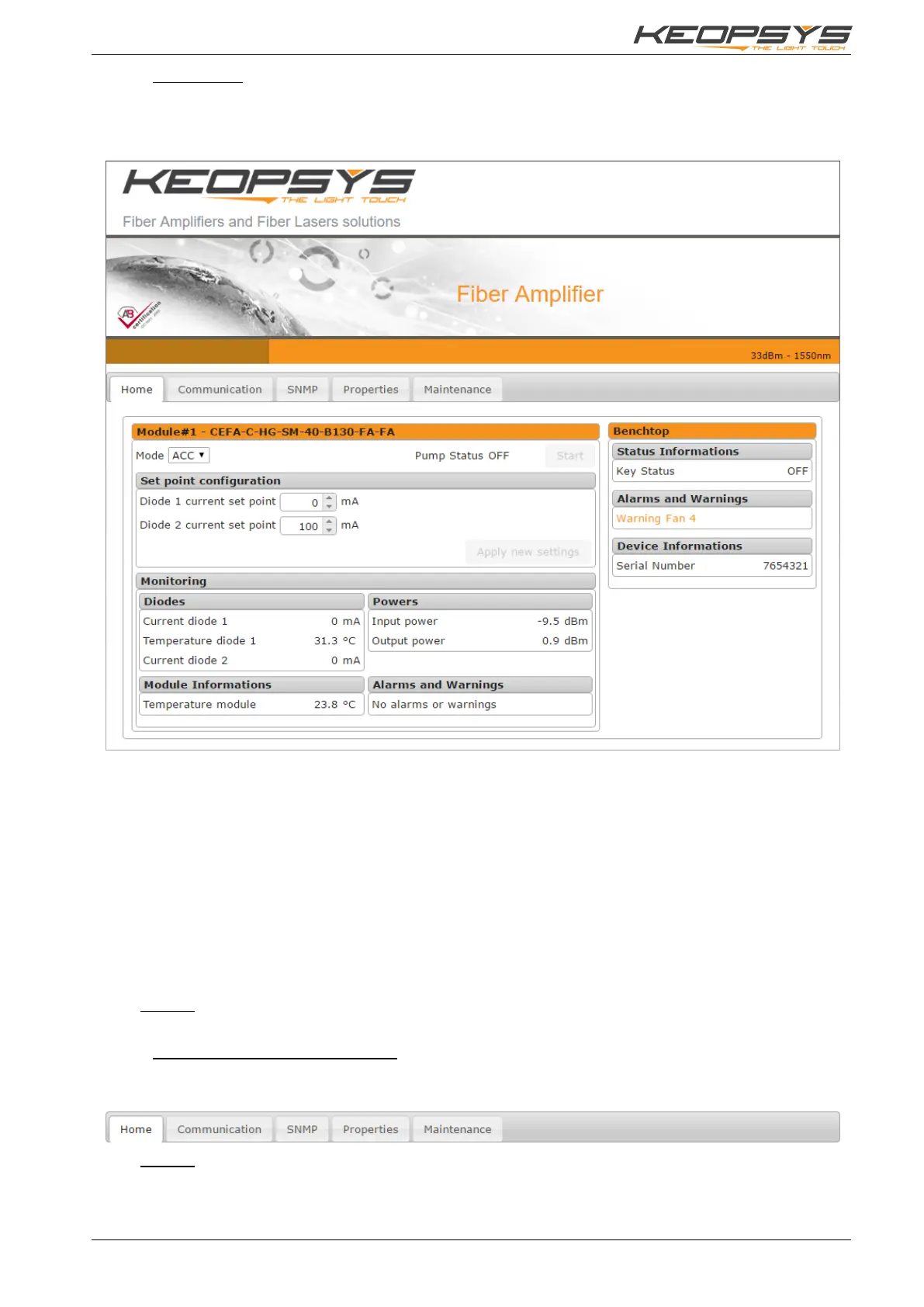
When you access to the WSI by typing the IP address, the first page of the WSI displayed is the “Home”
page:
This page displays all current alarms and all important information from the device (called Monitoring).
The Home page is divided in several parts: Modules section (one or more) and Benchtop section. A
Module correspond to an optical device mounted into the benchtop, the most of time there is one module,
but some reference may more than one. In each Module section, you will find all information and
configuration on the corresponding optical device.
The Benchtop section provides information about the benchtop itself: key status, serial number, specific
alarms and warnings.
In a Module section, you can select the operating mode (ACC, APC, …) and start/stop the module.
Start button is available only when the front panel key is ON and there is no alarm. You can also change
current or power set point, depending on the selected operating mode.
Lastly, you have access to several information: diodes current, temperatures, optical power, alarms and
warnings. Information availability may vary with the device reference.
Remark: when the device is in remote mode (USB or RJ45, see section 7.1.2) values on this page
cannot be changed.
6.2.3. How to navigate in others pages
The WSI provides several web pages. To access to other page, use navigation tabs on the top of the
page. These tabs are available in each web page.
Remark: The SNMP tab is available only if SNMP option is available.


 To Next Page