User’s Manual
Published on February 2017 UMn°154 – rev.05 24
This document and any information disclosed herein are the property of Keopsys and constitutes and contains proprietary information.
Receipt or possession of this document does not confer or transfer any right to duplicate, use disclose any information
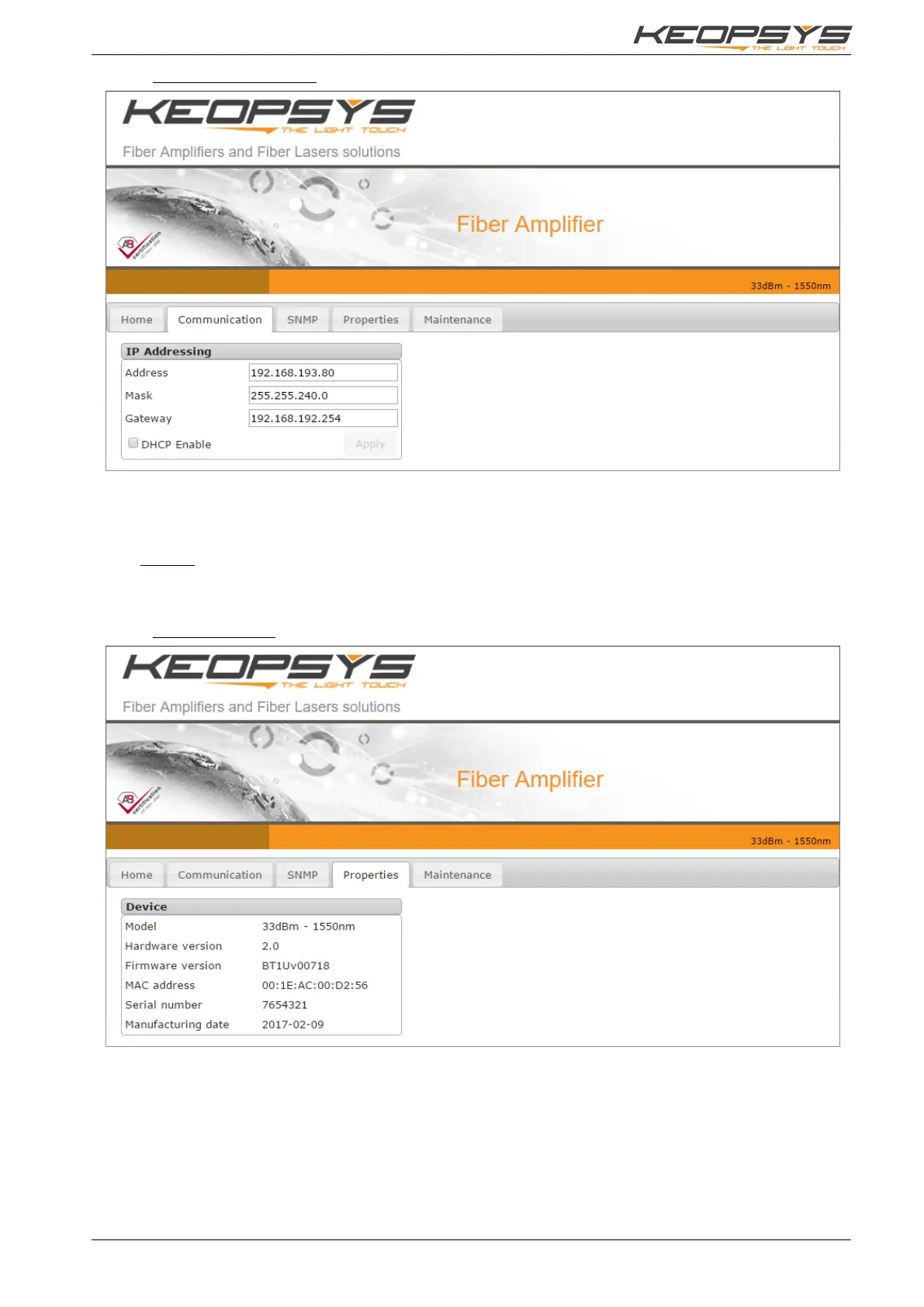
6.2.4. Communication Page
The communication page is used to configure the network of the device. Static IP address can be set
or DHCP option is also available by checking the DHCP checkbox.
Validate your modification by clicking on the “Apply” button.
Remark: After changing the network configuration, the current page may become unavailable, you will
have to type in the browser address bar the new defined IP.
6.2.5. Properties Page
This page reports the main specific properties of the benchtop. These data are not modifiable.


 To Next Page