User’s Manual
Published on February 2017 UMn°154 – rev.05 25
This document and any information disclosed herein are the property of Keopsys and constitutes and contains proprietary information.
Receipt or possession of this document does not confer or transfer any right to duplicate, use disclose any information
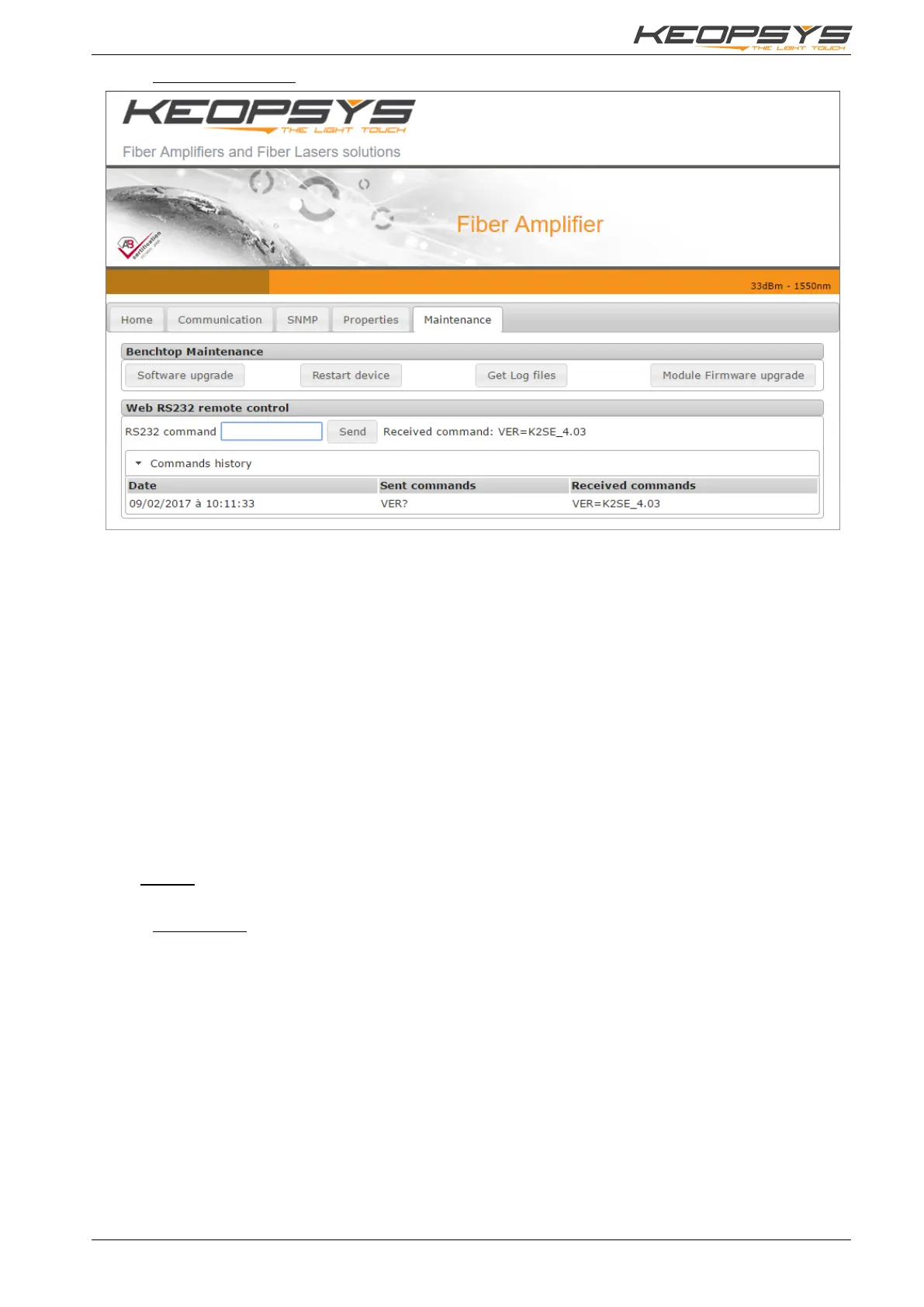
6.2.6. Maintenance Page
This page provides several tools for device maintenance:
• Software upgrade: to upgrade benchtop firmware. The button open a new window on which
you have to select a file (provided by Keopsys) and click on “Upgrade” bouton to start the
process. Please do not shutdown the device or do any other action during the upgrade process.
• Restart device: to simply restart the device remotely. The WSI will be unavailable for a while,
just the time for the benchtop to finish its starting sequence.
• Get Log files: to download log files for each optical module.
• Module Firmware upgrade: to upgrade the firmware of an optical module. The button open a
new window on which you have to select a file (provided by Keopsys), select the module you
want to upgrade (from a list), and then click on “Start upgrade” button to start the process.
Please do not shutdown the device or do any other action during the upgrade process.
You have also access to a RS232 emulator to communicate with any of the optical modules. Just type
RS232 command (see §5.2) in the text box and press Enter or click on “Send” button to send the command
to the module. The answer is printed on the right, and you have below an history of the current session.
When there is more than one device, don’t forget SLx_ prefix on the command to address the right
module (see §5).
Remark: when the device is in remote mode (USB or RJ45, see section 7.1.2) this page becomes read
only.
6.2.7. SNMP Page
Available only if SNMP option is available, see §6.5.2 for more details.


 To Next Page