KXS_KXG-TM-BA_IA-e-1932 67
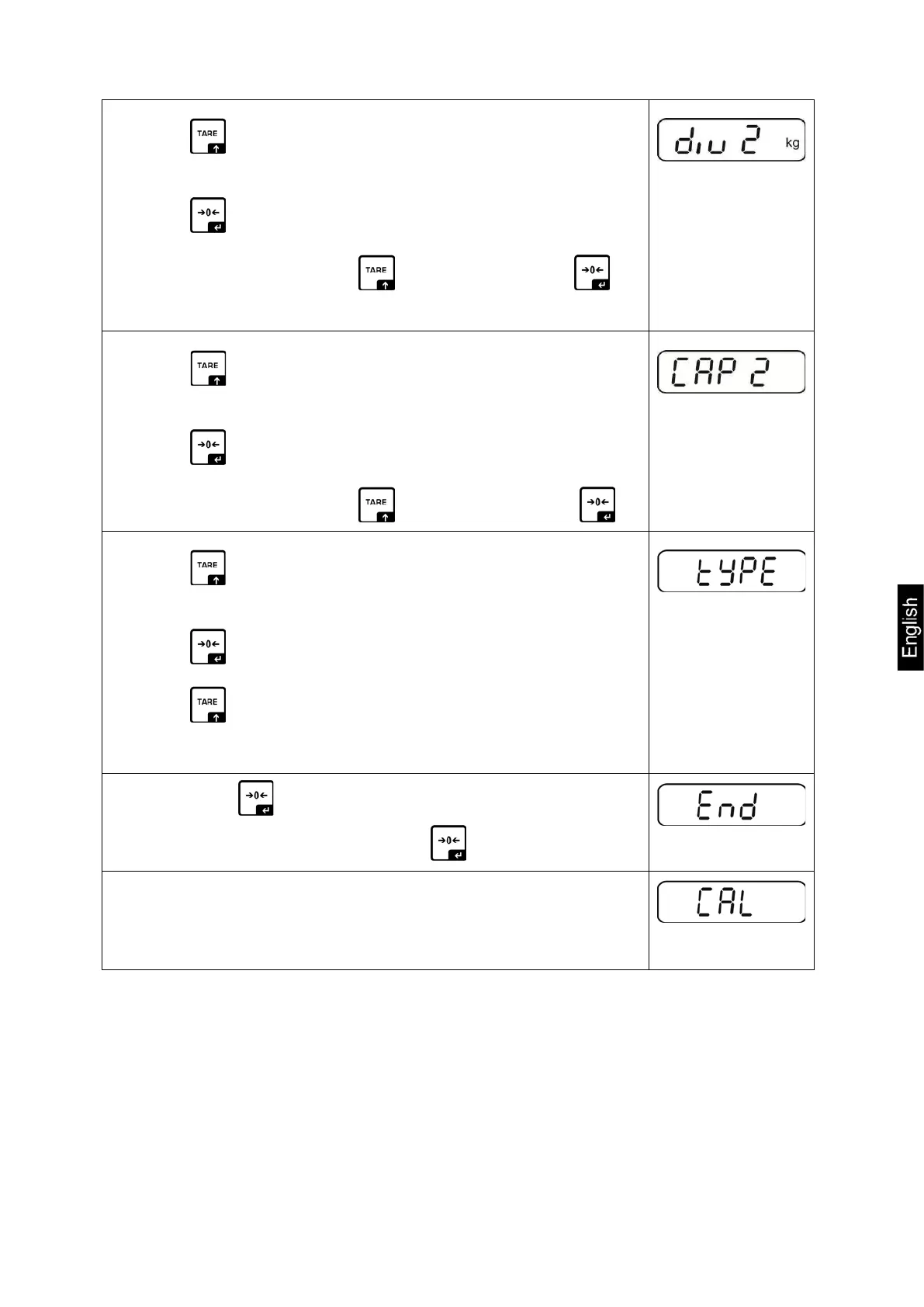
Press to enter the next menu item for
readability/verification value for second weighing range.
Press , the current setting will be displayed.
Select desired setting with and acknowledge by .
Press to select the next menu item used to enter the
capacity for the second weighing range.
Press , the current setting will be displayed.
Select desired setting with and acknowledge by .
Press to select next menu item for setting multi-range /
multi-interval scale
Press , the current setting will be displayed.
Press to select desired type
rnGE = multi-range scale
intEr = multi-interval scale
Confirm by , „End“ will be shown.
To import configuration data, press again.
The entering of configuration data requires subsequent
adjustment or linearization.
For how to carry out adjustment see chap. 7.7 or
linearization see chap. 7.8


 To Next Page
 Loading...