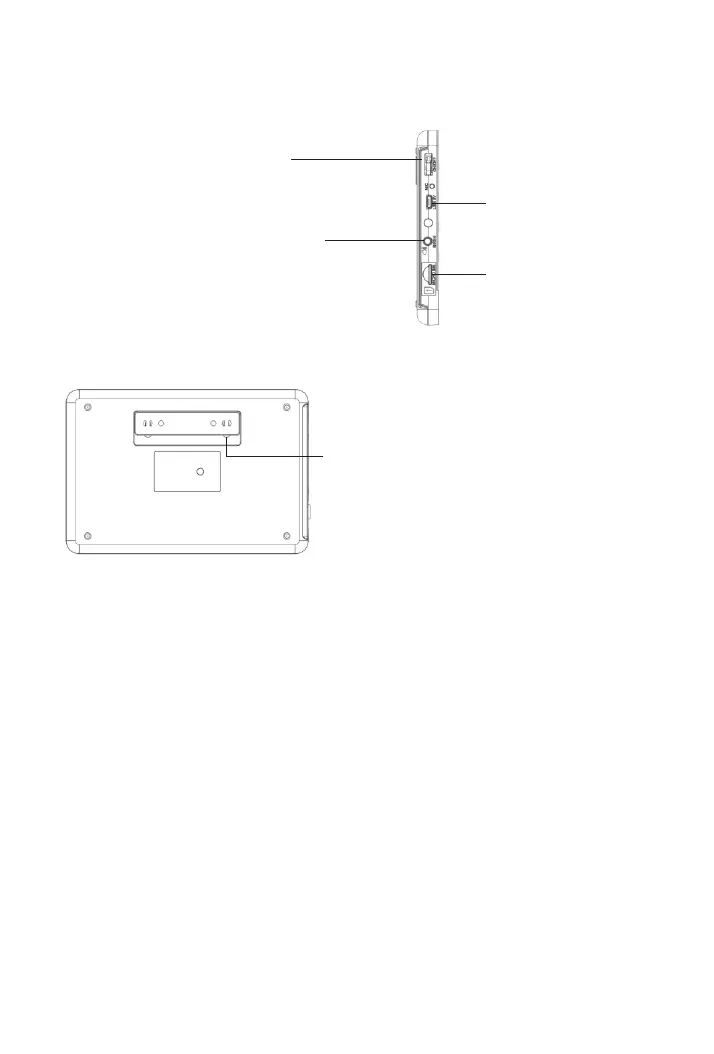
Plug in the siren cable here.
Siren port
SIM card slot
Plug in the SIM card here.
Power port
Plug in the power cable here.
Tamper switch
The tamper switch (small black lever underneath
the bracket) will trigger an alarm notification if an
attempt is made to remove the panel from its
installed location. And the alarm sounds.
Back
ON/OFF button
Press to turn the panel on, and
“Welcome” is displayed.
Press and hold it until the
screen is off to turn the panel off.
Side
6



 To Next Page