User Manual
SUPM1
page 61 of 94© KEYMILE December 2015 EN/LZTBU 372 129/1 RC
94
Commissioning
6 Commissioning
In this section, you will find a commissioning example of the SUPM1 unit and
the configuration of a port.
Please refer to [355] User Manual “ECST” for details on the general GUI
aspects, and to [302] User Guide “XMC25/XMC23/XMC22” for specific char-
acteristics of the XMC20.
6.1 Commissioning of a PSTN Port
6.1.1 Prerequisites
Before starting the commissioning of a PSTN port on the SUPM1 unit, the
following prerequisites need to be fulfilled.
6.1.1.1 COGE5 unit
In a XMC20, a COGE5 needs to be in operation in slot 11 of the XMC20
subrack.
6.1.1.2 SUPM1 unit
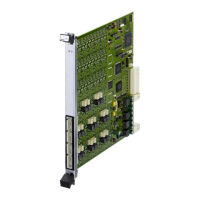
The SUPM1 service unit is inserted into a slot of the XMC20 subrack. Availa-
ble slots are listed in section 4.2 Slots and Deployment Scenarios for the
SUPM1 Unit (on page 28).
A valid ESW is installed on the SUPM1 unit. For the management of ESW,
refer to [355] User Manual “ECST”. For details about compatible ESW ver-
sions, refer to [012] Release Note “XMC20”.
Port-y of the SUPM1 unit is connected to an analogue telephone set via a
two wire telephone cable.
6.1.1.3 Transport or gateway unit
A transport unit is inserted in the XMC20 and is running with a proper ESW:
−SELI8,
−STM14,
− NUSA1,
− NUSA2,
−SDSL8,
− VOIP1.


 To Next Page