User Manual
SUPM1
page 66 of 94© KEYMILE December 2015 EN/LZTBU 372 129/1 RC
94
Operation
7 Operation
This section describes the operation functions of the SUPM1 unit.
The operation functions described in this section assume a correctly config-
ured and operational SUPM1 unit.
7.1 Unit Optical Indicators
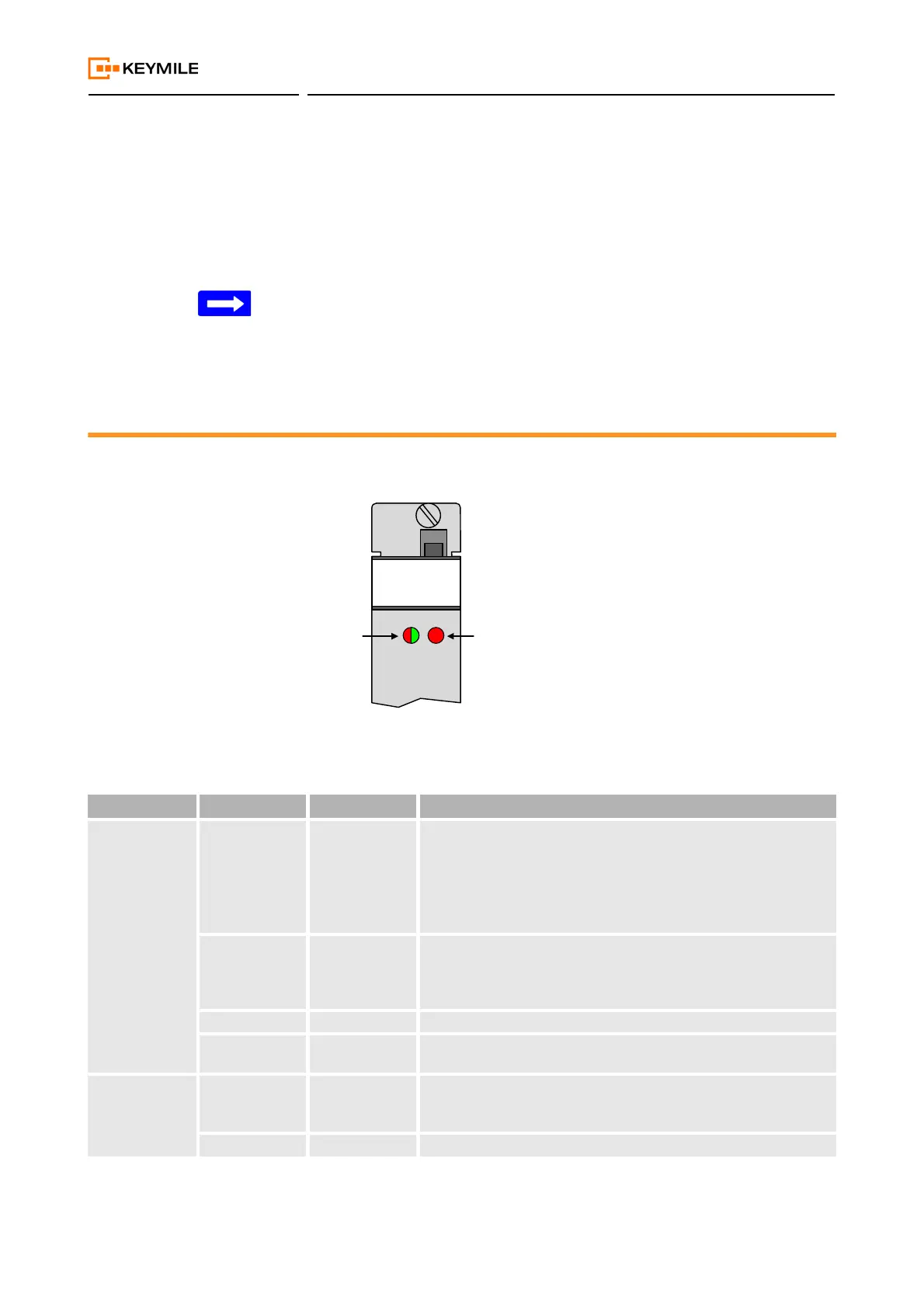
LEDs on the front of the SUPM1 unit are used to indicate to the user the
alarm status summary of the unit and of the network traffic signals.
Figure 19: Fault indication LEDs on the SUPM1 unit
XXXXx R1B
37900374
UNIT TRAFFIC
Table 35: LED signalling on SUPM1
LED name Colour State Meaning
UNIT Red Failure Unit is not in service.
The unit is not able to provide the requested function due to
- equipment failure (total breakdown),
- mismatch of HW and SW.
Recovery from this error situation is done usually by replacement
of unit HW or ESW.
Green / Red
(blinking 1 Hz)
Booting or
waiting
Unit has not been taken in service yet or the unit has not been pro-
visioned.
Recovery from this situation is done by taking this unit into service
with ECST.
Green Running Unit is up and running, it is ready to provide the required service.
Off Failure System is not powered or outage of power supply on unit or outage
of LED.
TRAFFIC Red Failure One or more active failures on the unit, independent of the sever-
ity.
More detailed information is provided by ECST.
Off Normal Normal (error free) operation.


 To Next Page