User Manual
SUPM1
page 65 of 94© KEYMILE December 2015 EN/LZTBU 372 129/1 RC
94
Commissioning
2. The CTP configuration parameters are implicitly set and fixed. All dis-
played parameters are read-only.
3. Enter the z-End configuration parameters:
- Revertive Protection Switching = true.
- CAS AIS Supervision = false.
- Switch-Over Logging = false.
4. Execute “OK”.
Result: The PSTN port is completely configured.
Create the cross connection Proceed as follows:
1. Configure the unprotected cross connection from the PSTN port to a
time slot on a SELI8 unit. It is assumed that the connection termination
point (CTP) on the SELI8 unit has been created before on port-8, time
slot 1. Please note that the termination mode of the SELI8 port must be
configured to PCM30 or PCM30C, i.e. using CAS!
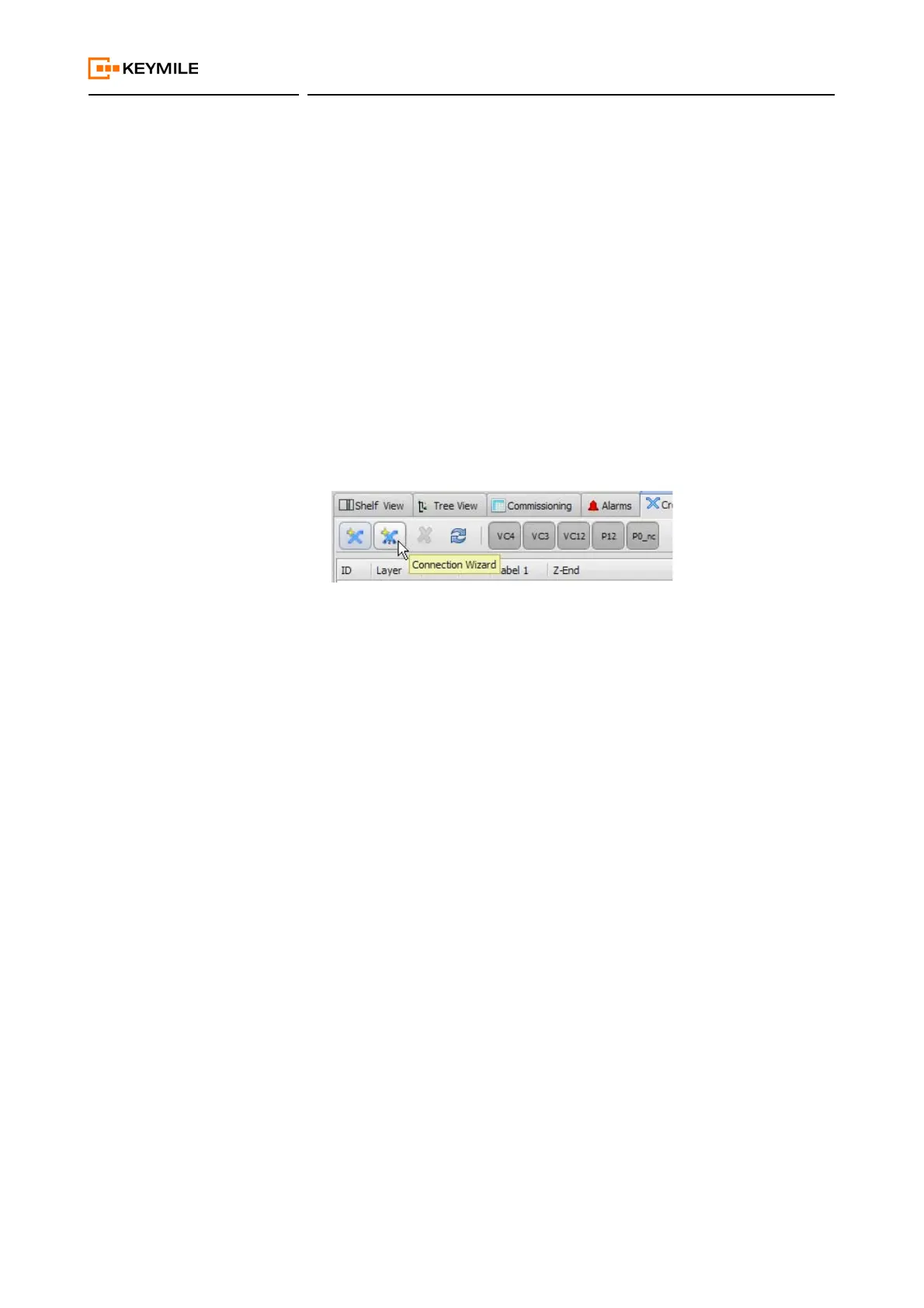
2. Select the “Cross connections” view of the ECST.
- Click on the “Connection Wizard” button:
- The “Create TDM Connection” dialogue opens.
3. Set the connection parameters:
- Layer Rate = P0-nc.
- Directionality = Bidirectional.
- Protected = No.
- Label 1 = <anyName>.
- Label 2 = <anyName>.
- Number = 1.
4. Execute “Next ->”.
5. Select the Z-End CTP:
- Select the SUPM1 unit, port-1.
6. Execute “Next ->”.
7. Select the A-End CTP:
- Select the SELI8 unit, port-8/chan-1.
8. Execute “Create”.
Result: The bidirectional cross connection between SUPM1 and SELI8
is configured.
Activation Proceed as follows:
1. Set the administrative state of the port-1 to up
AP:/unit-9/port-1, Main - Admin And Oper Status:
- Set Administrative Status to “Up”.
2. Execute “Apply”.
→ The “Operational Status” changes to “Up”.
Result: The port is activated.
End of instruction


 To Next Page