Functions and Measurements
Analysis the Modulated Signals
76
3 Press {Carries Freq} > [1.5] > {GHz} to set the carrier
frequency.
4 Set the attenuation state to Auto (default):
Press {More} > {More} > {Attenuation Auto} > {More}
5 Press {Y Scale} > {Auto Scale} > {Return} to set the Y scale.
6 Set the FM deviation limit and turn on the limit function:
Press {More} > {Limits} > {FreqDev UP} > [60] > {%} > {FreqDev
Low} > [30] > {%} > {Limits on} > {Return}
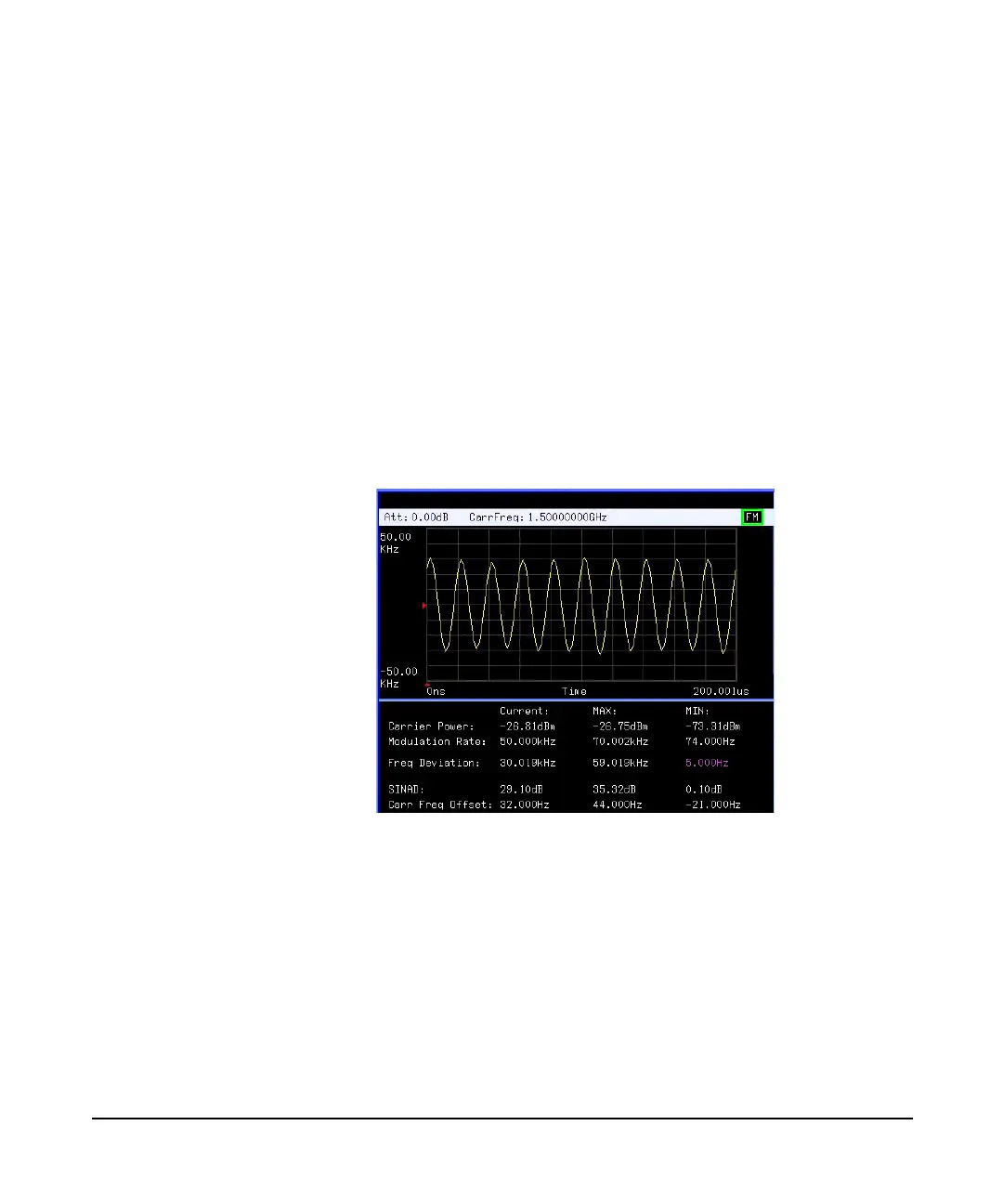
The purple value in the result indicates the demodulated
FM deviation exceeds the limits set as above.
Figure 3-27 FM modulation analysis







 To Next Page