8
Information Display on the Status Bar
Displays the date and time, along with the system status shown by the various
icons to the right of the clock.
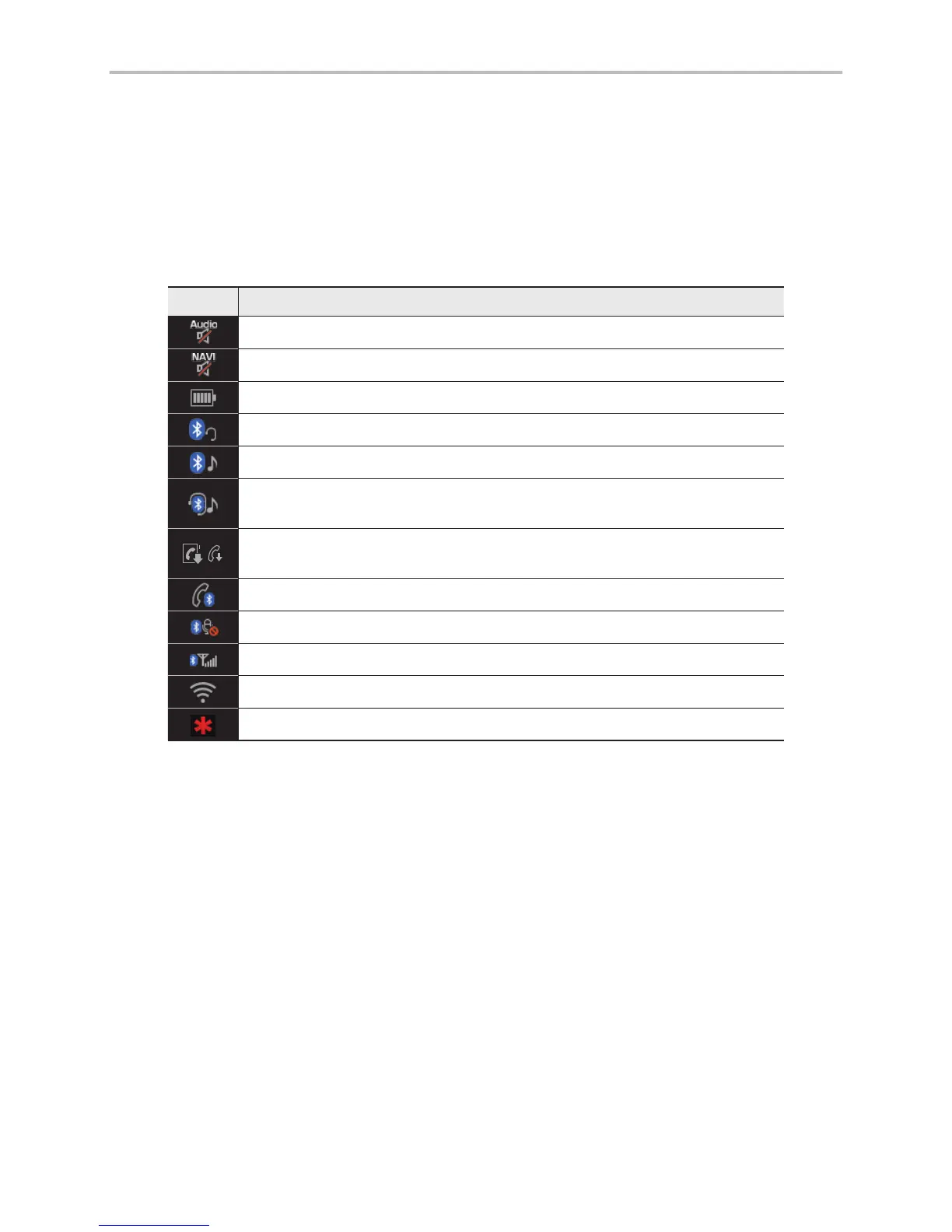
The icons in the following table indicate the various types of system status
details and events.
Icon Description
Displayed when the audio is muted.
Displayed when the navigation sound is muted.
Displays the remaining battery of the Bluetooth phone.
Displayed when connected to Bluetooth for handsfree.
Displayed when connected to Bluetooth for streaming audio.
Displayed when connected to Bluetooth for streaming audio and hands-
free.
Displayed when downloading contacts or recent calls from the Bluetooth
phone.
Displayed while on a call with the Bluetooth phone.
Displayed when the microphone of the Bluetooth phone is muted.
Displays the signal strength of the Bluetooth phone.
Displayed when connected to Wi-Fi.
Displayed when 911 connect is available.
Home Screen



 To Next Page