11
HD Radio™
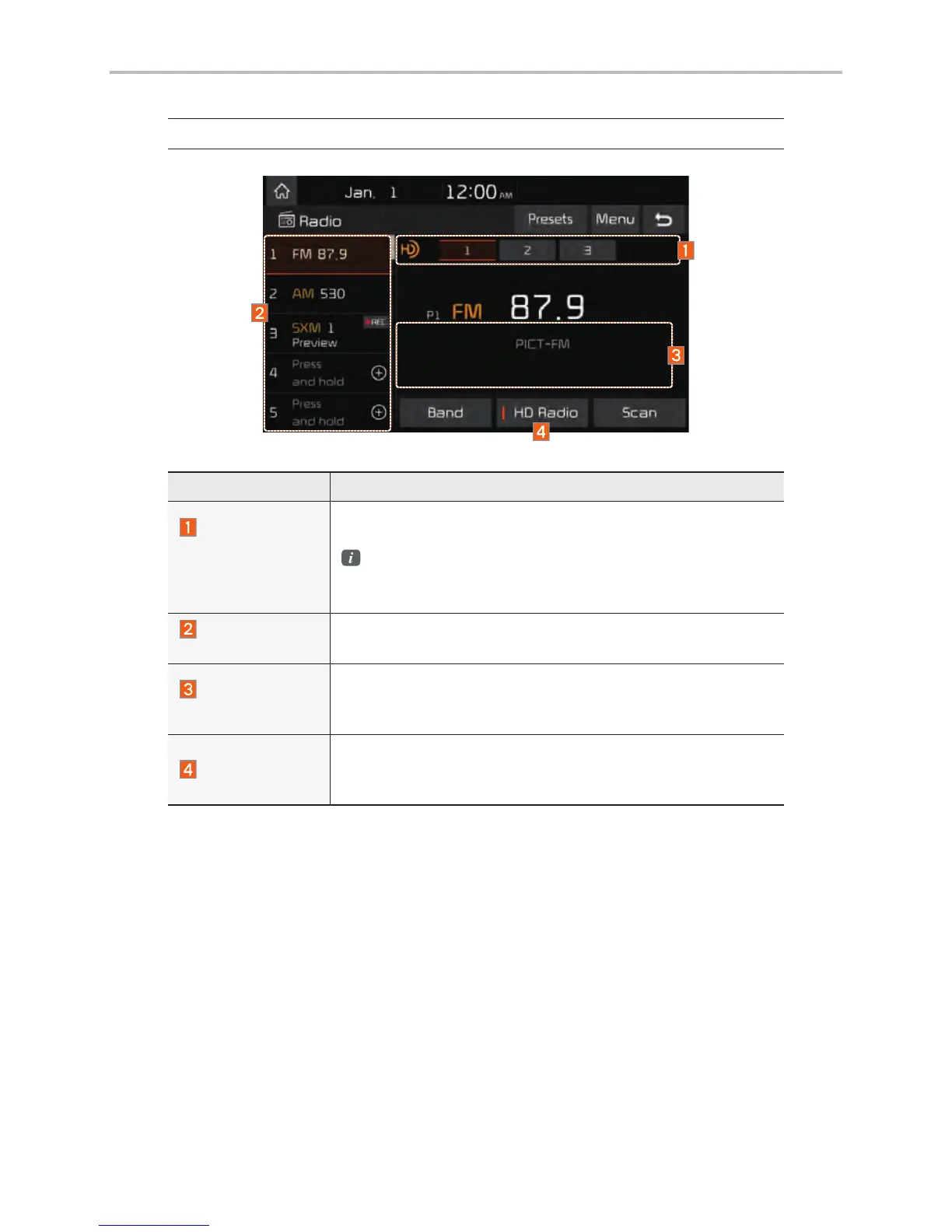
Features Description
HD Radio™
Reception &
Channel but-
tons
Displays main HD Radio™ channels and used to directly
select the current available channels.
The HD Radio™ related icon display becomes active
within regions where an HD Radio™ signal can be
received.
HD Channel
Number
Analog station and corresponding HD Radio channel num-
ber saved in the preset list.
HD Radio
Broadcast Info
Displays detailed information about the current broadcast
(the details of the information shown are different depend-
ing on whether the Info button is selected)
HD Radio
When the HD Radio soft button is ON (the red indicator on
the HD Radio button is illuminated), HD Radio signals will
be received.
HD Radio™ Technology



 To Next Page