25
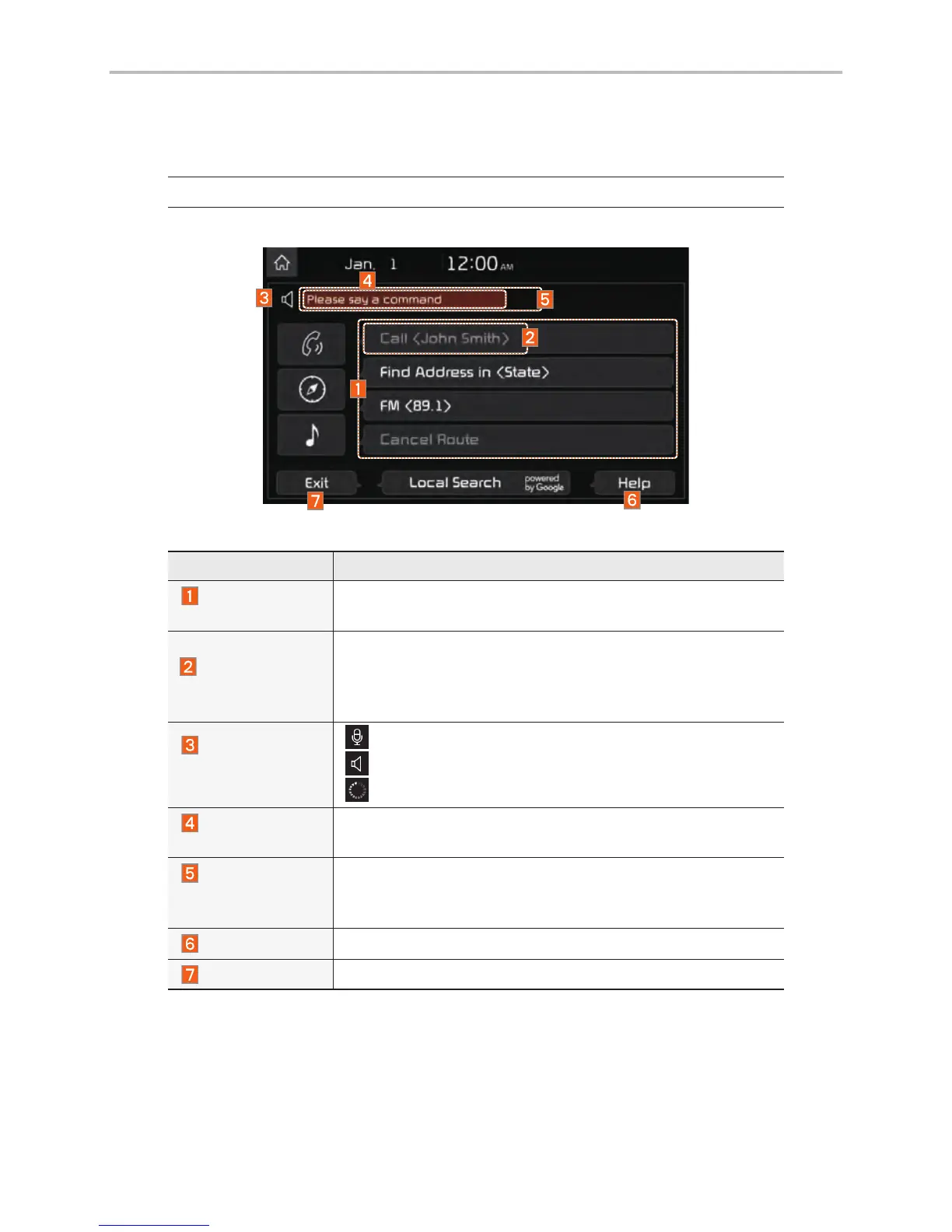
Voice Recognition Screen Overview
Start Screen
Name Description
Representative
Commands
Displays the representative commands.
Not available
command
Displays commands that are not available due to a failure in
meeting the conditions for using them and thus need addi-
tional settings. The conditions required for using them will
be described briefly under each command.
Voice
recognition
status icons
Standby
Voice guidance
Voice command process
Recognized
results
Displays the voice recognition result.
User's speaking
volume being
recognized
Displays the voice command volume in real time.
Help
Displays all available help commands in a tree format.
Exit
Ends the voice recognition.



 To Next Page