4
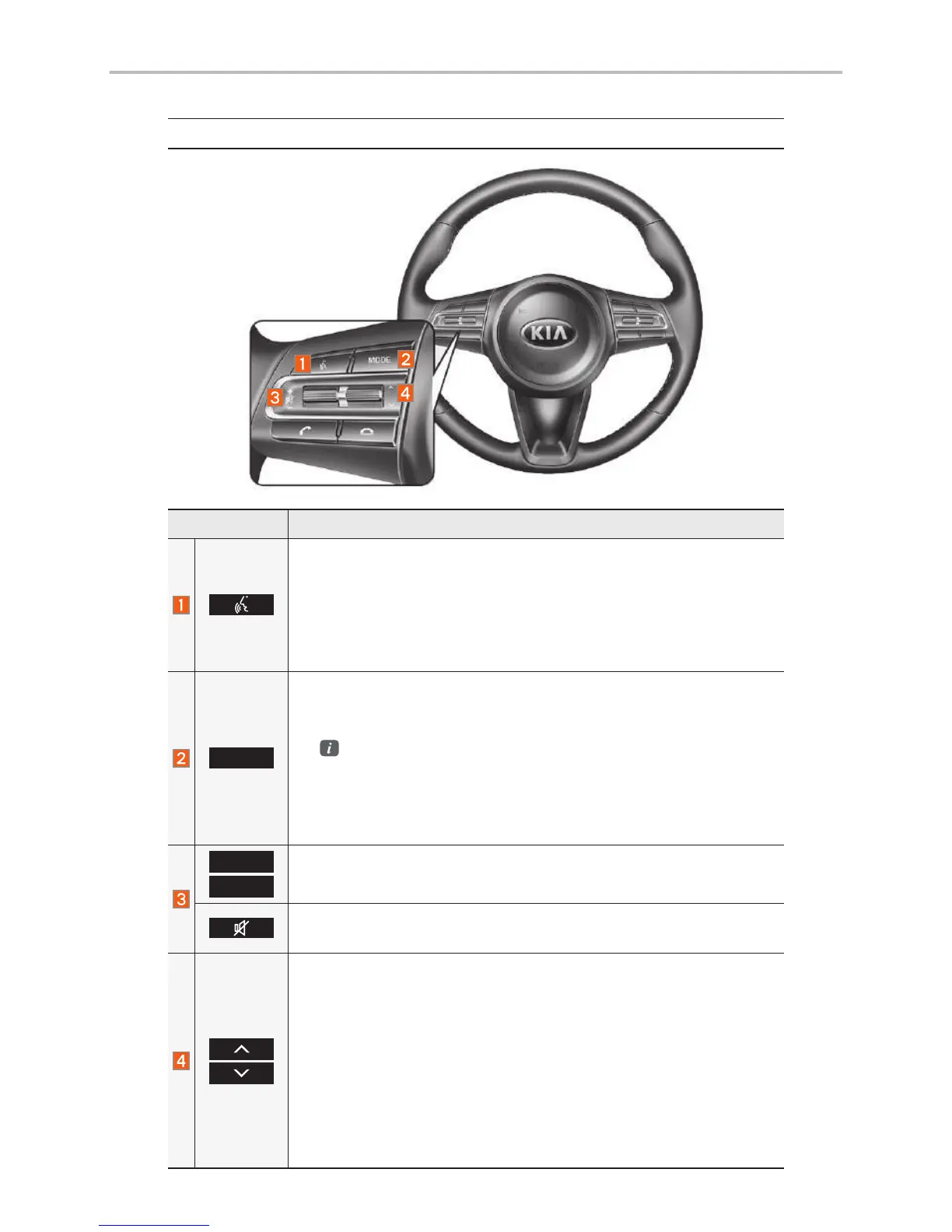
Steering Wheel Controls
Name Description
When the key is pressed quickly (less than 0.8 seconds),
• Activates voice recognition.
When the key is pressed and held (over 0.8 seconds),
• Ends voice recognition.
• If iOS device is connected through Bluetooth, activates or ends
Siri Eyes Free.
MODE
• Each time this is pressed, the mode is changed in the follow-
ing order: FM
→
AM
→
SiriusXM™
→
USB or iPod
→
AUX
→
Bluetooth Audio
→
FM
You can select which mode to use in Advanced settings.
• If the media is not connected, the corresponding modes will be
disabled
• Press and hold (over 0.8 seconds) to turn the Audio system on/off
• When power is off, press button to turn power back on
+
-
Use to adjust the volume of audio or call.
Mutes the audio. (Media will be paused in some media modes.)
Mutes the microphone during a call.
When the key is pressed quickly (less than 0.8 seconds),
• FM/AM mode: searches broadcast frequencies saved to Presets
• SiriusXM™ mode: searches broadcast channels saved to
Presets
• MEDIA mode: changes the track, file or title (except for AUX)
When the key is pressed and held (over 0.8 seconds),
• FM/AM mode: automatically searches broadcast frequencies
• SiriusXM™ mode: automatically searches broadcast channels
• MEDIA mode: quickly looks up songs (except for AUX and
Bluetooth Audio)
Controls and Functions



 To Next Page