35
Basic Features
Operating Navigation
Screen
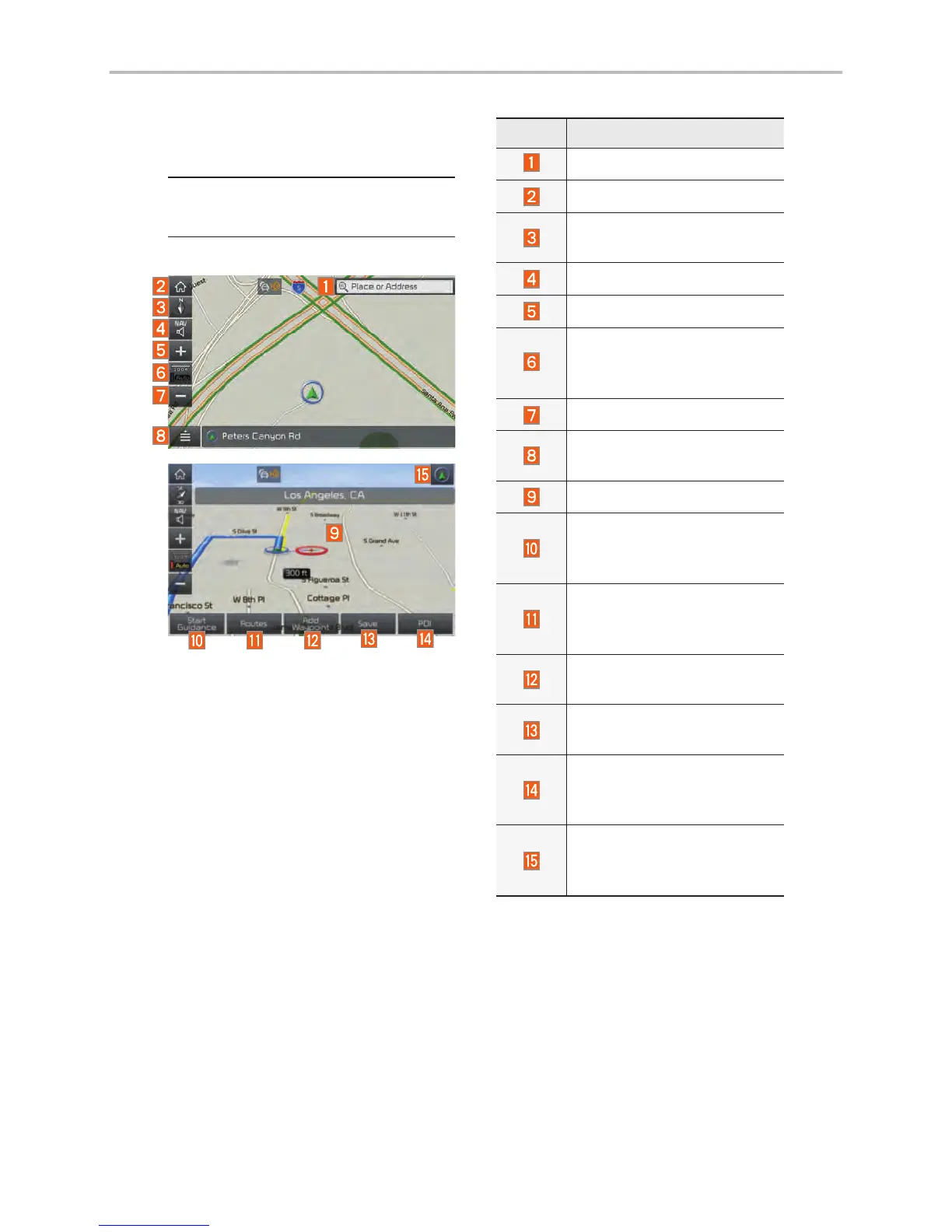
Basic features on the map screen.
Navigation
Name Description
Move to Places Menu.
Go to the Home screen.
Change the map view
mode.
Adjusts the volume.
Zoom in the map.
Set the zoom level auto-
matically according to the
guidance.
Zoom out the map.
Quick Menu for destination
selection and options.
Touch to scroll the map.
Start the preferred naviga-
tion route to selected loca-
tion.
Choose the preferred nav-
igation route to selected
location.
Set a waypoint to the current
route.
Save frequently used
address to address book.
Find a POI(Point Of
Interest) around the cur-
rent position.
View the vehicle’s cur-
rent position on the map
screen.



 To Next Page