16
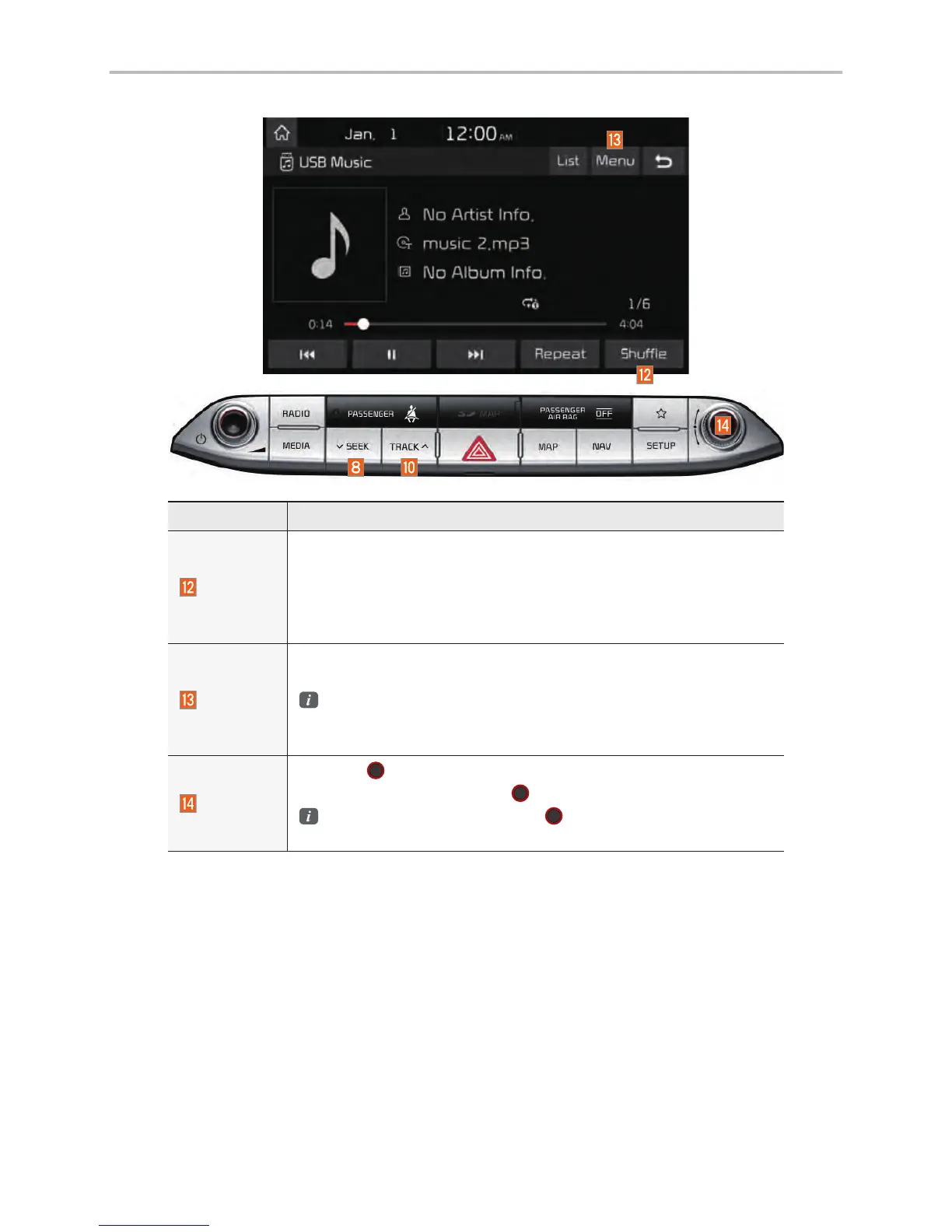
Features Description
Shuffle
Plays files in random order.
• If select the files in the file tab on the list screen: select this but-
ton to switch between shuffle folder, shuffle all, and turning off.
• If select the file in the other tabs on the list screen: select this but-
ton to switch between shuffle category and turning shuffle off.
Menu
• Hide Current File: a selected file can be deleted. Deleted file
can be found in the “Hidden_” folder.
This function is only supported when USB format is compatible
with FAT16 or FAT32.
• Sound Settings: Moves to the Sound Settings.
TUNE
Turn the
TUNE
knob to search a desired track. If the desired
track is displayed, select the
TUNE
knob to play the track.
If you do not anything with the
TUNE
knob for 5 seconds of
searching tracks, the track info for the current track is restored.
USB



 To Next Page