Use or key to increase or reduce
the end point value
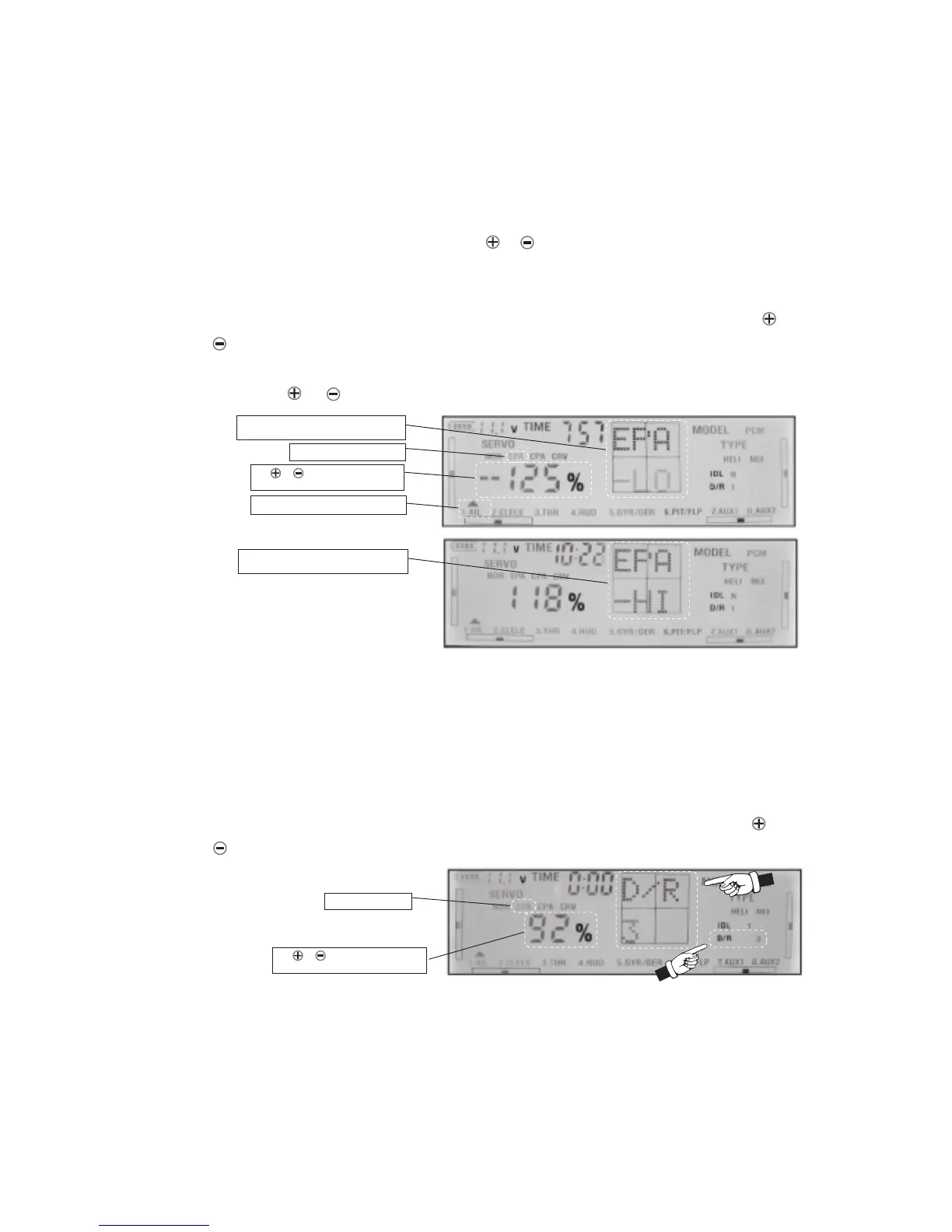
4) For example, to set the end point of aileron servo’s travle: When EPA is blinking, use CH key
to select channel AIL, move the aileron control stick to minimum position (the left) and now
you can see LO appear on the screen. Observe the aireron servo on your model, Use or
key to increase or reduce the value to meet your want. Push the aileron control stick to
the maximum(the right), the HI will appear on the screen, Observe the aireron servo on your
model, Use or key to increase or reduce the value to meet your want
5) Press ENT key at the end to confirm your choice. You will hear a long sound as confirmation
that the value was written to memory.
6) Switch D/R to position 2 or 3, you can set the EPA rate(%0-100%) separately of aileron,
elevator, rudder, gyro sensitivity and AUX1, AUX2. You can change this amount of
servo ’s travel in-flight. For D/R2 and 3 you don’t need put the sticks to maximum/minimum
position. Do the same way as steps above to select EPA, When the EPA is blinking, D/R-2
or D/R-3 will appear on the screen , use CH key to select the channel you want, use or
key to set the value and press ENT key at the end to confirm.
6) Switch IDEL to position 1 or 2, you can set the EPA rate(%0-100%) separately of throttle and
pitch. You can change this amount of servo ’s travel in-flight For IDEL1 and 2 you don’t need
put the sticks to maximum/minimum position. Do the same way as steps above to select EPA,
page 9
Use CH key to select aileron channel.
Press SET key to EPA blink
Push the aileron control stick to minimum,
the LO will appear on the screen.
Use or key to increase or reduce
the rate value
Push the aileron control stick to maximum,
the EPA-HI will appear on the screen.
Select EPA to blink
When the EPA is blinking, Push the aileron control stick to the maximum (the right) the
HI will appear on the screen and blink, use or key to set the end of servo’s travle value.



 To Next Page