page 10
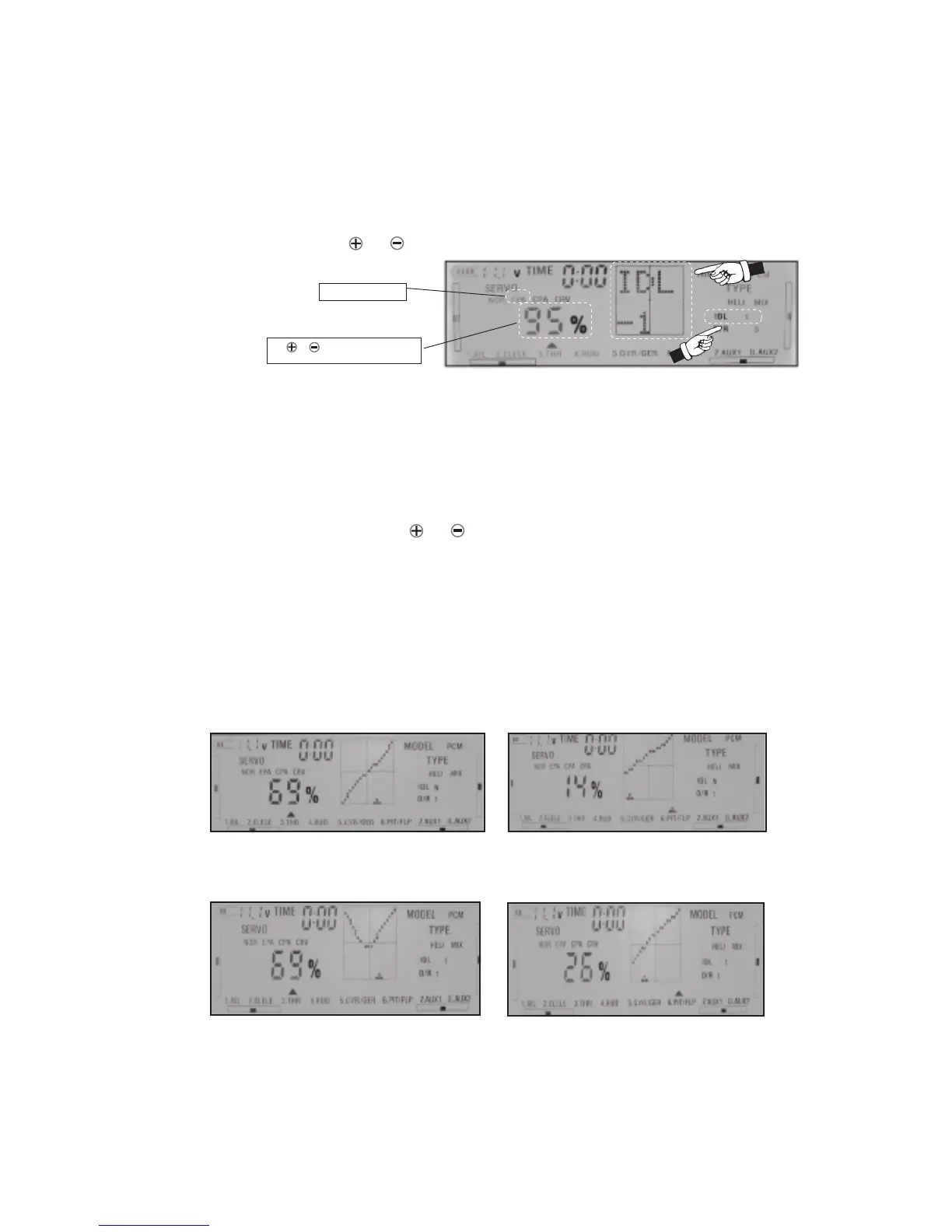
When the EPA is blinking, IDLE-1 or IDLE-2 will appear on the screen , use CH key to select the
channel you want, use or key to set the value and press ENT key at the end to confirm.
9.ADJUSTMENT OF THROTTLE / PITCH FUNCTION’S CURVE
1)Before adjustemt wwitch IDLE to N and TC to 0.
2)Press SET key and next press ENT key. SERVO will be blinking.Next press SET key until
CRV start to blink.Use CH key to select THR channel. The screen graphics display area will
display throttle curve. Press ENT key into the curve adjustment function. The middle-point
of the curve will blink. Using or key to change the middle-point range of curve.
Press SET key to select next of 5 point.
3)You can set different shape of curve for each position of IDLE switch 1,2 . At the end press
ENT key to confirm your choice Exactly in the same you can adjust pitch curve.
4) The following charts are the samples for different flight mode throttle / pitch curve for
reference:
Use or key to increase or reduce
the rate value
Select EPA to blink
NORMAL FLIGHT PATTERNS
Throttle Curve
Pitch Curve
Throttle Curve
Pitch Curve
FLIGHT MODEL 1



 To Next Page