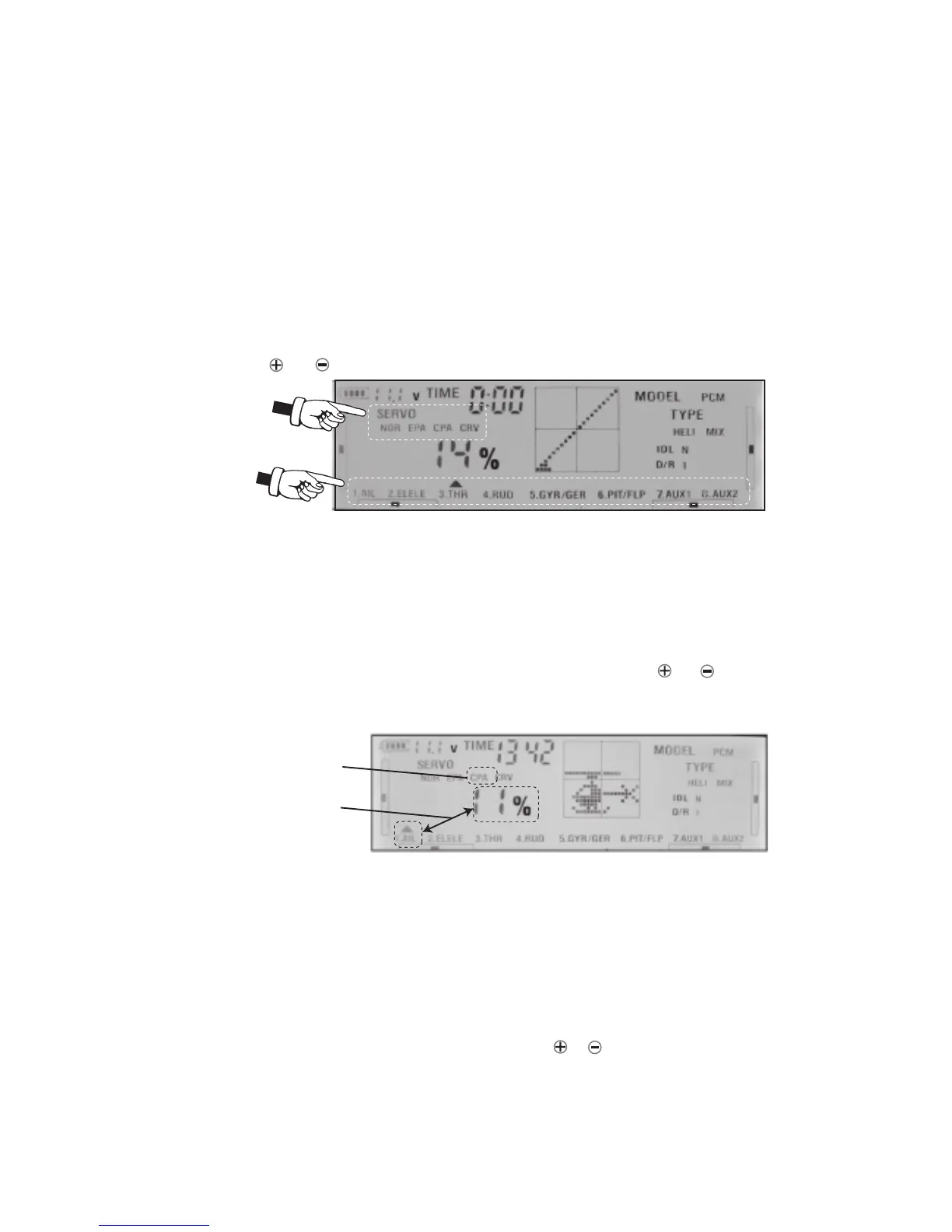
7.SETTING CPA(Center Point Adjustment) FUNCTION
This fuction ues to adjust the center of the servos installed in your model.
1) Move the channel stick you want to the middle position.
2) Press SET key to SERVO blink, then press ENT key one time, next press SET again
until CPA is blinking.
3) Use CH key to select the channel you want to adjust. Next press or key to
select the servo you want to adjust CPA point. Press ENT key to confirm. You will
hear long sound as confirmation.
8 . SETTING EPA(END POINT ADJUSTMENT) FUNCTION
1) It is to adjust the end of individual servo’s travle. The range for HI position is from 0%-125%
and for LO position is -125%-0%.
2)Switch D/R to position 1, IDLE to position N .
3) Press SET key to SERVO blink. When Servo is blinking press ENT key. Next press SET
key until EPA is blinking. Use CH key to select the channel you want to adjust.
Move(switch) the control stick of channel you selecting to minimum (left or down)and you
can see LO appear on the screen and blink, now use or key to set the end of servo’s
travle value.
6.SERVO DIRECTION
To reverse servo direction, following to the following steps:
Press SET key to SERVO blink, then press ENT key. When the REV (NOR) blinking
on the LCD screen. Next press CH key to select the channel you wish to change.
Push or key to make the servo operate normally(NOR) or Reverse(REV).
page 8
3) When setting is finished, move the stick, the plane's actions will be shown on the
screen according to your controls.
CPA is blinking
Channel and
CPA position



 To Next Page