1)Press SET key to TYPE blink,press or key to select ACRO / HELI , then press
ENT key to confirm. After you select HELI , the next step in will be a choice of type of
Helicopter. Four typical configuration are provided. Standard, two 120 degrees of
swash-plate and one 90 degrees
4.MODEL NAME FUNCTION
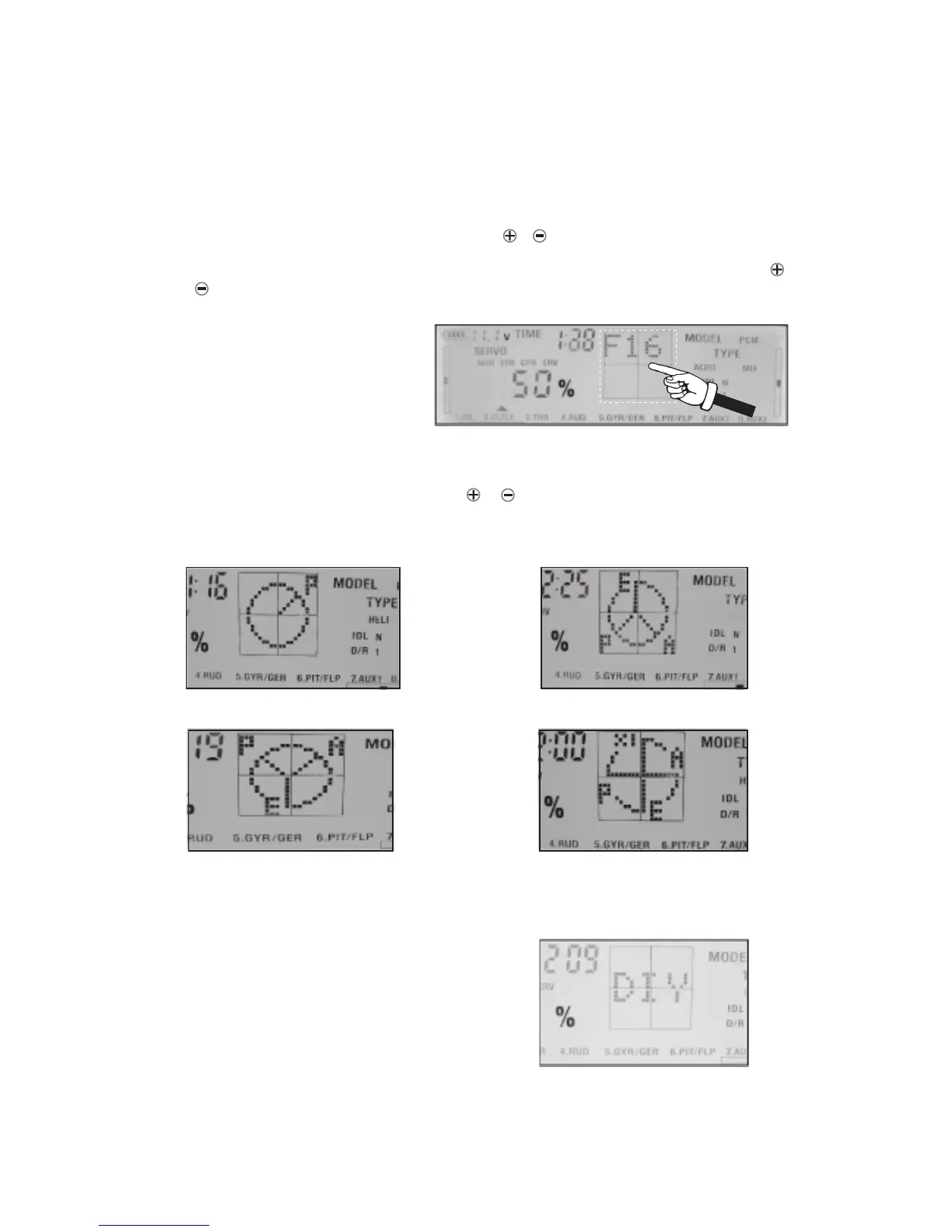
Press SEL key to MODEL blink, then press the or keys to select a model name storaged
in system(9 mode names storaged in the memore). To renamed the model, Press CH+SEL
key when MODEL blink. Choose a character for the first letter of model’s name by using or
key. Press SET key to choose next character in the same way. You can use up to 6
character for the name. For example for three letter name : F16
5.SET THE TYPE OF Helicopters
page 7
Cross set the standard
Inverse 120 degrees swash-plate,
three 120-degree CCPM
90-degree swash-plate CCPM
Normal 120 degrees swash-plate,
three-point cross set CCPM
2)If your model doesn’t belong to any one of this you need to use option DIY and provide
the information about your heli using mixing possibility of transmitter.



 To Next Page