KING-METER TECHNOLOGY CO., LTD
No.15, Chenchang Road, Beichen Dist.Tianjin,300134, CN
Fax:+0086 022 8478 0358 Tel: +0086 022 8478 0378
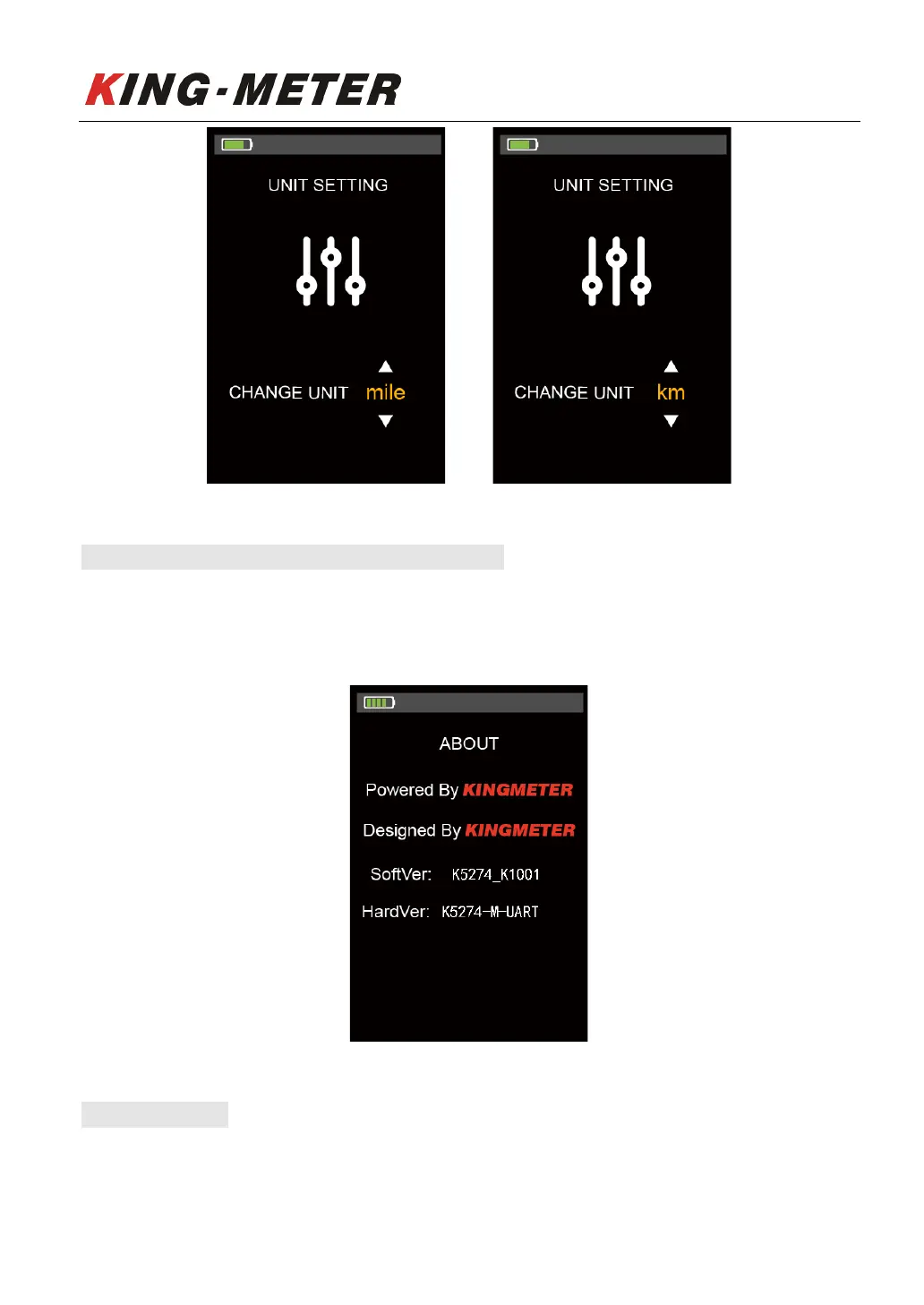
Display unit setting interface
6.5#Version#Information#Interface#(ABOUT)#
Short press “MODE” button to enter the “About” interface, this interface shows manufacturer’s name,
software and hardware version number and other information, which is usable for later display
maintenance.
Version information interface
6.6#Exit#Setting#
In the setting list interface, short press “MODE” button for saving the settings and exit the setting state.
If there is no operation within one minute, the display will automatically exit the setting state.













 To Next Page