KING-METER TECHNOLOGY CO., LTD
No.15, Chenchang Road, Beichen Dist.Tianjin,300134, CN
Fax:+0086 022 8478 0358 Tel: +0086 022 8478 0378
5.4#Data#statistics#interface#
When the speed is 0, long press “UP” + “MODE” button to switch from the normal display interface to
the data statistics interface.
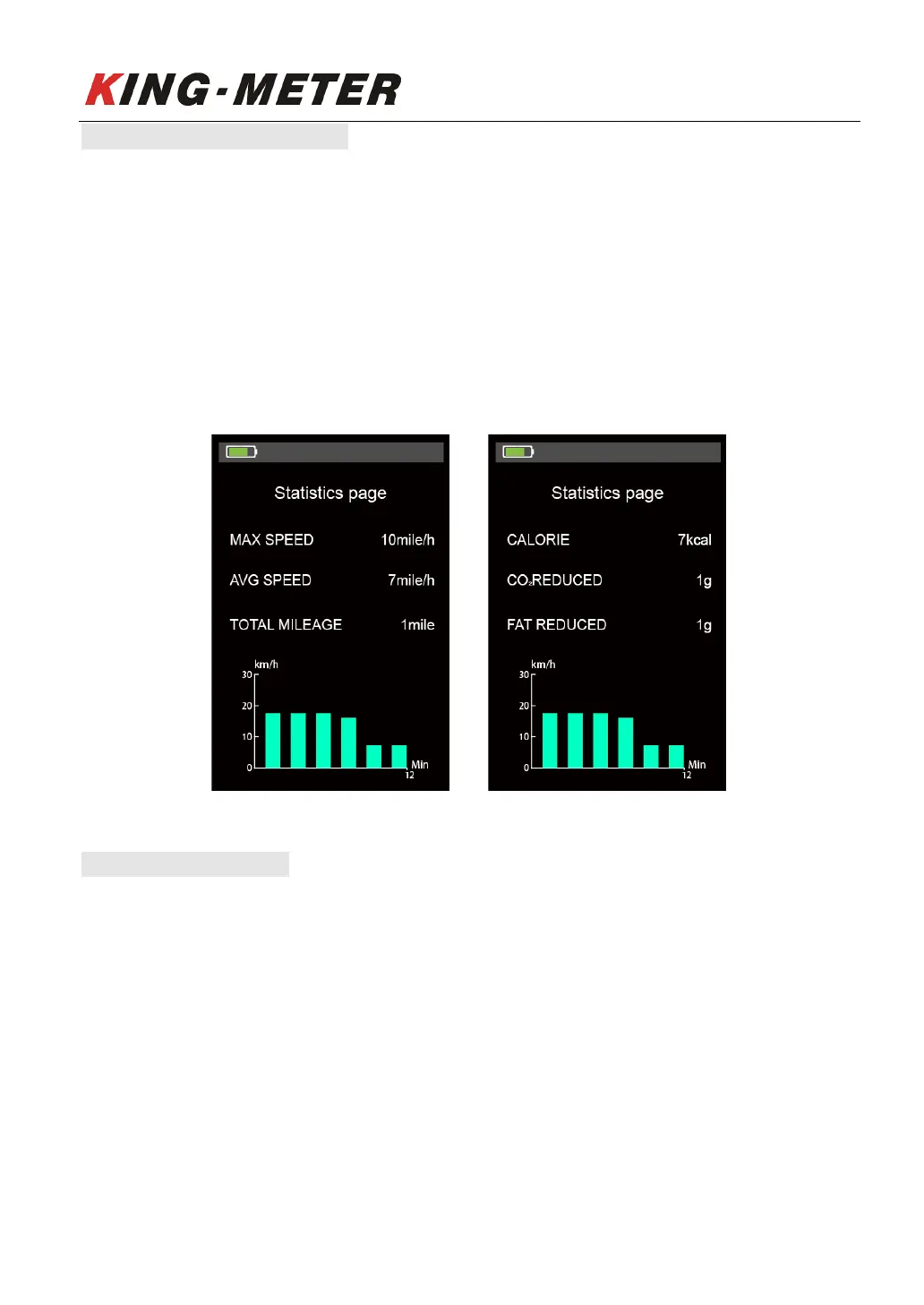
The data statistics interface is used to calculate and display the data of single ride of E-bike. It includes
riding distance, max speed, Avg Speed, Calories consumption, CO
2
/ Fat reduction and linear statistical
chart of single riding speed.
Short press “MODE” button to switch to next page, long press “MODE” button the data statistics
interface will switch to the normal display interface automatically.
Note: the maximum statistical time range of linear statistical chart is 12 minutes, and it will be displayed
incrementally after more than 12 minutes.
Data statistics interface
5.5#Walk#Assist#Mode#
Press and hold the “DOWN” button for 2 seconds to enter the Walk assist mode. The E-bike will travel
at a constant speed of 6km/h.













 To Next Page