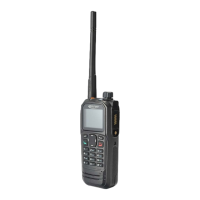
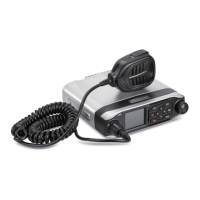
TM840 Service Manual
6.2.1 Introduction to TX Modulation Section
Item Steps Specification Requirement
1.Frequency stability
1)Enter the PC tuning mode
2)Double click on [Frequency stability]
3)Observing the frequency value on the screen of integrated tester while modulating the value on PC software
4)Modulate to nominal test frequency 400MHz±50Hz;
5)Click[OK] to save.
UHF:≤±350Hz
VHF:≤+100Hz,≥-300Hz
2.Power Output( high power)
1.Enter the PC tuning mode
2.Double click[High power output], click eight frequencies from F1 to F8 respectively;
3.Observe the RF power on screen of integrated tester, modulate power value to 40W±1W(25W±1W) on PC software;
4.Observe the currents value;
5.Click[OK] to save.。
High Power Mobile(45W):
1) Power:33W-45W
2) Current:less than 14A
Low Power Mobile(25W):
1) Power: 21W-28W
2) Current:less than 9A
3.Power Output (medium power)
1.Enter the PC tuning mode
2.Double click[High power output], click eight frequencies from F1 to F8 respectively;
3.Observe the RF power on screen of integrated tester, modulate power value to 32.5W±1W (40W is the standard version model) ;
10W±1W (25W is the standard version model) on PC software;
4.Observe the currents value;
5.Click[OK] to save.
High Power Mobile(45W):
1) Power: 28W-35W
2) Current:less than 9A
Low Power Mobile(25W):
1) Power: 8W-15W
2) Current:less than 8A
4.Power Output (low power)
1.Enter the PC tuning mode
2.Double click[Low power output], click eight frequencies from F1 to F8 respectively;
3.Observe the RF power on screen of integrated tester, modulate power value to 32.5W±1W (40W is the standard version model) ;
10W±1W (25W is the standard version model)on PC software;
4.Observe the currents value;
5.Click[OK] to save.
High Power Mobile(45W):
1) Power: 21W-28W
2) Current:less than 9A
Low Power Mobile(25W):
1) Power: 4W-7W
2) Current:less than 8A
than 8A;
5.Maximum
Frequency
Deviation
1.Enter the PC tuning mode
2.Double click[Maximum deviation]
3.Observing FM Deviation on integrated tester, modulate value on PC software;
4.52kHz-4.68kHz
29


 To Next Page