C-1
APPENDIX C: CONFIGURING AND UPDATING
THE TPU
The TPU is configured at the factory. However, should changes be required,
configuring and updating the TPU can be performed using Linux Updater. This
program is automatically installed when installing SonarPro and can be used to
perform the following tasks:
• Query or change the IP address of the TPU.
• Edit the startup file of the TPU.
• Download and install software updates to the TPU.
C.1 Starting Linux TPU Updater
Linux TPU Updater is started by double-clicking the Linux TPU Updater
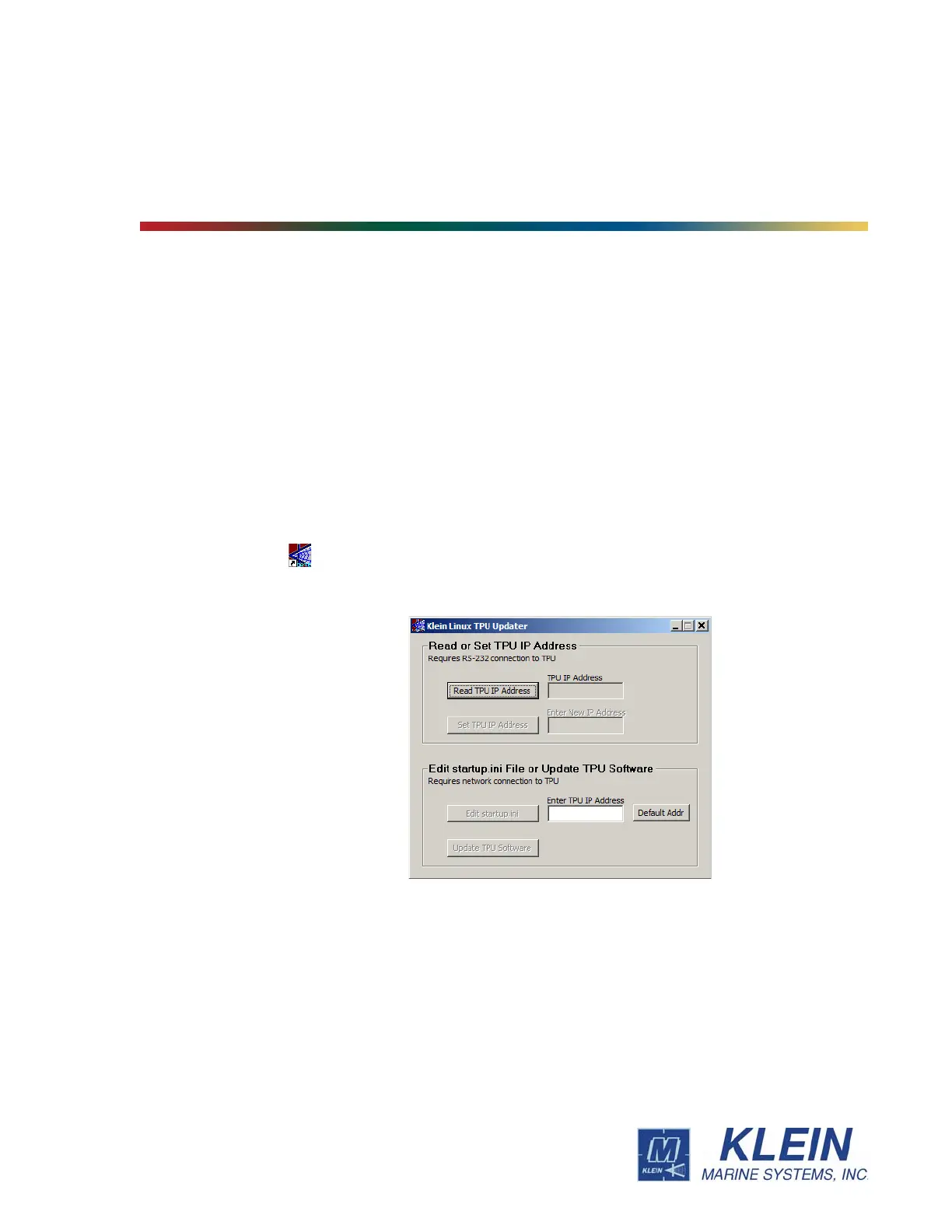
icon on the Windows desktop. The Klein Linux TPU Updater dialog box will
open as shown Figure C-1.
Figure C-1: The Klein Linux TPU Updater Dialog Box


 To Next Page