Editing the TPU Startup File C-3
8. Enter the new address in the Enter New IP Address text box, and then click Set
TPU IP Address
.
A window opens confirming the change:
C.3 Editing the TPU Startup File
The startup file for the TPU is startupCdi3000.ini.
To edit the TPU startup file:
1. Connect the supplied Ethernet cable to the LAN connector of the TPU and to
the ETHERNET connector of the SonarPro Workstation.
2. Turn on the SonarPro Workstation and wait for the Windows desktop to appear.
3. Turn on the TPU.
4. Start Linux TPU Updater.
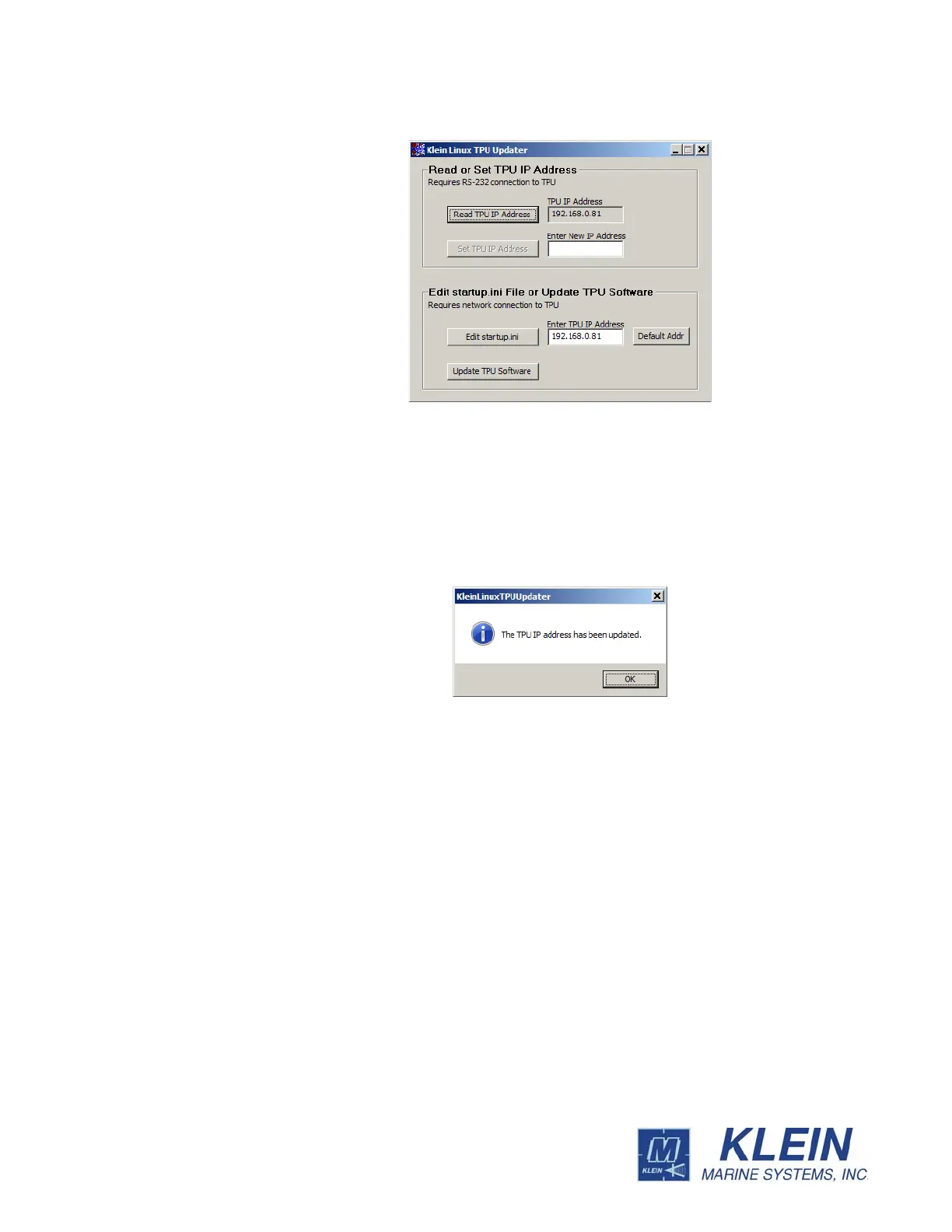
The Klein Linux TPU Updater dialog box opens.
Figure C-3: The Klein Linux TPU Updater Dialog Box with Current TPU IP
Address Displayed


 To Next Page