Use these procedures to set up your printer
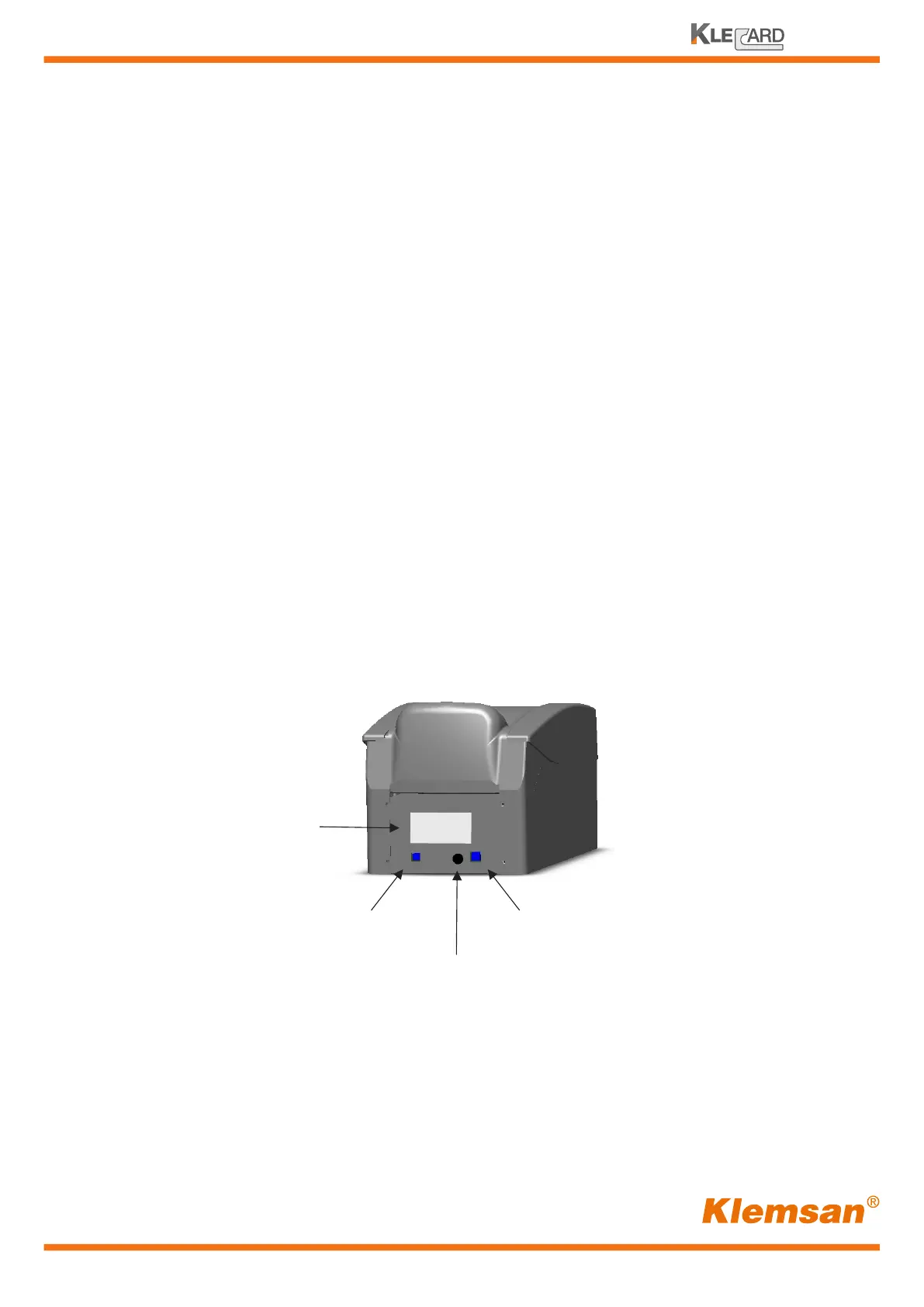
Connecting the cables
USB cable port
Power port
Operate the Klecard printer
1 - Connect the USB cable to the port at the back of the printer (left side)
2 - Connect the other end of the USB cable to a USB port on your PC.
3 - Connect the power cord to the power supply external unit.
4 - Connect the power supply to the power plug at the back of the printer (right side)
5 - Plug the power cord into a suitable electrical outlet.
USB-C
(only for programming)
13
User Guide
Nameplate


 To Next Page