18
User Guide
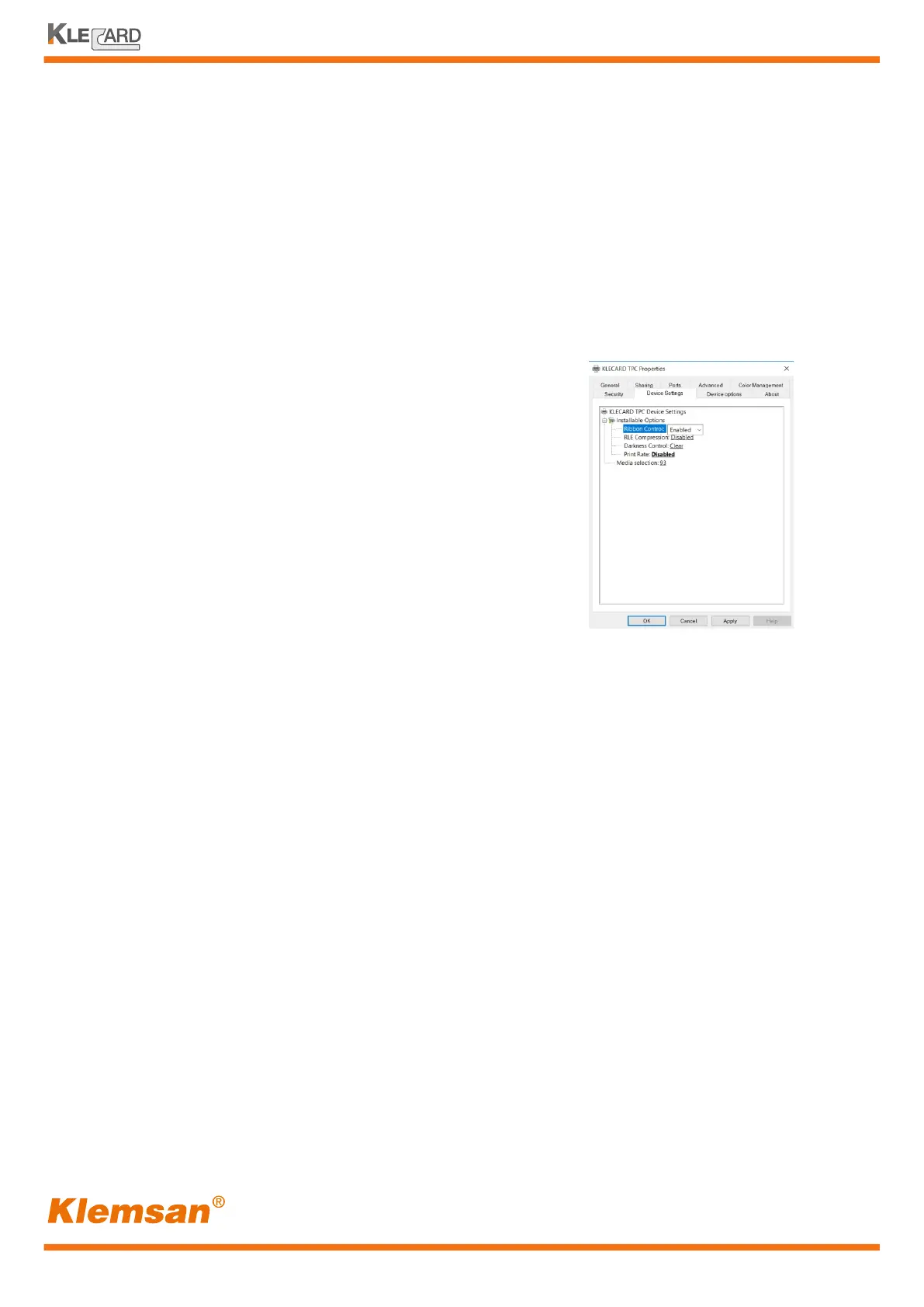
Ribbon sensor control
EOP retension
The Klecard ribbon sensor detects the presence of the ribbon in the correct position before
printing.
The default condition is enabled into the driver and refers to black; for red and blue ribbon
colors you need to set the driver in Inverted mode.
After changing the sensor logic, the display on your
printer will show the status.
With Enabled choice, the display shows Klecard
-Black- when it starts, with Inverted choice,
the display will show -Color-.
If you change your choice to Disabled,
the ribbon will be not checked.
The light could influence the sensitivity of the
ribbon sensor. In case of non-detection of the
color ribbons, you need to disable the Ribbon Control.
With your Klecard you can print small or large areas on the consumables.
Larger areas could affect the ribbon tensioning, due to the thin layer of the ribbon carrier.
In this case, the ribbon should tear or wrinkle and the next print session could show some
streaks on the graphics or some missing portions.
EOP retension is an option in the driver which lets the users to advance the ribbon at the
end of each printed page. EOP is acronymous of End Of Page. It is selectable in a box in
the driver, with a range from 0 to 1000, with steps of 50.
At 0, the EOP retension is not active and printer advances the ribbon in a default condition.
Starting from 50, the ribbon advances few centimetres at the end of the printed page.
Because the graphics dimensions, the environment conditions and the media type can
influence the quality, the user has to set the EOP retension accordingly to his own job.
With this feature, the ribbon starts to print in a portion not affected by wrinkles or tears.


 To Next Page